
ThemePlus – Modern Theme Options Framework by FrontTheme
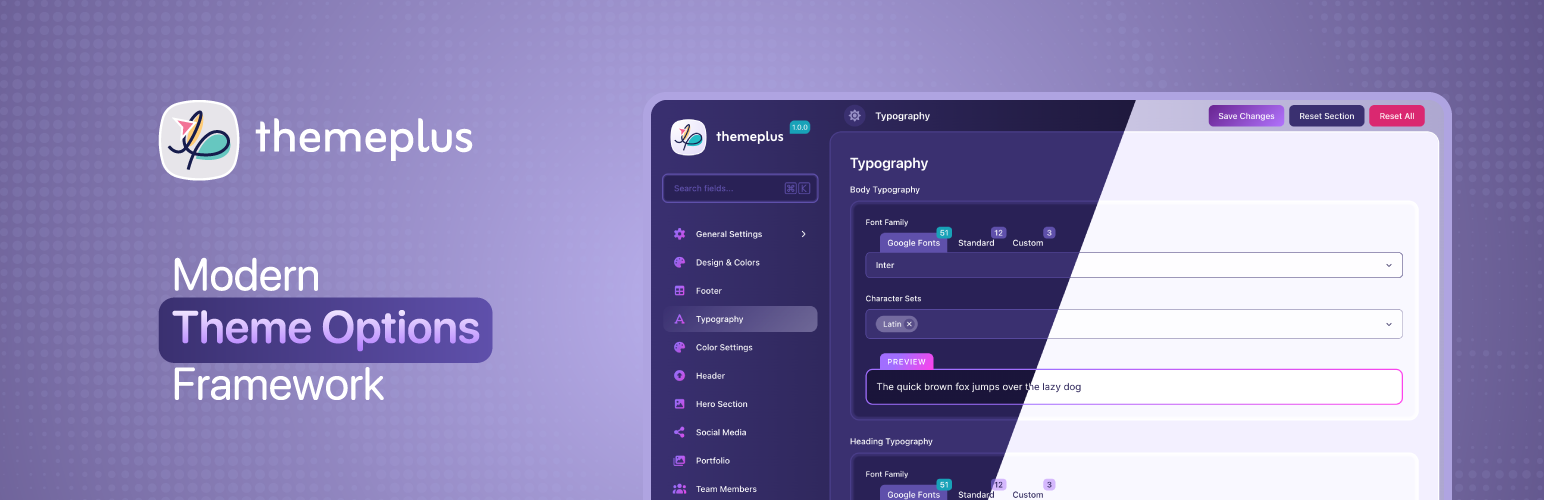
ThemePlus is a free, open-source WordPress theme options framework built for developers who want a modern, lightweight React-powered options panel — no legacy dependencies, no upsells, no license keys.
Built from scratch with React, Vite, and modern PHP 8, ThemePlus delivers a polished admin interface, 30 field types, full white-label support, Google Fonts integration, custom font uploads, Import/Export, conditional logic, a REST API, and a Developer Panel — all free, with no license keys and no upsells.
30 Field Types
Every input a theme could need, organized into clean categories:
- Text — Text, Textarea
- Number — Number / Spinner, Slider
- Choice — Select, Button Set, Radio, Checkbox, Select Image
- Toggle — Toggle / Switch
- Color — Color Picker, Gradient Picker
- Media — Image, Gallery, Icon (FontAwesome 6)
- Layout — Typography, Dimensions, Spacing, Border
- Special — Info, Section, Raw, Shortcode
- Date — Date Picker (date only or date + time)
- Social — Social Media Links (20 platforms)
- Code — Code Editor (CSS, JavaScript, HTML)
- Advanced — Repeater, Background, Link, Group
Every field has a verified, documented value shape. For example:
imagereturns{ id, url, width, height, alt, title }— empty array when no image selectedgalleryreturns an array of{ id, url, alt }rowsborderreturns{ width, style, color, radius }social_mediareturns an array of{ platform, url }rowsrepeaterreturns an array of row arrays keyed by sub-field idgradient_pickerreturns a complete CSSlinear-gradient()string
White-Label Support
ThemePlus is designed to disappear into your theme. Configure themeplus_framework_config() with your theme’s name, slug, option key, and icon — your users see your theme’s own settings panel, never «ThemePlus».
Convention: section and subsection icon takes a FontAwesome name only ('pen'). The Icon field default takes the full FontAwesome class ('fa-solid fa-star'). The plugin translates its own fallback strings; your theme translates its config strings in your own text domain.
Google Fonts + Custom Fonts
The Typography field includes a searchable browser of 1,899 Google Fonts with live preview, weight and style selection, subset support, and automatic font enqueueing on the frontend. Skip Google Fonts entirely and upload self-hosted fonts (WOFF2, WOFF) via the built-in Custom Fonts module — magic-byte verified, capability-gated, and output into @font-face rules automatically.
Note: Custom fonts are stored as Media Library attachments and are not affected by Reset All or Reset Section — use the per-font Delete button to remove uploaded files.
Conditional Logic
Show or hide any field based on the value of another. Supports 10 operators and three relation formats:
Operators: ==, !=, >, <, >=, <=, contains, !contains, empty, !empty
Single condition: ‘required’ => [‘sidebar_position’, ‘==’, ‘left’]
Multiple AND conditions: ‘required’ => [[‘enable_header’, ‘==’, true], [‘header_style’, ‘!=’, ‘minimal’]]
Multiple OR conditions: ‘required’ => [‘relation’ => ‘OR’, ‘conditions’ => [[‘mode’, ‘==’, ‘simple’], [‘mode’, ‘==’, ‘expert’]]]
Array value (matches any): ‘required’ => [‘header_elements’, ‘contains’, ‘search’]
Dot-notation sub-key: ‘required’ => [‘body_typography.font-family’, ‘==’, ‘Inter’]
empty / !empty note: false and 0 are NOT considered empty — only truly absent values, empty strings, empty arrays, and null.
Sections and Subsections
Organize theme options into a hierarchical sidebar. Add sections with themeplus_add_section(), nest subsections inline via the subsections key, or attach subsections from a separate hook with themeplus_add_subsection() — the pattern for child themes and extension plugins.
Import / Export
Backup and restore all theme settings with one click. Import/Export handles JSON serialization and restores defaults cleanly.
REST API
Full REST API under the themeplus/v1 namespace — get options, save options, reset all, reset section, get configuration. All endpoints require the configured capability (default edit_theme_options) with nonce verification. Options are sanitized per field type before storage.
Developer Panel
Enable dev mode (define('THEMEPLUS_DEV', true)) to access a Developer Panel showing every registered field with its current value, PHP data type, and copy-ready code snippets for all three access patterns. Includes field statistics by type and section.
Security
- All saved options pass through a per-field-type sanitizer (
ThemePlus_Sanitizer) — unknown keys are dropped, values are validated against registered field configuration - REST endpoints are capability-gated with nonce verification
- Font uploads are MIME-type and magic-byte verified
- Output is escaped at every render point
GPL Licensed — Free Forever
ThemePlus is GPL-2.0-or-later — the same license as WordPress itself. Use it in personal projects, client work, and commercial ThemeForest themes without restriction.
External Services
This plugin can optionally connect to Google Fonts (fonts.googleapis.com) when a Typography field is configured to use a Google Font. The selected font family name is sent to Google’s servers to load the font stylesheet.
- Google Fonts is only requested when a typography field value contains a Google Font name — it is never loaded by default
- No personal data is sent — only font family names and subset preferences
- Google Privacy Policy: https://policies.google.com/privacy
- Google Fonts Terms: https://developers.google.com/fonts/terms
To avoid any Google Fonts requests entirely, use only system fonts or upload self-hosted fonts via the Custom Fonts module.