Advanced Posts Listing – Show Post List Easily
Advanced Posts Listing is a WordPress Gutenberg block plugin that lets you display blog posts or custom post types in beautiful, customizable layouts in seconds — with live preview in the editor, no coding required.
Simply drop the block into the editor, choose your post type, and instantly create a polished posts grid, list, or gallery that fits your site’s style. Perfect for:
Blog pages & news sections Portfolio or product showcases To display any kind of information stored in any custom post type
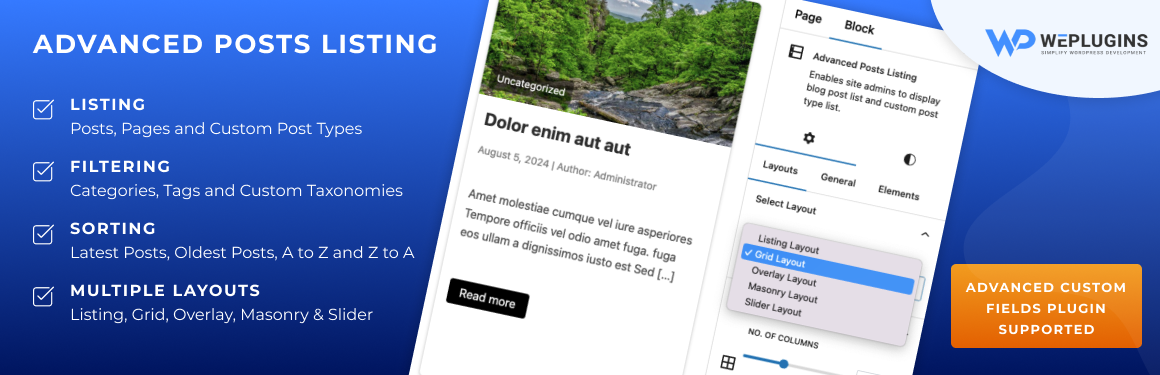
This listing plugin provides six beautiful and responsive design / layouts. Site admins can choose custom post type from block properties & listing will be created accordingly with a live preview.
This plugin also allows site admins to filter the custom post listing by taxonomy, terms and other criterias. The infomation displayed inside the listing record is also manageable from block properties.
Live Demos
For better idea of how all layouts would look like, below are live demo links of all the layouts.
List View Grid View Masonry View Overlay View Slider View
Contact Dedicated Support team for any assistance in the plugin setup process, for any query or for any customisation request for this plugin.
Features List
- Six beautiful & responsive blog post listing designs.
- Numeric pagination support for every layout. Manageable settings for pagination.
- Display posts, pages, and custom post types listing.
- Filter posts by categories.
- Filter posts by tags.
- Filter custom post types by taxonomies.
- Listing inherits most of the typography from currently activated theme.
- Manageable color picker settings for buttons UI to make it theme compatible.
- Options for adding custom css in block settings. Full flexibility.
- Compatible with popular custom post type plugins. e,g Advanced Custom Fields (acf plugin).
- Supports custom post type listing.
- Include only some specific posts/custom posts by comma separated ids.
- Exclude some particular posts by comma separated ids to be dislayed in output.
- Sort listings by date (ascending/descending).
- Alphabetical sorting (A-Z, Z-A).
- Live preview of listings in Gutenberg.
- Customizable listing display.
- Easy block properties configuration.
- Manageable row and column gaping for Grid, Masanory & Overlay layout.
- Display post titles.
- Show post excerpts.
- Include post featured images.
- Display post authors.
- Show post dates.
- Show/hide post titles.
- Show/hide post content.
- Show/hide post excerpts.
- Show/hide meta data like dates.
- Show/hide categories.
- Show/hide tags.
- Show/hide featured images.
- Customize the number of posts per listing.
- Pagination for long listings.
- Responsive design for mobile and desktop.
- SEO-friendly post listings.
- Lightweight and fast-loading.
- Compatible with all WordPress themes.
- User-friendly interface.
- Regular updates and support.
So this plugin supports a wide range of custom post types and offers extensive filtering options, including categories, tags, and custom taxonomies. Certain posts can also be included or excluded via id from the output. This flexibility ensures that your posts list is tailored to meet your specific needs. Additionally, the posts block can be sorted by date or alphabetically, giving you full control over how your content is presented. Enhance your WordPress site with a post list block that is both functional and visually appealing with maximum flexiblity.
How to use
- Create a page where you want to display Blog Post / Custom Post Type listing. Navigate to the Gutenberg editor.
- CLick on the + icon to see all available block elements. Find « Advanced Posts Listing » block element under « Widgets » category.
- Click on the « Advanced Posts Listing » block element icon will create a blog post listing for you instantly.
- On the right side, where the block properties appears, you can configure and modify the listing settings which includes post type selection, filtration by taxonomy & term and other things. As site admin, you can optionally display / hide the title, content, featured image or meta information for each listing record.
- Publish or update your page and you are done. Just visit the page on frontend. You will see the exact same listing you created in backend.