Étendez les possibilités
Ajoutez de nouvelles fonctionnalités ou connectez vos outils préférés avec des milliers d'extensions - disponibles sur tous les plans payants de WordPress.com.
increase-upload-file-size
517 extensions
 All in One SEO – La meilleure extension WordPress SEO pour améliorer les classements SEO et augmenter le trafic en toute facilitéAIOSEO est l’extension WordPress SEO la plus puissante. Améliorez les classements SEO et le trafic avec des outils SEO complets et des optimisations SEO intelligentes par IA !
 FileOrganizer - WordPress File ManagerFileOrganizer is an intuitive file manager to easily edit, delete, upload, download, and manage all your WordPress files and folders right from the da …
 Variation Swatches for WooCommerce – Color, Image & Size SwatchesVariation Swatches for WooCommerce replaces dropdowns with color, image & size swatches, helping shoppers decide faster and buy with confidence.
 FileBird - WordPress Media Library Folders & File ManagerOrganize thousands of WordPress media files in folders / categories with ease.
 Fonts Plugin | Google Fonts, Adobe Fonts & Upload FontsInstantly change your entire website's typography with Google Fonts, Adobe Fonts, or custom fonts — no coding required. Preview your changes live.
 Instant Images - One-click Image Uploads from Unsplash, Openverse, Pixabay, Pexels, and GiphyOne-click uploads from Unsplash, Openverse, Pixabay, Pexels, and Giphy directly to your WordPress media library.
 File Manager Pro - FilesterAdvanced File Manager and Code Editor. Best WordPress file manager without FTP access. No need to upgrade because this is PRO version.
 Real Media Library: Media Library Folder & File ManagerOrganize uploaded media in folders, collections and galleries: A file manager for WordPress. Media management made easy with Real Media Library! (Alte …
 Big File Uploads - Increase Maximum File Upload SizeEnable large file uploads in the built-in WordPress media uploader via file chunking, and set maximum upload file size to any value based on user role …
 Folders - Unlimited Folders to Organize Media Library Folder, Pages, Posts, File ManagerFolders est une extension WordPress qui vous aidera à organiser et à gérer rapidement les fichiers de votre médiathèque, les pages, les publications et les publications personnalisées dans des dossiers
 Resize Image After UploadAutomatically resize your images after uploading using this plugin. Specify height&width, the plugin will do the rest quickly and transparently.
 EasyMedia – Increase Media Upload File Size | Role-Based Upload Limit | Increase Execution TimeEasyMedia - Increase the maximum upload file size limit to any value. Increase upload limit - upload large files effortlessly.

 Perfect Images: Regenerate Thumbnails, Image Sizes, WebP & AVIFRendez votre site web beau et net sur les écrans modernes en créant et en affichant des images retina. Le support de WP4.4+ est valide et amélioré.
 Drag and Drop Multiple File Upload for Contact Form 7This simple plugin create Drag & Drop or choose Multiple File upload in your Confact Form 7 Forms.
 Simple Image SizesDonate link: http://www.beapi.fr/donate/ Tags: images, image, custom sizes, custom images, thumbnail regenerate, thumbnail, regenerate, cropping Requi …
 WP Extra File TypesPlugin to let you extend the list of allowed file types supported by the Wordpress Media Library
 Embed Any Document - Embed PDF, Word, PowerPoint and Excel FilesEmbed PDF, DOC, PPT and XLS documents easily on your WordPress website with the help of Google Docs Viewer or Microsoft Office Online.
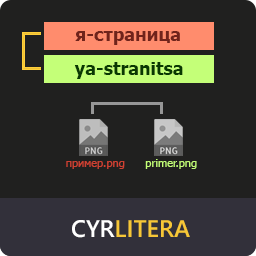 Cyrlitera – Transliteration of Links and File NamesConvert Cyrillic and Georgian URLs and file names to Latin. Works for all post types, pages, and terms. Custom characters, URL redirects & more.
 FluentSnippets - The High-Performance file based Custom Code Snippets PluginAdd header and footer scripts, PHP Snippets, Custom CSS /JS snippets with advanced conditional logic, and more...
 Protect UploadsProtect your uploads directory. Prevent browsing, add watermarks, disable right-click, and password-protect files. For more information, visit protect …