
Contact Form 7 Captcha
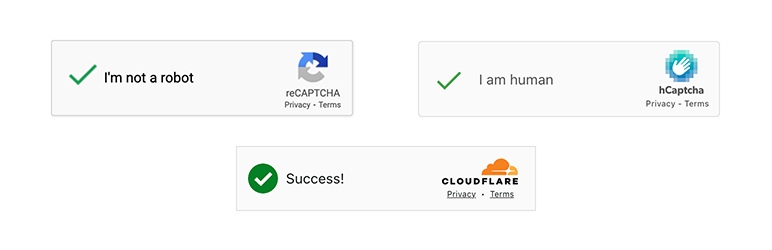
Protect your Contact Form 7 forms with Google reCAPTCHA V2, Google reCAPTCHA V3, hCAPTCHA, or Cloudflare Turnstile.
Easy integration and supports multiple forms on a single page.
Four CAPTCHA Options
Choose the CAPTCHA provider that works best for you:
- Google reCAPTCHA V2 — The industry-standard « I’m not a robot » checkbox, trusted by millions of sites.
- Google reCAPTCHA V3 — The industry-standard invisible score-based verification, trusted by millions of sites.
- hCAPTCHA — A privacy-first alternative that offers robust bot protection while keeping user data secure.
- Cloudflare Turnstile — A modern CAPTCHA that verifies users in the background, only requiring a simple click if the visitor appears suspicious.
Simple Setup
- Sign up with your chosen CAPTCHA provider and grab your Site Key and Secret Key.
- Paste them into CF7 Captcha in your WordPress admin.
- Add protection to any CF7 form in seconds using the shortcode provided in the same settings page.
Customizable Appearance
Each CAPTCHA widget supports customization options directly from the shortcode:
- Size — Choose between normal and compact to fit your form layout.
- Theme — Switch between light and dark themes (or auto for Turnstile) to match your site’s design.
- Language — Force any CAPTCHA to render in a specific language for your audience.
All options are combinable, so you can mix and match to get the exact look you need.
Submission Insights (NEW in v0.1.7)
Go beyond just blocking spam. Submission Insights gives you full visibility into every form submission:
- Sender IP — See the IP address of the person who contacted you.
- Source Page — Know exactly which page on your site the form was filled out on.
- Device & Browser — Get technical details about the sender’s setup.
🚀 Want More? Upgrade to CF7 Captcha Pro
This free version gives you solid CAPTCHA protection. But the smartest bots are already solving CAPTCHAs.
CF7 Captcha Pro adds six extra layers of invisible spam defense on top of what you already have here, plus a full set of tools to capture and act on every lead your forms collect.
What you get with Pro
6-Layer Spam Defense — stops 99.9% of spam without ever bothering your visitors: – Advanced Honeypot — invisible trap fields with names that regenerate every 24 hours. – Time Limit Validation — bots submit in 0.2 seconds. Humans take 15–30. This blocks anything that moves too fast (or stays too long). – Rate Limiting — caps submissions per IP so bot networks can’t flood your inbox or burn through your email quota. – Geographic Blocking — whitelist only the countries you serve, or blacklist known spam regions. – IP Pattern Blocking — block single IPs, wildcards, CIDR ranges, or entire subnets when you know exactly where an attack is coming from. – Word Filter — scans every submission for spam keywords, phishing URLs, and known scam phrases before it reaches you.
Lead Recovery — 70% of people who start filling out a form never submit it. Pro captures their data in real-time as they type, so you can follow up on leads that would otherwise vanish.
Database Storage & Export — every submission is saved with full metadata (IP, browser, referrer, timestamp). Export to CSV, Excel, JSON, or PDF whenever you need it. No more lost leads if your email fails.
Webhooks — send form data instantly to any URL. Connect to Zapier, Salesforce, Slack, Google Sheets, or any custom API. Multiple webhooks per form, with retry logic built in.
Mailchimp Integration — submissions automatically added to your Mailchimp lists. Field mapping, tags, opt-in handling.
Twilio SMS — receive instant alerts for every submission or send automated SMS replies to your clients.
Comprehensive Logging — every spam block, webhook call, and integration event is logged. Debug any issue in minutes instead of hours.