Expired Link Redirection – Temporary Link, Keyword Autolink, Page Redirect, 404 Redirect, Link Timer

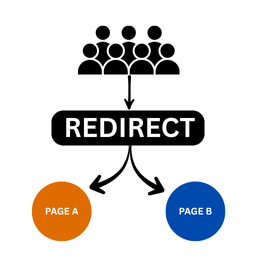
Expired Link Redirection is a powerful plugin that allows you to create links that redirect traffic from one URL to another URL after a set period. Expired links that redirect to your preferred page.
You can use it to run flash sales by creating a link that automatically redirect traffic to the original price after the flash sales period.
✅ FREE FEATURES:
- Create unlimited redirect links – Easily duplicate existing redirect links – Link timer – Set link to expire in minutes – Set link to expire in hours – Set link to expire in days – Set link to expire in weeks – Set link to expire in months – Autolink keyword in posts – Set global 404 Redirect for broken or mistyped link
- Save redirect links as reusable templates
- Track the number of clicks on your link – Reset data for each generated redirect link
- Reset data for all links at once
🚀 PRO FEATURES:
– Unlimited redirect links. – Organize links with labels – Bulk links deletion – Edit links slug at any time – Move links to trash or permanently delete it – Restore links from trash can – Export – Import link in JSON file
– Conditional Routing by Device – Conditional Routing by operating system – Conditional Routing by referral – Conditional Routing (Browsers) – Conditional Routing (Android & iOS Versions) – A/B Testing Variations – Link Rotator (Sequential – Rotate on every click) – Link Rotator (Timed – Each link active for specified minutes) – Link Rotator (Timed – Each link active for specified hours)
– Expire by Click Limit – Expire by Per-User Cookie – Role-Based Access Control – Gated access (Make link unopen for logged out users) – Link Cloaking / Masking – Link schedule between two dates – Specify three URLs for scheduled link (before, during, and after) – Reusable Link Templates – Filter Links by labels – Search Links
– Analytics & Tracking – Full Analytics Dashboard – Conversion Tracking Pixel – Detailed Click Logs – 30 Days click graph – A/B Test Performance Reports – Export links performance in CSV for analysis
– Hide plugin menu from specific role(s) – Custom URL Slugs (e.g., /recommends/) – Disable search engine link indexing (per link) – Access to support forum and premium marketing resources – Priority Support
Usage Instruction: – Click « Expired Links » from the menu list. – Enter the Redirection name for the redirect link. Note that the name will also serve as the slug. – Enter the original URL. This is the page you want users to see when the link is active. – Enter the Redirect URL (After expiration). This is the page users will see when the set time has passed. – Select your expiration time. – Click « Generate Redirect Link » and the link will be created.
The generated link will appear in the « All Redirections » where you can copy it and start using as you want.
Developed by Ojasweb Digital Solution.