
Max Interactive Maps
·
Lightweight interactive SVG map plugin with drag-and-drop pins. No API keys required.
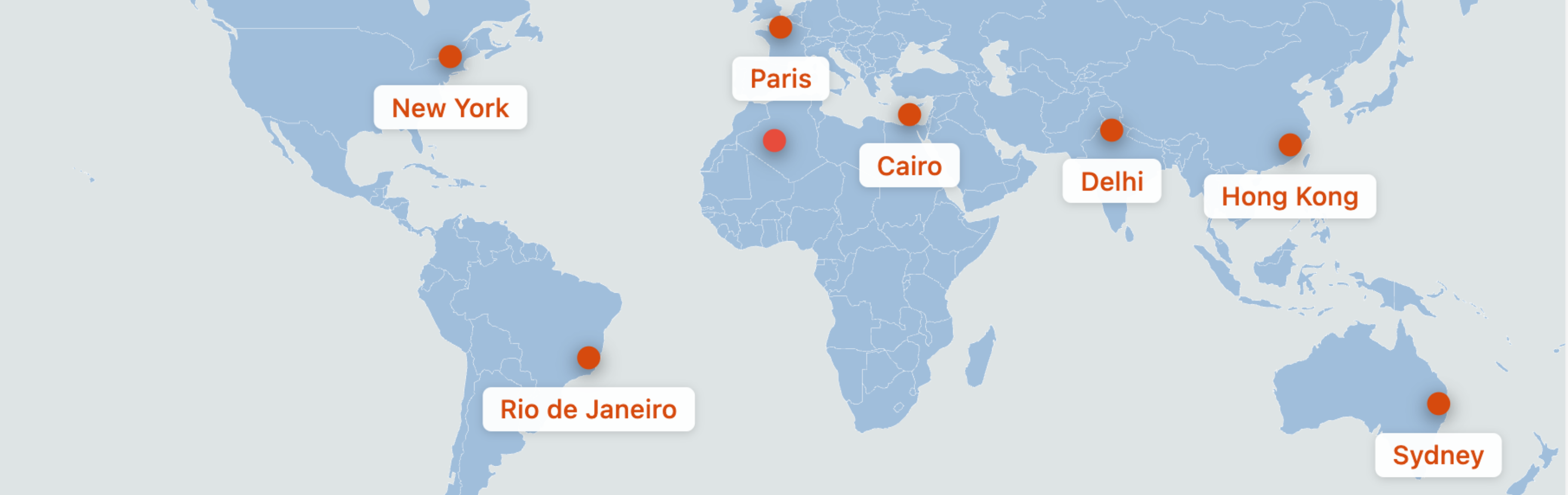
Max Interactive Maps is a performance-optimized WordPress plugin that allows you to create beautiful, interactive SVG maps with clickable pins. Unlike heavy map solutions that rely on external APIs, this plugin uses inline SVGs for lightning-fast loading and zero API dependencies.
Key Features
- Drag-and-Drop Pin Placement – Easily add and position pins on a world map using an intuitive visual editor
- Percentage-Based Positioning – Pins maintain their exact positions across all screen sizes and devices
- 5 Pin Icon Styles – Choose from Simple Dot, Teardrop, Star, Flag, or Pushpin designs
- Custom Color Controls – Set land color, water/background color, border color, and individual pin colors
- Responsive Design – Maps look perfect on desktop, tablet, and mobile devices
- SEO Optimized – Automatic Schema.org/Place JSON-LD output for search engine visibility
- Zero External Dependencies – No API keys, no tile loading, no external requests
- Lightweight – Frontend assets under 10kb gzipped
Use Cases
- Travel blogs showing visited destinations
- Business locations and branch offices
- Event locations
- Real estate property maps
- Tourism and attraction maps
- Educational geography content
How It Works
- Create a new SVG Map from the WordPress admin
- Add pins by clicking « Add Pin » and drag them to your desired locations
- Double-click pins to set URLs, labels, colors, and icon styles
- Publish and copy the shortcode
- Paste the shortcode into any post, page, or widget