
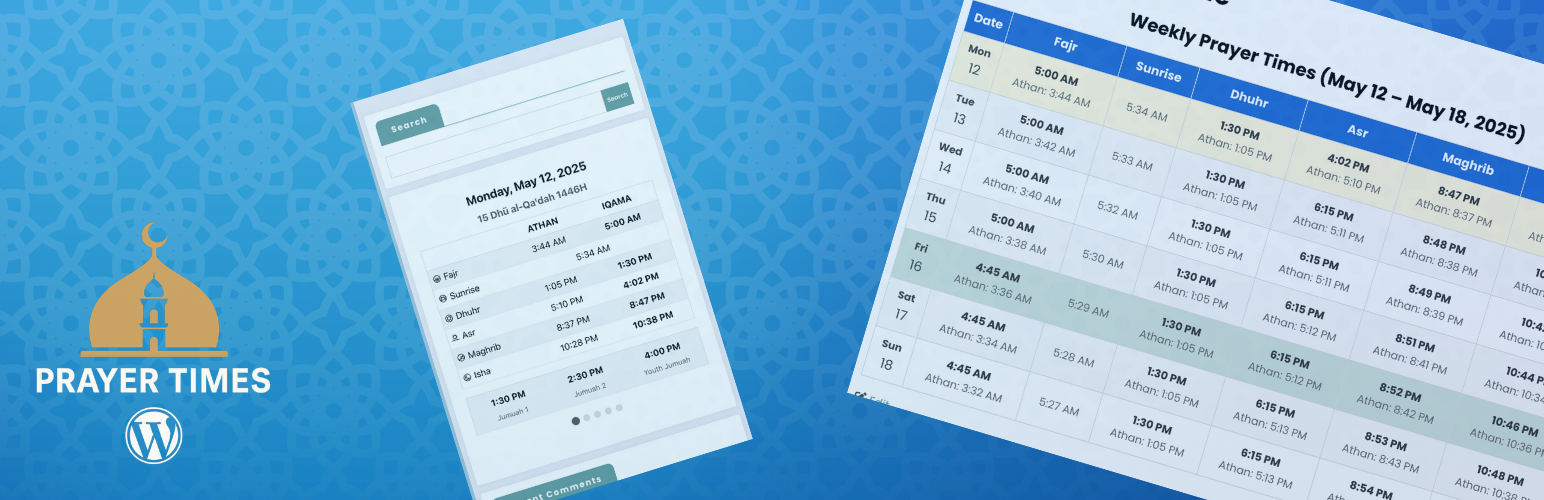
Muslim Prayer Times is a powerful plugin that allows you to display daily and monthly prayer times on your WordPress website. Perfect for mosques, Islamic centers, or any Muslim website.
Features
- Daily prayer times display with both Athan and Iqama times
- Monthly prayer times calendar
- Live prayer times display that updates automatically
- SalahAPI 1.0 support for standardized prayer times data exchange
- REST API endpoints for integration with other systems
- Customizable calculation methods (MWL, ISNA, Egypt, etc.)
- Blocks and shortcodes for easy integration
- Admin interface to manage Iqama times
- Automatic location-based prayer times
- Customizable display options with multiple styles
- Hijri date conversion with adjustment options
- Jumuah (Friday) prayer time management
- Responsive design for all devices
How to Use
Setting Up Prayer Times
-
Configure Basic Settings:
- Go to Settings > Muslim Prayer Times in your WordPress dashboard
- Enter your location’s coordinates (latitude and longitude) or use the « Find Coordinates by Address » feature
- Select your timezone and prayer calculation method
- Set Hijri date adjustment if needed
- Configure Jumuah (Friday) prayer times if applicable
-
Configure Iqama Rules:
- In the Iqama Rules tab, set rules for calculating Iqama times based on Athan times
- You can choose different rules for each prayer (Fajr, Dhuhr, Asr, Maghrib, Isha)
- Options include minutes after Athan, fixed times, or specific rules like « minutes before sunrise » for Fajr
-
Generate and Import Prayer Times:
- Use the Export/Import section to generate prayer times based on your settings
- Review and adjust the generated CSV file if needed
- Import the CSV back into the plugin to set up your prayer schedule
Using the Blocks
The plugin includes three blocks that can be added to any post or page:
-
Daily Prayer Times Block:
- Shows the current day’s prayer schedule with navigation for upcoming days
- Ideal for homepage display or mosque information pages
- Customizable colors, fonts, and display options
-
Monthly Prayer Times Block:
- Displays a complete monthly calendar of prayer times
- Perfect for providing visitors with a comprehensive prayer schedule
- Options to show/hide various elements like sunrise times
-
Live Prayer Times Block:
- Shows real-time prayer schedule with a live clock
- Automatically highlights the next upcoming prayer
- Ideal for digital displays in mosques when used with the Digital Signage plugin
To add a block: 1. Edit any post or page 2. Click the « + » button to add a block 3. Search for « Prayer Times » or look in the « Muslim Prayer Times » category 4. Select the block you want to add 5. Customize the block settings in the sidebar
Customization Options
Each block comes with extensive customization options:
- Change colors for text, backgrounds, and headers
- Adjust font sizes
- Show or hide elements (date, Hijri date, sunrise times, etc.)
- Choose from different table styles
- Set text alignment
- Customize the display of upcoming prayer time changes
For Developers
This plugin is open-source and available on GitHub: https://github.com/stankovski/wp-prayer-times
Developers can extend the plugin’s functionality or customize it further by: * Adding custom styling with CSS * Creating new blocks or shortcodes * Integrating with other mosque management plugins