
ShopPanel
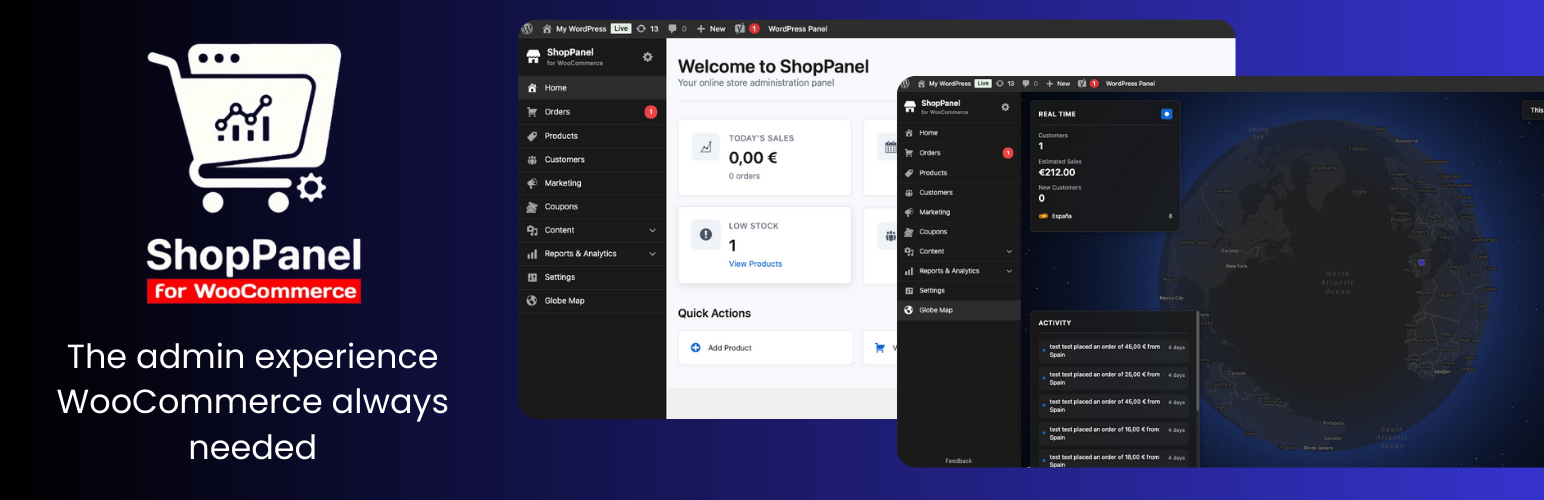
ShopPanel for WooCommerce transforms the WordPress administration panel into a modern experience focused on online store management, similar to Shopify. The plugin completely reorganizes the administration menu to show only ecommerce-relevant sections, hiding unnecessary WordPress options.
Features
- Custom administration panel: Modern Shopify-style interface
- Dashboard with statistics: Clear summary of sales, orders, products and customers
- Reorganized menu: Highlights only the sections relevant to WooCommerce store management
- Globe Map analytics: Visualize your WooCommerce sales in real time on an interactive world map, inspired by Shopify’s Live View and Marc Lou’s DataFast
- Panel switching: Instantly switch between ShopPanel and the standard WordPress admin panel with a single click in the admin bar
- Non-intrusive integration: ShopPanel does not replace or modify the native WordPress/WooCommerce menus — your original admin remains intact
- Responsive design: Optimized for mobile and tablet management
- Flexible configuration: Choose which panel loads by default according to your workflow
Requirements
- WordPress 6.0 or higher
- PHP 7.4 or higher
- WooCommerce 8.0 or higher
Usage
Once activated, ShopPanel will automatically redirect to the custom panel when accessing wp-admin. You can switch between the ShopPanel and standard WordPress panel from the top administration bar.
Configuration
Go to Settings > ShopPanel to: – Activate/deactivate ShopPanel – Select which panel to display by default (ShopPanel or WordPress)
External services
This plugin uses Mapbox GL JS to display an interactive globe map showing customer locations and orders in real-time.
What data is sent and when: – Mapbox access token: Sent when the globe map page is loaded (if configured by the user) – Geographic coordinates: Customer and order location data (latitude/longitude) is sent to Mapbox servers when rendering the map – This data is sent only when the globe map feature is accessed and a valid Mapbox token is configured
Service provider: This service is provided by Mapbox. For more information: – Terms of service: https://www.mapbox.com/legal/tos/ – Privacy policy: https://www.mapbox.com/legal/privacy/
Note: Users must configure their own Mapbox access token in the plugin settings. The plugin does not send any data to Mapbox if no token is configured.
Support
For support and questions, visit https://kamalyon.com
License
GPL v2 or later