
Simple Pull Quote
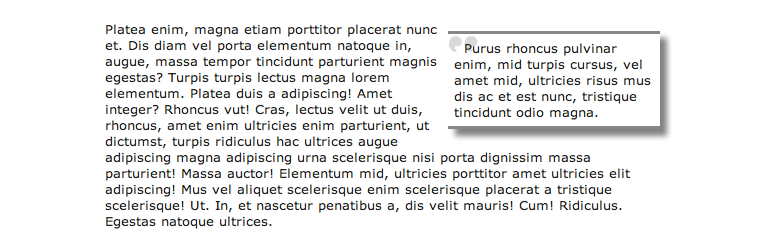
Simple Pull Quote WordPress Plugin provides an easy way for you to insert pull quotes into your posts and pages. It adds an easy-to-use « Pullquote » button to both the HTML and TinyMCE editors.
IMPORTANT: To use in the new WordPress (Gutenberg) editor, you can either:
1. use the « Classic » block.
2. Use shortcodes such as [pullquote class="left”]TEXT HERE[/pullquote]
See the plugin in action as well as how to use it: http://youtu.be/JGudI9gr9iE
Utilisation
- Select the text that you want to use as your pull quote.
- Click on the « Pullquote » button in either the Visual or HTML editor.
For more help on usage, visit the Simple Pull Quote Homepage for a visual guide.
How do I update the look of the pull quotes?
To change the look of your pull quotes, open your theme’s « style.css » file and create a CSS class called « simplePullQuotes ». Edit this class according to your tastes. IMPORTANT: Make sure your theme’s « wp_head() » function comes before your theme’s stylesheet or else this won’t work.
How do I use more than one pull quote in a single post or page?
Simply select the text that you want to use as a pull quote and click the « Pullquote » button in either the visual or html editor.