Video Frame Extractor
·
Easily create high-quality, custom-sized screenshots from any video in your Media Library via a dedicated, user-friendly admin page.
Évaluations
Version
1.2
Installations actives
10
Mis à jour récemment
Sep 15, 2025
Tired of manually taking screenshots of your videos for featured images or content thumbnails? Video Frame Extractor provides a seamless solution right within your WordPress dashboard.
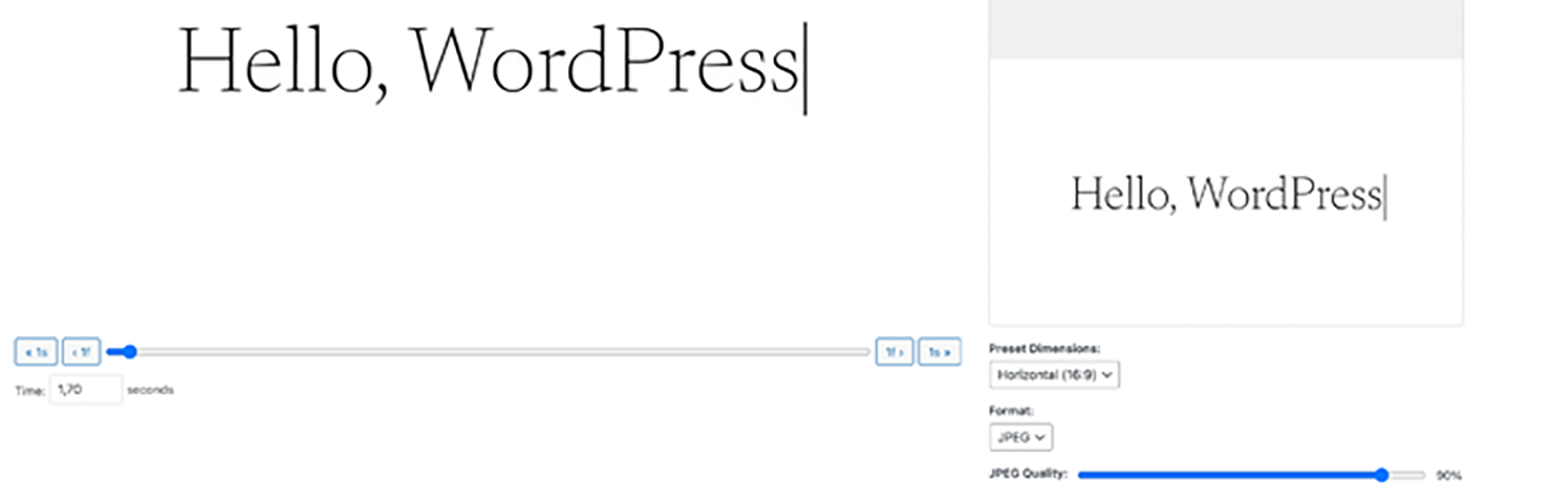
This plugin adds a dedicated admin page under « Media » -> « Video Frame Extractor ». Simply select a video from your library, and you’ll get a powerful editor that allows you to:
- Scrub Through Your Video: Use a precise slider and frame-by-frame controls to find the perfect moment.
- Live Preview: See exactly how your cropped screenshot will look before you generate it.
- Dimension Presets: Instantly set dimensions for Horizontal (16:9), Vertical (9:16), or Square (1:1) aspect ratios.
- Custom Dimensions: Need a specific size? Enter any width and height for full control.
- Format & Quality Control: Choose between JPEG and PNG formats. For JPEGs, you can even adjust the compression quality to balance file size and clarity.
- Standalone Interface: No more struggling with crowded media modal popups. The entire process happens on a clean, dedicated page for the best user experience.
Stop wasting time with external tools. Generate the perfect video thumbnail in seconds without ever leaving WordPress!