No Shipping Message for WooCommerce
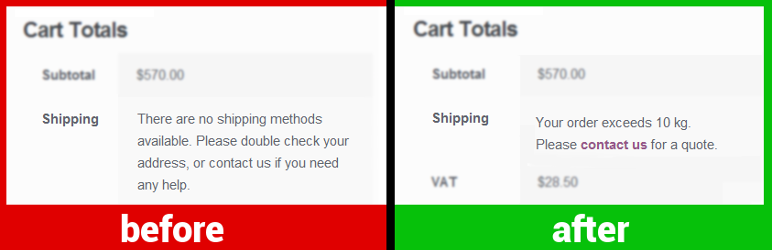
The plugin allows quickly customizing the messages WooCommerce displays to the customer when shipping is not available: 1. « No shipping options were found » on the cart page (screenshot) 2. « There are no shipping options available » on the checkout page (screenshot) 3. « No shipping method has been selected » notice appearing after a checkout attempt (screenshot)
Customers see a no-shipping-options message when there are no delivery options configured for their order because they choose a destination you don’t ship to, or have too many items in the cart, or meet another edge condition. Providing a custom message may be useful to explain why shipping is not available and what to do next. You can also provide an actual link to your contact page.
Message examples:
- « Your order exceeds 10 kg. Please contact us to get a quote. »
- « Shipping to the selected country for orders under $100 is not available. Please add more items to your order or contact us. »
- « [Product] is not available for shipping to the selected destination. »
- « Unfortunately, we can’t deliver your order. Please contact us for details. »