
Social Chat – Click To Chat App Button
Premium | Demo | Documentation | Discord
WhatsApp Chat for WordPress allows your customers to click a button and open a conversation from your website directly to your « WhatsApp » or « WhatsApp Business » phone number. This plugin includes a Whatsapp button where you can include a pre-set message, which will be automatically be the first message in the conversation.
Anciennement WhatsApp Chat
This plugin was formerly known as « WhatsApp Chat ». WordPress forced us on August 8, 2019 to change the name of the plugin due to use of the « WhatsApp » word in the name. We apologize for the problems that the downtime may have caused to you.
Pourquoi WhatsApp ?
WhatsApp is these days, the most popular instant messaging application in the world. Is available in more than 100 countries and supporting more than 50 languages. This means most of our users use WhatsApp as their main contact method, and they probably have been using it for years. Therefore, offering easy access from our website is a good way to convert those visitors into customers. Generating leads is the key to every business success, and the Social Chat button can help you to increase your overall sales and reach this goal.
Bouton WhatsApp
With the Social Chat button, your visitors will be allowed to send a message directly to your phone number. To start configuring it, you have to go to the button tab inside the Social Chat section that you can find in your admin dashboard. Inside the button tab, you wil be able to switch between two different layouts, and to define if you want to include rounded edges, also the position where you want to show the WhatsApp button, the text to be displayed inside, the WhatsApp phone number and the default user message.
Social Chat Box
Social Chat also allows you to include a box to show some contact information and a personalized message. This box can be activated through the Box tab inside the Social Chat section, and there also you can define the header and footer message, contact name, phone, work, and an avatar.
Social Chat Features
- Bouton WhatsApp
- Boîte de contact WhatsApp
- Couleurs du bouton et de la boîte WhatsApp
- Ajouter une icône personnalisée au bouton WhatsApp
- Mise en page à deux boutons
- Masquer le bouton en fonction des types de publication et des taxonomies
- Ajouter des bordures arrondies ou carrées
- Position verticale et horizontale
- Texte de bouton personnalisé
- Message utilisateur personnalisé
- WooCommerce product page integration
- WooCommerce archive pages integration
- Dynamic message variables
WhatsApp Message Dynamic Variables
Synce version 5.0.6 you’re able use variables in your WhatsApp Button or contact messages.
{SITE_TITLE} ➡ Is replaced by the current site title {SITE_URL} ➡ Is replaced by the current site url {SITE_EMAIL} ➡ Is replaced by the current site email {CURRENT_TITLE} ➡ Is replaced by the current page title {CURRENT_URL} ➡ Is replaced by the current page url
WooCommerce WhatsApp Message Variables
Since version 8.1.9, WooCommerce users can use product-specific variables in their WhatsApp messages:
{PRODUCT_TITLE} ➡ Is replaced by the product name {PRODUCT_URL} ➡ Is replaced by the product URL {PRODUCT_PRICE} ➡ Is replaced by the product price {PRODUCT_SKU} ➡ Is replaced by the product SKU {PRODUCT_ID} ➡ Is replaced by the product ID
🎁 New!! WooCommerce WhatsApp
Since version 6.0.1 you can include a WooCommerce WhatsApp button in the Single product pages to allows your users to prompt a custom message to your WhatsApp App.
The WhatsApp Button can be included directly on your WooCoomerce product pages next to the « Add to cart » button.
Also you can include WooCommerce WhatsApp button in the next actions:
- Before « Add To Cart » form
- Before « Add To Cart » button
- After « Add To Cart » button
- After « Add To Cart » form
- After « Additional information »
🎁 New!! WooCommerce Archives WhatsApp
Since version 8.1.9 you can display a customizable WhatsApp button on WooCommerce archive pages, including:
- Shop page
- Product category archives
- Product tag archives
- Product brand archives (for plugins that support it)
You can configure a custom message, button style, and position for each archive type. The button supports all WooCommerce product variables, making it easy for customers to inquire about products directly from archive pages.
🎁 New!! WooCommerce WhatsApp Payment Gateway (Premium)
Since version 8.3.0 you can enable WhatsApp as a payment method in WooCommerce checkout! This powerful premium feature allows customers to:
- Select WhatsApp Order as a payment method at checkout
- Automatically send order details to your WhatsApp number
- Customize order messages with dynamic variables (ORDER_ID, ORDER_TOTAL, CUSTOMER_NAME, ORDER_PRODUCTS, etc.)
- Auto-redirect customers to WhatsApp after placing an order
- Configure custom order status, redirect delay, and visibility settings
- Support for both individual phone numbers and WhatsApp groups
- Full compatibility with WooCommerce Blocks checkout
Perfect for businesses that want to confirm payments via WhatsApp or provide a more personal checkout experience. All order information is automatically formatted and sent to your WhatsApp, making order management seamless.
WooCommerce Order Message Variables: {ORDER_ID} ➡ Order ID {ORDER_NUMBER} ➡ Order Number {ORDER_TOTAL} ➡ Order Total Amount {ORDER_DATE} ➡ Order Date {ORDER_TIME} ➡ Order Time {ORDER_STATUS} ➡ Order Status {ORDER_URL} ➡ View Order URL {ORDER_PRODUCTS} ➡ List of ordered products {CUSTOMER_NAME} ➡ Customer Full Name {CUSTOMER_EMAIL} ➡ Customer Email {CUSTOMER_PHONE} ➡ Customer Phone {BILLING_ADDRESS} ➡ Billing Address {SHIPPING_ADDRESS} ➡ Shipping Address {PAYMENT_METHOD} ➡ Payment Method Title
WhatsApp Premium
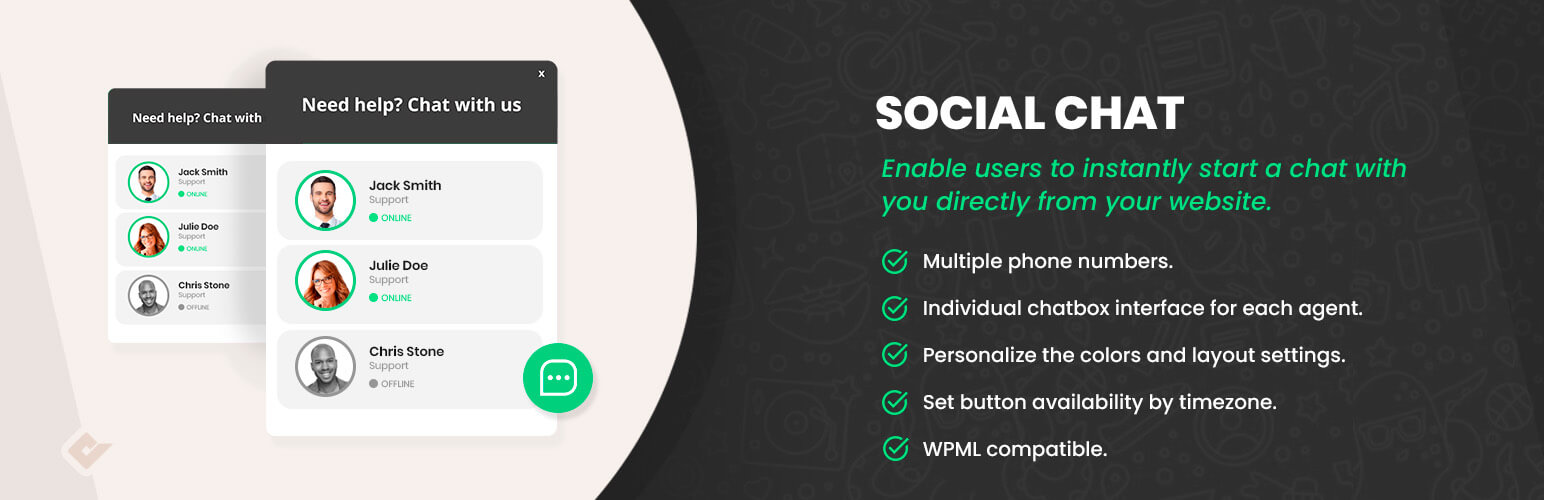
The premium version of the Social Chat plugin allows you to include multiple team member agents, distinguishing their names and labels inside. The contact box helps to provide direct contacts to the different support areas of your site. A new option to display a chatbox for each agent is included. This box will be displayed when the user clicks on the WhatsApp contact, and you can define custom message to be shown from each contact. Your users will be able to type the message that will be sent to the WhatsApp contact phone. Finally, we’ve included an option that allows you to select between more than fourteen icons to be included at WhatsApp button, and allowa full integration with the WordPress live customizer.
AI-Powered Chatbots (Beta)
Build intelligent chatbots with our visual flow builder – no coding required! Create smart conversations using a simple drag-and-drop interface to convert visitors into customers. Design conversation flows with connected blocks, deploy instantly to your contacts, and boost engagement with AI-powered responses. Join our Discord community to get early access and help shape this revolutionary feature.
Social Chat Premium Features
- AI-Powered Chatbots with visual flow builder
- Multiple WhatsApp phone numbers
- Chatbox interface for each WhatsApp phone number
- Customize each WhatsApp contact welcome message
- Allow users to send the first message to your WhatsApp
- GDPR consent checkbox with customizable message
- Display WhatsApp button based on custom post types and taxonomies
- Display WhatsApp Button business hours
- Display WhatsApp Contacts business hours
- Google Analytics v3 events
- Google Analytics v4 events
- WhatsApp group support
- WooCommerce WhatsApp Payment Gateway
- Auto-redirect to WhatsApp after order placement
- WooCommerce Blocks checkout compatibility
WhatsApp Button Installation
- Allez au menu « Extensions » de WordPress
- Search for « Social Chat WP »
- Cliquez sur « Installer »
- Cliquez sur « Activation »
- Go to the Social Chat options in the dashboard
WhatsApp Button Shortcodes
Our WhatsApp plugin support shortcodes to add WhatsApp button or box inside any post or widget. You can change the shortcode attributes to customize the WhatsApp phone number, styles or welcome message.