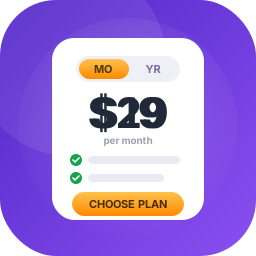
Pricing Table – Present Your Plans and Convert More Customers

Design pricing tables that make your plans easy to compare – and easier to buy – right inside the Gutenberg editor, no code required.
Pricing Table | Live Demo | Support
Why Pricing Table?
A confusing price list costs you sales. Pricing Table is a modern, lightweight WordPress plugin that lets you design and display fully customizable pricing tables directly within the Gutenberg editor – perfect for SaaS products, service-based websites, freelancers, and agencies.
Add as many pricing tables as you need, style them to match your brand with colors, fonts, borders, and backgrounds, and highlight your features with clean checkmark icons. Call-to-action buttons with custom text and links guide visitors straight to checkout.
Every table is responsive by default and built on lightweight, performance-optimized code, so your pricing pages stay fast on desktops, tablets, and phones.
Free Features
- Unlimited Pricing Tables: Add as many pricing tables as you want with the Gutenberg block editor.
- Basic Styling Options: Customize colors, fonts, borders, and backgrounds to match your brand.
- Feature List with Icons: Display service features clearly with styled checkmark icons.
- Button Support: Add call-to-action buttons with custom text and links to drive conversions.
- Responsive by Default: Mobile-friendly layout that works across desktops, tablets, and phones.
- Optimized for Performance: Lightweight code ensures fast loading and a smooth user experience.
- Gutenberg Block Support: Build pricing tables visually using the WordPress block editor.
Pro Version
Take your pricing tables to the next level with powerful design and control features in Pricing Table Pro.
Pro features include:
- 21 Professionally Designed Styles: Unique, modern pricing table templates crafted to fit any brand and maximize conversions.
- Responsive Device-Based Controls: Individually adjust layout, spacing, and styles for desktop, tablet, and mobile.
- Custom Styling Options: Control border radius, background colors, shadows, padding, and image positioning.
- Advanced Typography: Fully customize the font, size, weight, color, and alignment of titles, descriptions, and features.
- Interactive Buttons: Design call-to-action buttons with custom icons, sizes, colors, and hover effects.
- Flexible Layout Controls: Manage columns, gaps, padding, and container width for a pixel-perfect layout.
How to Use
- Install and activate the Pricing Table plugin.
- Open a post or page in the Gutenberg editor.
- Click the + icon and search for Pricing Table, then add the block.
- Change the block settings from the right-side settings sidebar.
- Publish – your pricing table is live!
Use Cases
- SaaS Products: Compare Basic, Standard, and Ultimate plans side by side.
- Agencies & Freelancers: Present service packages with clear features and prices.
- Membership & Course Sites: Show plan tiers with call-to-action buttons.
- Local Businesses: Publish price lists for gyms, salons, restaurants, and more.
Feedback
- Did you like this plugin? Dislike it? Do you have a feature request? Please share your feedback with us
Check out the Parent Plugin of this plugin-
B Blocks – A blocks collection and page building tool for Gutenberg.
Check out our other WordPress Plugins-
Html5 Video Player – Display videos as single and playlist in multiple skins.
PDF Poster – Display/Embed PDF files with different styles.
Html5 Audio Player – Listen audios with awesome visuals.
StreamCast – Customizable radio player with different skins.
3D Viewer – Embed 3D models and 3D products with interaction.
Advanced Post Block – Show posts and custom posts in different layouts.
External Services
This plugin connects to the following external services from the admin dashboard:
bPlugins API
- Service URL: https://api.bplugins.com
- Purpose: The plugin's admin dashboard fetches product comparison data and pricing information to display relevant upgrade options and feature details.
- Data Sent: Only the plugin slug is transmitted; no personal or site data is collected.
- Terms of Service: https://bplugins.com/terms-of-service/
- Privacy Policy: https://bplugins.com/privacy-policy/
Freemius (wp.freemius.com)
- Endpoint: https://wp.freemius.com/
- Used for: Processing plugin opt-in consent form submissions.
- Data sent: Only after explicit user opt-in — user name, email, site URL, WP/PHP version, plugin version.
- Terms of Service: https://freemius.com/terms/
- Privacy Policy: https://freemius.com/privacy/
WordPress.org Plugins API
- Service URL: https://api.wordpress.org/plugins/info/1.2/
- Purpose: The admin dashboard queries the official WordPress.org Plugins API to retrieve and display a curated list of other plugins by the same author ("Our Plugins" section).
- Data Sent: Plugin slugs and author name; no personal or site data is collected.
- Terms of Service: https://wordpress.com/tos/
- Privacy Policy: https://wordpress.org/about/privacy/
Third-Party Libraries / bpl tools
- Source / GitHub: https://github.com/bPlugins/bpl-tools
- License: GPL-2.0-or-later – https://www.gnu.org/licenses/gpl-2.0.html
- Purpose: Shared utility library providing admin dashboard components and common Gutenberg editor controls.
- External Services: The library may connect to bPlugins, WordPress.org, and Freemius services for product data and checkout functionality. See full details: https://github.com/bPlugins/bpl-tools#external-requests–why-they-are-made