
Giuliomax Menu Builder
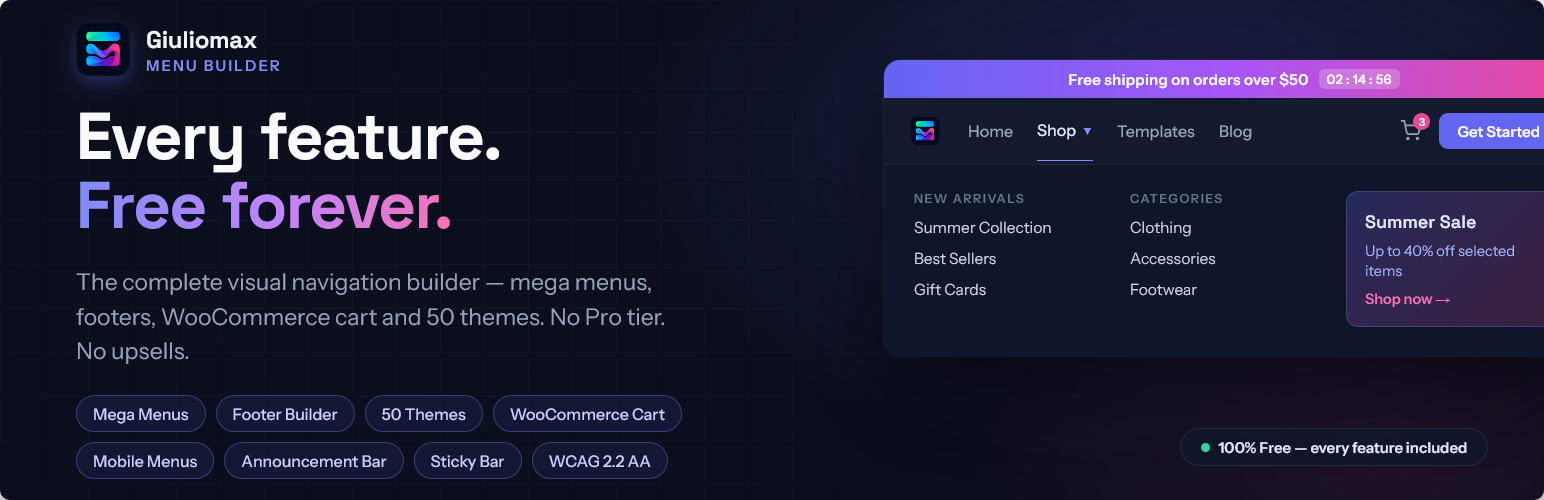
What if the best menu plugin didn't cost anything?
You've seen the pattern: install a menu plugin, get excited, then hit the paywall. The mega menu? Pro. The cart icon? Pro. The nice themes? Pro. Giuliomax Menu Builder breaks that pattern. Every single feature is free. Not a teaser version — the whole thing.
Build a navigation bar that looks like it was custom-designed for your brand, in minutes. Pick one of 50 designer themes and go live in one click, or fine-tune every pixel with the visual editor. Drop the MenuX block into your header in the Site Editor, or paste [menux] anywhere. Desktop, tablet, phone — it just looks right.
Need a footer too? The built-in Footer Builder produces those polished, multi-column footers you normally only see on custom-coded sites — built visually in under a minute with a guided wizard.
💎 Why "free" actually means free here
No watermarks. No ads in your dashboard. No "Upgrade" buttons taunting you next to locked features. No newsletter blackmail. Everything below works the moment you click Activate:
Navigation
- ✅ Mega menus (4 columns, 20 industry templates)
- ✅ Multi-level dropdowns
- ✅ Visual drag-and-drop builder
- ✅ Import from WordPress menus
- ✅ Sticky header with shrink-on-scroll
- ✅ Built-in menu & page search
Conversion
- ✅ CTA button items
- ✅ Announcement bar with live countdown
- ✅ Badges ("New", "Hot") & notification dots
- ✅ Live WooCommerce cart with mini-cart
- ✅ Smart visibility (role, device, page, schedule, campaign)
Design
- ✅ 50 one-click themes in 10 style categories
- ✅ 70+ Google Fonts with live preview
- ✅ Visual gradient picker
- ✅ Hover & entrance animations
- ✅ Logo placement with pill/circle shapes
- ✅ Dark mode (Light / Dark / Auto)
- ✅ Scroll progress bar
- ✅ Scroll spy (auto-highlight current section)
Mobile
- ✅ 4 opening styles (dropdown, fullscreen, left/right drawer)
- ✅ 3 hamburger icon styles
- ✅ Mobile-specific text colors
- ✅ Overlay with blur effect
- ✅ Accordion submenus
Footer
- ✅ Visual Footer Builder with guided 4-step wizard
- ✅ 7 section types: About, Links, Contact, Newsletter, Social icons, Opening hours, Custom HTML
- ✅ 21 curated footer themes (Midnight, Carbon Gold, Deep Ocean, Bordeaux, Sapphire, Aurora, Editorial, and more)
- ✅ Live style preview as you edit — colors, typography, social icons, spacing
- ✅ Bottom bar: copyright with
{year}placeholder, legal links, social mirror - ✅ Scroll-to-top floating button
- ✅ Per-column "hide on mobile" toggle
- ✅ Footer Gutenberg block +
[menux_footer]shortcode
Platform
- ✅ Gutenberg block for FSE themes
- ✅ Shortcode for any builder (Elementor, Divi, WPBakery)
- ✅ WPML / Polylang / TranslatePress support
- ✅ WCAG 2.2 AA accessibility
- ✅ One-file export/import
- ✅ Real-time 3-device preview
That's 40+ features other plugins split between Free and Pro — here they're just… features.
💰 One plugin instead of five
Other plugins split these features across separate paid products — a mega menu add-on, a cart widget, an announcement bar, a sticky header, a styling pack. Each one costs money, loads its own scripts, fights the others' CSS and needs its own update cycle.
MenuX replaces all of them with a single consistent plugin. $0. If it saves you time or money, a small donation keeps development going — that's the whole business model.
👤 Who is it for?
- Shop owners — live cart in the menu, countdown sales bar, "Offers" badge on the promo category. Your navigation becomes a salesperson
- Restaurants & local business — show "🍕 Lunch Menu" only between 12:00 and 15:00 with time-based visibility. Yes, really
- Agencies & freelancers — style a menu once, export the config file, import it on every client site. Minutes instead of hours, on every project
- Bloggers & creators — 50 themes mean your nav matches your brand without hiring a designer; the scroll progress bar keeps readers engaged
- Marketers — CTA buttons, campaign-targeted menu items (UTM visibility), countdown urgency — A/B test your navigation like a landing page
- Membership & community sites — different menus for logged-in members, per-role items, login/logout aware navigation out of the box
🚀 Launch in 60 seconds
- 50 one-click themes — from sleek dark navs to playful gradients, filter by mood (Dark, Minimal, Vibrant, Glass, Corporate, Retro and more), preview live, apply with one click. Your menu goes from default-theme-boring to "wait, what plugin is that?" instantly
- Import your existing menu — already built a menu in Appearance → Menus? One click pulls it into the builder, sub-items included. Nothing to rebuild
- A bee shows you around — first time? Our 🐝 onboarding guide walks you through setup so you're never staring at an empty screen
🎯 Built to convert, not just navigate
Your menu is prime real estate — the one element on every single page. Make it work for you:
- CTA Button items — turn "Book Now", "Get a Quote" or "Start Free Trial" into a real button with its own colors, hover effect and rounded corners. It sits right in your menu, impossible to miss
- Announcement Bar with live countdown — run flash sales with a ticking timer that creates real urgency. Dismissible, brandable, clickable
- Badges & notification dots — highlight "New" or "Hot" items so visitors' eyes go exactly where you want
- Smart visibility — show different items to logged-in customers, mobile visitors, specific pages, certain hours of the day, or traffic from a specific campaign. The right menu for the right person, automatically
🛒 Your shop's command center — free
Other plugins charge for this. Here it's included:
- Live cart icon — cart, bag or basket, with a count badge that updates the instant something is added. No refresh
- Running subtotal — shoppers always know where they stand
- Mini-cart dropdown — peek at the cart on hover or click, straight to checkout in fewer clicks
- Fully brandable — icon style, position, colors, badge — all yours
- Zero config debt — no WooCommerce? The cart silently waits and activates itself the day you install it
⚡ Mega menus like the big brands — free
The multi-column dropdowns you see on Apple-sized websites, built visually in your dashboard:
- Up to 4 columns of links, headings, dividers, images, shortcodes or blocks — yes, you can embed forms, latest-posts widgets or product grids via shortcode
- Icons + descriptions per link — visitors know where they're going before they click
- 20 industry templates — SaaS, E-Commerce, Agency, Restaurant, Travel, Healthcare, Real Estate, Law Firm, Finance, Fashion, Hotel, Nonprofit, Events, Automotive, Gaming and more, loaded in one click
- Every mega menu unique — per-menu backgrounds (solids or gradients), spacing, colors and corner rounding from a dedicated 🎨 Appearance tab
- Forgiving hover — the panel waits for the mouse instead of vanishing mid-journey
- Mobile-smart — choose how it folds on phones: a stacked accordion list, a compact 2-column grid (perfect for category menus), or hidden entirely
🦶 Professional site footer — without the page builder
The Footer Builder lets you create those polished, multi-column footers that normally require a custom theme or a premium page builder. Build it visually and drop it anywhere with one block or shortcode:
- 4-step guided wizard — layout → theme → content → bottom bar; a complete, populated footer in under 60 seconds with zero configuration required
- 7 section types — About/text, Link list, Contact info (address, phone, email with tel:/mailto: links auto-generated), Social icons, Opening hours, Newsletter signup, and Custom HTML. Mix and match freely
- Newsletter signup section — configure the form action URL (Mailchimp, ConvertKit, Brevo or any list manager), placeholder text, button label and an optional GDPR consent checkbox; no server-side code, no API keys
- 21 curated themes — from Midnight (deep navy), Carbon Gold (black + gold luxury) and Bordeaux (wine + gold, fine-dining) to Aurora (indigo-violet gradient), Porcelain (clean light) and Editorial (monochrome), plus Slate Steel, Navy & Linen, Obsidian Copper, Stone & Gold, Arctic and more; each hand-tuned for contrast and harmony, apply in one click, every color remains editable afterwards
- Live admin preview — the right panel renders the footer in real time as you change sections, colors and typography; what you see in the admin is exactly what visitors see on the front end
- Style control — accent top bar, vertical/horizontal padding, column gap, max width, link hover effects (slide right / animated underline / color only), heading typography, social icon styles (circle badge / rounded square / plain icons), bottom bar colors and divider line
- Scroll-to-top button — an accent-colored floating arrow that appears after 300 px of scroll; toggle from the settings; animated with CSS transitions
- Per-column mobile control — mark any column as "hide on mobile" to show a clean 1-column layout on phones without removing content from desktop
- Place it anywhere —
MenuX — FooterGutenberg block for FSE/block themes, or the[menux_footer]shortcode for Elementor, Divi, classic themes and widget areas
📱 Mobile menus people actually enjoy
- 4 opening styles — classic dropdown, immersive fullscreen, or a drawer sliding from either side
- 3 hamburger icon styles — Classic, Modern, Minimal — in your brand colors, on a guaranteed-transparent button (we fight your theme's CSS so you don't have to)
- Mobile-specific text colors — normal, hover and active states, independent from desktop
- Overlay magic — tint it, fade it, even blur the page behind your menu
- Accordion submenus — optional one-at-a-time expansion keeps long menus tidy
✨ Design without compromise
- Visual drag-and-drop builder — every item expands into clean labelled sections. You will never touch code
- 70+ Google Fonts — searchable picker with live preview; size, weight, spacing, transforms
- Gradient picker — paint with rich gradients using a visual compass — no hex codes, no CSS
- Hover animations — Lift, Scale, Glow, Underline and more; plus entrance animations with stagger
- Sticky header — stays visible on scroll, mirrors your menu automatically or gets its own shrink-on-scroll look
- Your logo, your way — drop it in the bar, position it, round it into a circle or pill
- Dark mode — Light, Dark, or Auto-follow the visitor's system
- Built-in search — a magnifying glass that searches your menu and the text on the page
- Real-time preview — desktop, tablet and mobile views while you edit, before anyone else sees it
♿ Accessibility is one switch away
Flip the master toggle and get full WCAG 2.2 AA: keyboard navigation, visible focus rings, skip links, ARIA labels, comfortable touch targets, reduced-motion respect and high-contrast mode. Inclusive by default, not as an afterthought.
⚡ Light by design. Private by default
- Server-side rendering — your menu is plain HTML and CSS generated on the server. No React bundle, no framework tax, no layout shift
- Zero external requests — Font Awesome is bundled locally; nothing loads from a CDN. Google Fonts connect only if you explicitly pick one
- GDPR-friendly out of the box — no tracking, no analytics calls, no cookies, no data sent anywhere. Nothing to add to your privacy policy
- Cache-plugin native — static output that WP Rocket, LiteSpeed and W3TC can cache aggressively
🌍 Works with your stack
- Site Editor / FSE themes — drag the MenuX block into any header. Done
- Page builders — Elementor, Divi, WPBakery: paste
[menux]in a shortcode element - WPML · Polylang · TranslatePress — a label per language on every item, detected automatically
- Caching plugins — server-side HTML, friends with WP Rocket, LiteSpeed and W3TC
- Theme switches — your menu lives in the plugin, not the theme. Change themes, keep everything
- Move between sites — export the entire setup to a file, import it elsewhere in seconds
🔌 Get started
- Open Giuliomax Menu Builder in your admin sidebar
- Add items in the drag-and-drop builder — or import your existing WP menu in one click
- Apply one of the 50 themes, or style it yourself
- Drop the MenuX block in your header (or paste
[menux]anywhere) - Optional: enable the Mega Menu, WooCommerce cart, Announcement Bar or Footer Builder from the sidebar
That's it. No license keys, no account, no credit card field hiding in step 5.
Still deciding? Install it, click one theme, and look at your site. That's 90 seconds. If it's not for you, deactivate — your theme's old menu is exactly where you left it, and deleting the plugin removes every trace from your database. There is literally nothing to lose.
☕ Keep it free
This plugin is free and always will be. If it saves you time or money, a small donation keeps development going:
👉 https://www.paypal.com/paypalme/giuliosw
Every contribution genuinely matters. Thank you.
External Services
This plugin may connect to the following external service:
Google Fonts (optional)
If a Google Font name is entered in the Style panel (Typography tab), the plugin loads that font's stylesheet from Google's servers at https://fonts.googleapis.com. This request is made only when a Google Font is explicitly configured by the site administrator. The font name and the visitor's IP address are sent to Google as part of the standard HTTP request.
- Terms of service: https://developers.google.com/terms
- Privacy policy: https://policies.google.com/privacy
Font Awesome icons are bundled locally within the plugin and do not load from any external server.