
Smart Image Resize – Make WooCommerce Images the Same Size
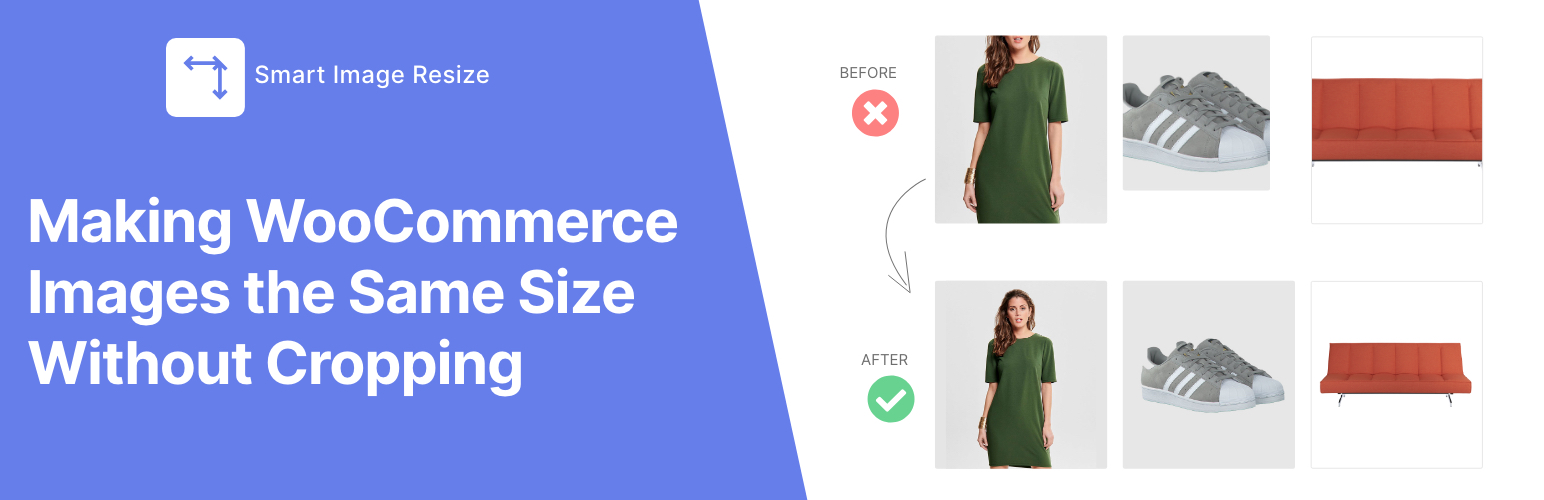
Smart Image Resize makes your store look professional with product images that are all uniform and the same size without cropping. No configuration required.
It's the #1 tool for WooCommerce product image uniformity and is essential for stores with large catalogs or mixed-size image sources.
Key Benefits
- Uniform Sizing: Automatically makes all WooCommerce product images the same size and aspect ratio, eliminating messy, inconsistent product grids.
- No More Cropping Headaches: Preserves the entire product within the image frame by adding a neutral background — no important parts of your product ever get cut off.
- Whitespace Trimming: Trims unwanted white space around the product to keep it centered and prominent before resizing.
- Bulk Processing: Resize and fix your entire existing catalog.
- Performance Ready: Compress thumbnails and generate only necessary image sizes to boost your store's loading speed.
Perfect for:
- WooCommerce stores with mixed product image sizes
- Dropshipping or supplier-imported product images
- Large catalogs (10,000+ products) needing automated image processing
- Multivendor marketplaces where sellers upload images in different sizes (Dokan, WCFM, etc.)
- Stores migrating themes and needing standard-size WooCommerce images
🛠️ Free Features
- ✅ Automatically resize and process new WooCommerce product images on upload
- ✅ Bulk resize up to 150 existing product images
- ✅ Trim unwanted whitespace to keep products centered and clean
- ✅ Add a custom background color to match your brand
- ✅ Compress thumbnails to boost site loading speed
- ✅ Generate only necessary thumbnails and remove unused ones to save disk space
- ✅ Select specific images to resize for more control
🔥 Pro Features
- ♾ No limits – Resize and optimize unlimited WooCommerce product images
- ✈️ PNG to JPG auto conversion – Reduce file size, keep quality
- 🚀 WebP image support – Serve next-gen WebP images for faster loading and better transparency support
- 🔒 Watermark protection – Automatically add watermarks to your resized images
- 🛟 Priority support – Get fast, dedicated support via chat or email
Check out Smart Image Resize PRO!
Here's What Our Users Are Saying
★★★★★
"I am so impressed with this plugin. I never bother writing plugin reviews but this plugin blew my mind. Definitely upgrade." – @buttonmode
★★★★★
"I downloaded the free version and after 3 minutes I bought the PRO version. The plugin is EXCELLENT! For a year I didn't know what to do with WooCommerce photos, because we have 30,000 imported products with different photos." – @prokurent
★★★★★
"I recommended this to a dev friend the day after I used it, he used it as well. (We both ended up getting the Pro version to leave it on, customers don't care to crop their images on their own tbh)." – @jpontinen
★★★★★
"[••]The time saving benefits are enormous and the plugin support is A+. They have a chat that helps you solve any issues immediately." – @chickwithbob
Usage
- In your WordPress dashboard, go to WooCommerce > Smart Image Resize > Bulk Regenerate.
- Click the Start Processing button to begin resizing your existing images. Feel free to adjust the settings by going to WooCommerce > Smart Image Resize > Settings For more details, see our documentation.
Note: Newly uploaded product images are automatically resized — no extra steps needed.
Explore Our Other plugins:
HurryTimer – A powerful countdown timer to create urgency and drive sales ReThumbify – A new tool to regenerate thumbnails in the background, with pause/resume functionality, old thumbnails cleanup, and selective regeneration.