
TNT Conditional Logic Fields for Elementor Forms
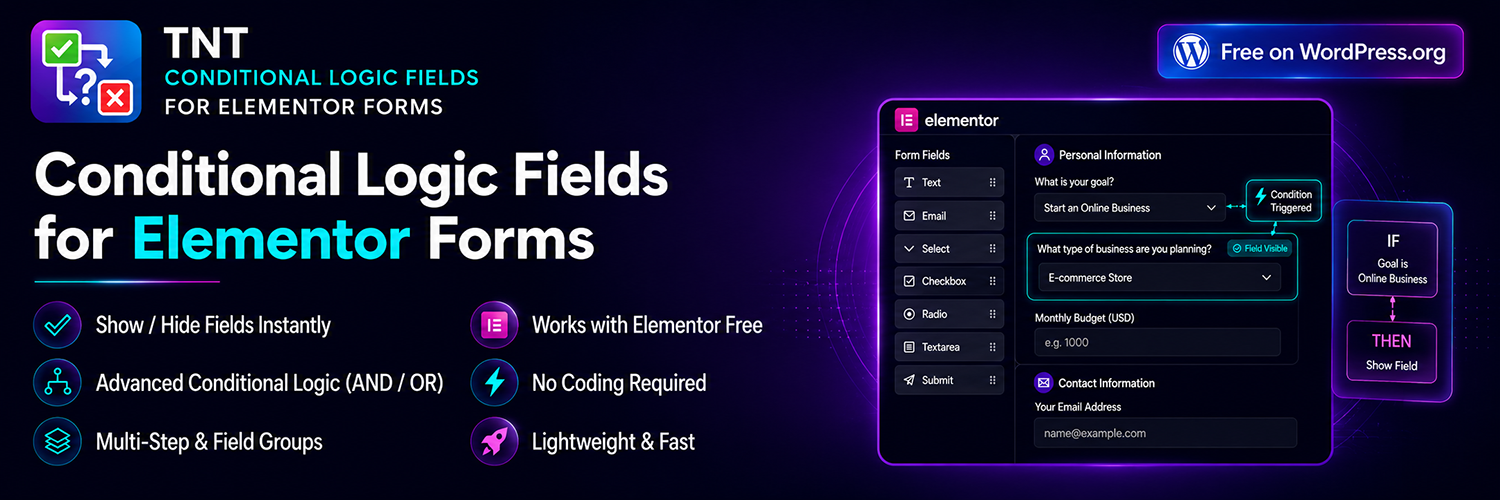
TNT Conditional Logic Fields for Elementor Forms is a lightweight Elementor Forms addon that adds advanced conditional logic to Elementor Pro forms. The plugin allows you to create dynamic forms that automatically show, hide, and control form fields based on user selections and input.
With Conditional Logic for Elementor Forms, you can build smarter contact forms, quotation forms, booking forms, surveys, registration forms, and lead generation forms without writing custom JavaScript or PHP code.
Many websites collect information through long forms that ask every visitor the same questions. This often creates poor user experiences and lower conversion rates. Elementor conditional logic solves this problem by displaying only the fields that are relevant to each visitor.
Instead of overwhelming users with unnecessary fields, you can create Elementor conditional fields that adapt in real time. Visitors see only the information they need to complete, which improves usability and increases form completion rates.
TNT Conditional Logic Fields for Elementor Forms includes:
- Show or hide fields dynamically
- Multiple conditional rules
- AND and OR logic groups
- Multi-step form support
- Hidden required field handling
- Advanced operators
- Real-time field visibility updates
- Compatibility with all Elementor Pro form fields
The plugin works directly inside the Elementor editor and feels like a native extension of Elementor Forms. There are no additional builders, complicated interfaces, or external dashboards to manage.
Build Dynamic Forms Without Coding
Whether you are a freelancer, agency, business owner, or developer, creating dynamic forms should not require custom coding. This plugin provides a visual interface that lets you create conditional form fields in minutes.
You can display additional questions when a customer selects a specific service, ask different questions based on user type, or build intelligent support forms that guide users through the correct workflow.
Improve User Experience
A smart form is easier to complete because it only asks relevant questions.
Benefits include:
- Faster form completion
- Better user engagement
- Improved conversion rates
- Reduced form abandonment
- Cleaner form layouts
- More accurate information from users
Designed for Performance
Performance matters. TNT Conditional Logic Fields for Elementor Forms is built with lightweight code and does not load unnecessary libraries.
The plugin:
- Uses efficient JavaScript
- Loads when Elementor forms are present
- Minimizes front-end overhead
- Supports large forms with multiple rules
- Works with WordPress caching systems
Elementor Form Logic for Real Projects
Conditional forms can be used in almost any project.
Agencies can build advanced quotation forms.
Freelancers can create service request forms.
WooCommerce stores can display additional order information.
Educational websites can build registration forms.
Membership sites can create onboarding forms.
Support teams can build ticket systems that ask different questions depending on the issue type.
Built for Agencies and Professionals
Agencies often create similar forms for multiple clients. This plugin makes it easy to build reusable Elementor form logic without custom development.
You can create:
- Client onboarding forms
- Support request forms
- Product inquiry forms
- Job application forms
- Booking request forms
- Survey forms
- Event registration forms
- Lead qualification forms
Compatible with Elementor Form Fields
Supported fields include:
- Text
- Number
- URL
- Password
- Textarea
- Select
- Radio
- Checkbox
- Acceptance
- Date
- Time
- Hidden
- HTML
- Step
- Upload
- Honeypot
Supported Operators
Free Version:
- Equals
- Not Equals
- Greater Than
- Less Than
- Greater Than or Equal
- Less Than or Equal
- Contains
- Does Not Contain
- Starts With
- Ends With
- Empty
- Not Empty
Pro Version:
Upgrade to Pro version to unlock:
- Conditional Redirect after form submission
- Conditional Email routing
- Conditional Submit Button visibility
- Advanced Field Groups builder
Why Conditional Forms Matter
Modern websites need forms that adapt to user behaviour. Dynamic forms help businesses gather better information while improving the overall user experience.
TNT Conditional Logic Fields for Elementor Forms gives you the tools to create advanced Elementor conditional logic without adding complexity to your website.
Features
Show and Hide Fields
Display fields only when certain conditions are met.
Multiple Conditions
Create advanced rules with unlimited combinations.
AND / OR Logic
Combine rules using AND and OR operators.
Field Groups
Show or hide groups of related fields together.
Multi-Step Forms
Create intelligent multi-step forms with conditional steps.
Skip Hidden Steps
Hidden steps are automatically skipped.
Hidden Required Field Validation
Required fields that are hidden never block form submission.
Real-Time Visibility
Fields update instantly without page refresh.
Works Inside Elementor
Manage everything directly inside the Elementor editor.
Compatible with All Elementor Fields
Supports all standard Elementor Pro form fields.
Lightweight Performance
Optimized code for fast websites.
No Coding Required
Build advanced workflows without writing custom code.
Why Choose This Plugin
- Built-in Field Groups system
- More operators in free version**
- Better performance (no bloat)**
- Lightweight and performance focused.
- Multi-step form support.
- Hidden field validation handling.
- Flexible AND and OR conditions.
- Supports complex form workflows.
- Suitable for agencies and client projects.
- Easy setup for beginners.
- Advanced features available in Pro.
Use Cases
- Contact forms.
- Lead generation forms.
- Booking request forms.
- Service quotation forms.
- Product inquiry forms.
- Support forms.
- Event registrations.
- Membership applications.
- Surveys.
- Job applications.
- Insurance forms.
- Real estate inquiry forms.
- Product customization forms.
- Educational registrations.
- Appointment forms.
- Customer feedback forms.
- Service onboarding forms.
- WooCommerce order forms.
- Affiliate applications.
- Partner registrations.
Getting Started
After activating the plugin:
- Go to TNT Conditional Fields → Features.
- Enable the features you want to use.
- Save your settings.
- Edit a page using Elementor.
- Add or edit an Elementor Form.
- Open any form field.
- A new Conditional Logic section will be available.
Creating Your First Conditional Rule
Step 1
Create or edit an Elementor Form.
Example fields:
- Inquiry Type (Select)
- Order ID (Text)
- Message (Textarea)
Step 2
Open the field you want to control.
Example: Open the Order ID field.
Step 3
Expand the Conditional Logic panel.
Enable:
- Enable Conditional Logic
Choose an action:
- Show Field
- Hide Field
Step 4
Create your condition.
Example:
Field: Inquiry Type
Operator: Equals
Value: Order Status
Result:
The Order ID field will only appear when the visitor selects Order Status.
Step 5
Save or Update the page.
Preview the form to verify that the conditional logic works correctly.
Troubleshooting
Deactivate conflicting plugins and ensure Elementor Pro is updated.