
Easy Symbols & Icons
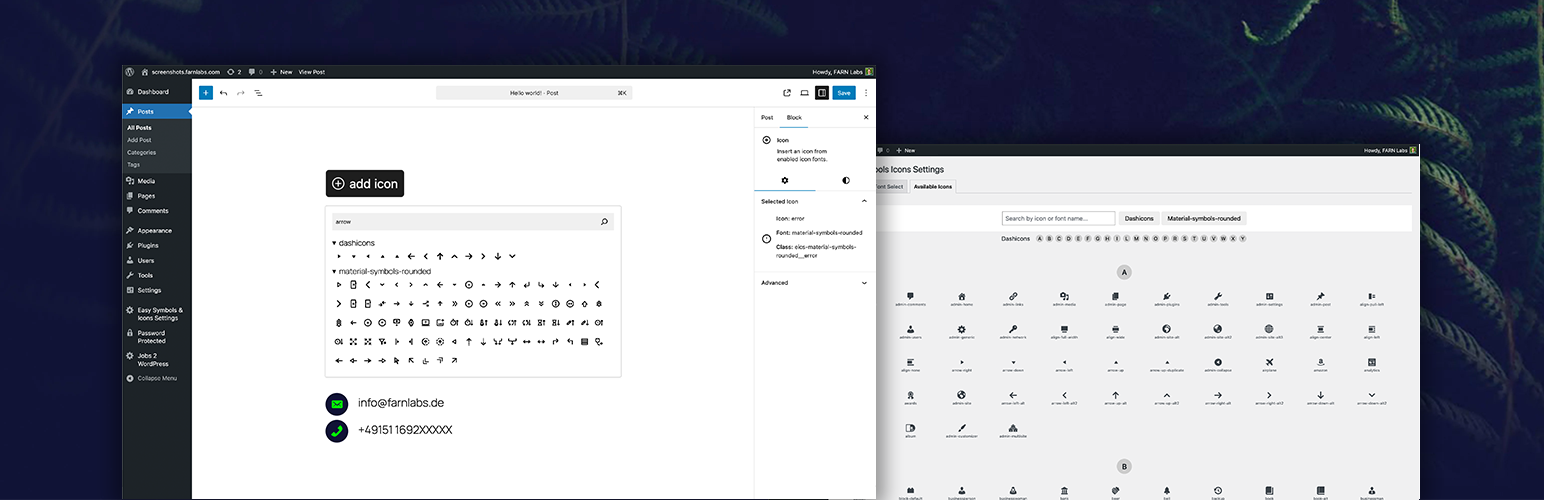
“Easy Symbols & Icons” is a plugin for managing and using icon fonts in a centralized and performance-oriented manner. This is achieved through a centralized design to handle fonts instead of leaving each to their own usage format, thereby introducing chaos. Fonts are parsed, icon names are extracted, and fonts are subsetted to include only used icons.
Perfect for developers, designers, and agencies who want a scalable and efficient icon system in WordPress.
Key Advantages
Dynamic font subsetting – only loads the icons used on the page Centralized icon font management – control all fonts from one place Single icon block workflow – simple and consistent usage Native React-based Gutenberg block Legacy shortcode support Built-in icon picker with search Reduces chaos from each icon font using its own usage format – replaced by centralized handling for all
Features
Upload custom icon fonts (.ttf, .otf) Centralized management of all icon fonts Enable or disable fonts globally Gutenberg icon block with picker UI Shortcode for selecting hardcoded icons Search icons by name inside the editor Dynamic subsetting for minimal file size on the frontend Instant availability after upload
Usage
- Navigate to “Easy Symbols & Icons Settings” -> “Font Select”
- Upload .ttf or .otf icon font files
- Enable the fonts you want to use
- Save your changes
To add icons:
- Open the WordPress block editor
- Add the “Icon” block or use the
[eics-icon]shortcode - Click the block to open the icon picker
- Search or browse icons
- Select an icon and customize styling