
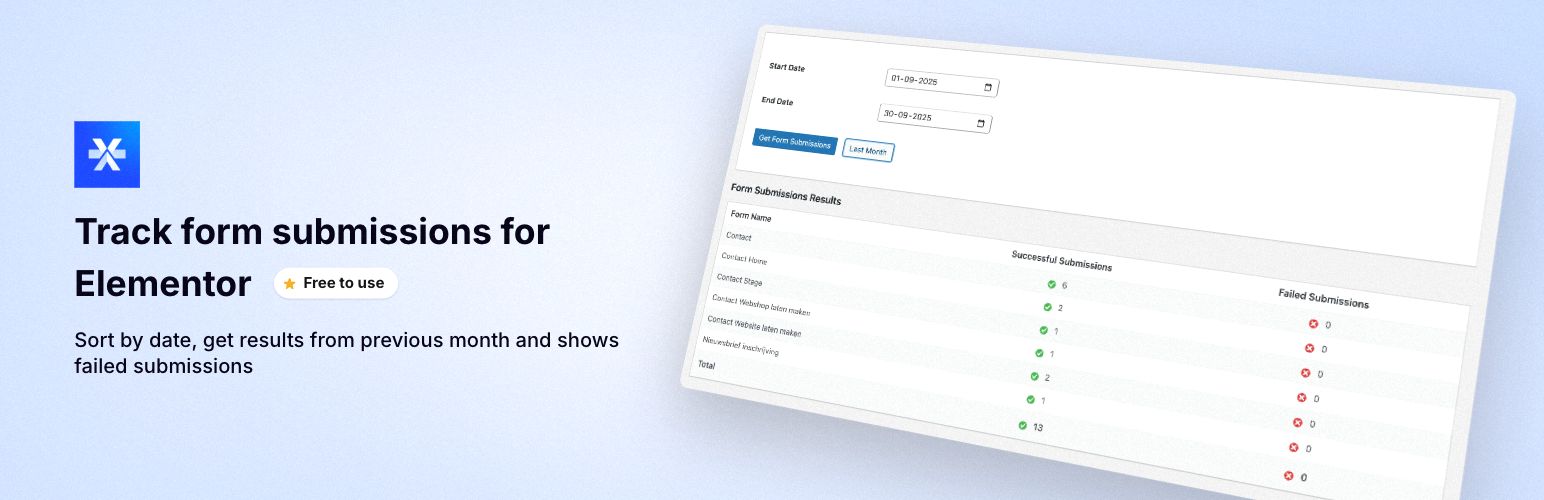
Forms Overview for Elementor provides a centralized dashboard to monitor all your Elementor form submissions in one convenient location. Perfect for administrators who need to track form performance and identify submission issues quickly! 🚀
This plugin is created by Kreatix WordPress Agency, experts in custom WordPress development and Elementor solutions.
✨ Key Features
🎯 Unified Dashboard – View all Elementor form submissions from across your entire site in one place 📅 Date Range Filtering – Filter submissions by custom date ranges to analyze specific time periods ⏮️ Previous Month Button – Quick access to last month’s submissions with one click ✅ Submission Status Tracking – Separate tracking of successful and failed submissions 🎨 Visual Indicators – Green checkmarks (✓) for successful submissions, red X (✗) for failed ones 📊 Totals Summary – Automatic calculation of total successful and failed submissions 🎭 Clean Interface – Seamlessly integrates with WordPress admin design ⚡ AJAX-Powered – Fast, responsive interface without page reloads 🚀 Performance Optimized – Built-in caching for improved performance
💼 Perfect For
✓ Website administrators managing multiple forms ✓ Monitoring form performance and success rates ✓ Identifying forms with high failure rates ✓ Quick submission reporting for specific date ranges ✓ Tracking form usage patterns over time ✓ Agency owners managing client websites ✓ E-commerce stores with multiple contact forms
🎬 How It Works
- Install & Activate – Simply install the plugin and activate it
- Access Dashboard – Find “Forms Overview for Elementor” in your WordPress admin menu
- Select Date Range – Choose your desired date range or click “Previous Month”
- View Results – See all your form submissions with success/failure counts
📋 Requirements
- WordPress 5.0 or higher
- Elementor Pro (with Form widget)
- PHP 7.2 or higher
🔒 Privacy & Security
- No External Connections – All data stays on your server
- Read-Only Access – Only reads existing Elementor data, never modifies it
- No Additional Database Tables – Uses Elementor’s existing submission data
- Secure by Design – Follows WordPress coding standards and security best practices
Additional Information
🤝 Support & Feedback
For support, feature requests, or bug reports, please use the WordPress.org support forum for this plugin. We’re here to help!
⭐ Like This Plugin?
If you find this plugin helpful, please consider: – ⭐ Leaving a 5-star review on WordPress.org – 💬 Sharing it with fellow WordPress users – 🐛 Reporting any bugs you find to help us improve
🔗 Links
⚠️ Disclaimer
This plugin is not affiliated with or endorsed by Elementor or Elementor Pro. Elementor and Elementor Pro are trademarks of Elementor Ltd.
📄 License
This plugin is licensed under GPL v2 or later. You are free to use, modify, and distribute this plugin according to the GPL license terms.