GovernDocs Document Library – Policies, Meetings, Reports for Council, Gov & Institutions
GovernDocs is a document library plugin for WordPress.
For organisations, governments & councils that need document governance and a clearer way to manage & publish important records.
Dedicated content types for policies, meeting documents and reports. These documents are stored in a structured way with dedicated fields for files, dates, versions, status information and other governance-related details. You can then display each document on your website using shortcodes.
GovernDocs is suitable for councils, governments, associations, clubs, schools, law firms, committees, non-profits and other organisations that need a simple way to manage official documents in WordPress.
Upgrade to the PRO version to get full audit logs, custom statuses, extra styling of documents on the frontend, add additional files and add external links to documents. GovernDocs PRO also adds shortcode access controls so you can hide a document from selected roles and show an alternative call to action instead.
GovernDocs Document Library Features
- Dedicated content types for Policy, Meeting and Report
- Structured fields for governance related content
- Attach files to records
- Publish documents as web content, file downloads or both
- Publish as PDF downloads, Word doc downloads
- Display items using shortcodes
- Show document metadata such as type, extension, size, dates, version and status
- Store previous versions for policies
- Clean admin editing experience for document-based content
GovernDocs helps separate governance content from normal website content so your official records are easier to manage and easier for visitors to find.
Policy Features
Use Policies for official policy documents that are displayed on the front end of your website, or you can keep them as internal policies only.
Users can download your PDF policy or other formats, or you can display the policy directly within any page or post type with a shortcode.
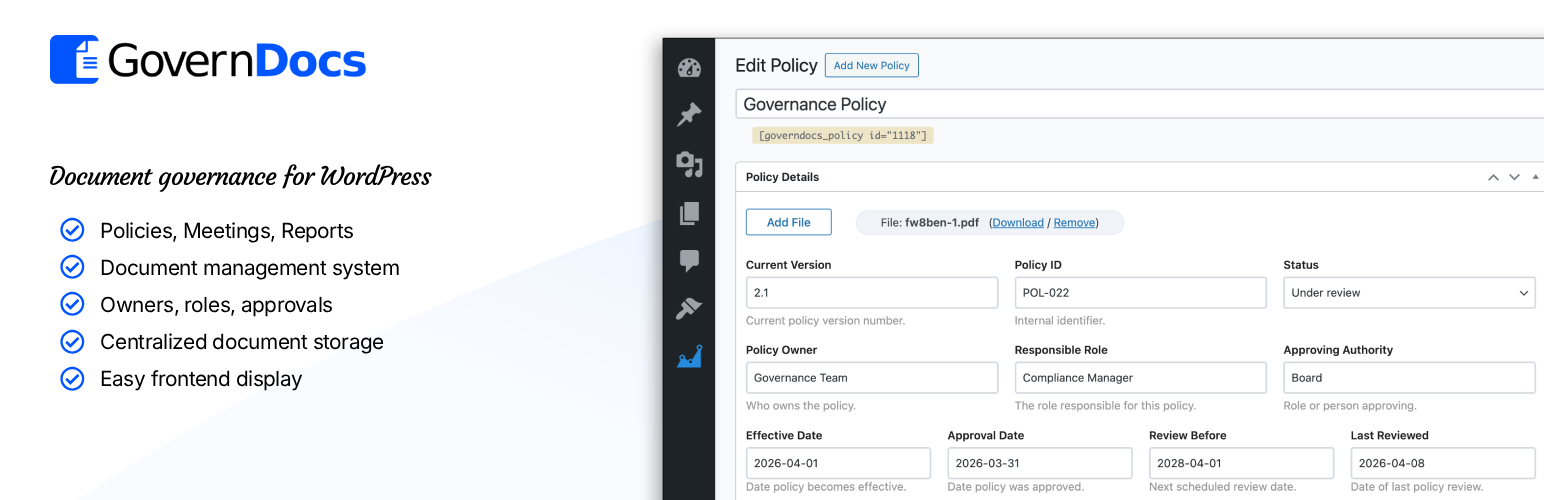
Each Policy has fields to include:
- Version
- Policy ID
- Status
- Policy Owner
- Responsible Role
- Approving Authority
- Downloadable file
- Effective Date
- Approval Date
- Next Review Date
- Last Review Date
- Department
Plus other fields relating to governance, compliance and records.
Meeting Features
Use Meetings for meeting-related entries such as agenda and minutes. These can be published as web content, downloadable files or both.
Each Meeting has fields to include:
- Meeting Date
- Meeting ID
- Status
- Chair
- Minute Taker
- Location
- Description
- Agenda File
- Agenda Publish Date
- Agenda Notes
- Minutes File
- Minutes Publish Date
- Minutes Notes
- Department
Report Features
Use Reports for annual reports, financial reports, strategic reports, operational reports and other formal publications.
Each Report has fields to include:
- Image cover for the report
- Report Type
- Report ID
- Status
- Author
- Published Date
- Report Date
- Description
- Department
Shortcode support
GovernDocs includes shortcode output so you can place document records into pages, posts, templates or any area that accepts shortcodes.
Examples of the shortcodes:
[governdocs type="policy" id="123"]
[governdocs type="meeting" id="123"]
[governdocs type="report" id="123"]

[governdocs
type="policy"
id="123"
show_icon="1"
button="1"
display="card"
desc_location="below_title"
class="custom-policy-card"
fields="ext,size,type,status,version,effective_date,approval_date,review_date,last_reviewed_date,owner,approving_authority,policy_id"
order="ext,size,type,status,version,effective_date,approval_date,review_date,last_reviewed_date,owner,approving_authority,policy_id"
]
GovernDocs PRO can also restrict shortcode output for selected roles:
[governdocs type="policy" id="123" blocked_roles="subscriber,customer" blocked_button_text="Request Access" blocked_button_url="https://example.com/request-access" blocked_button_new_tab="1" blocked_button_class="button button-primary" blocked_description="This document is not available for your account type."]
You can also use guest, logged_out, or not_logged_in inside blocked_roles to show the fallback output to visitors who are not signed in.
If you want to invert the logic, use allowed_roles instead. When allowed_roles is set, only those roles will see the document and everyone else will see the fallback output.
Who it is for
GovernDocs is built for websites that need more structure than a normal blog or page setup, especially where documents need to be maintained over time.
Examples include:
- Local government and council websites
- Associations and member organisations
- Sporting clubs and community groups
- Schools and education providers
- Compliance-focused business websites
- Boards and committees