
AI FAQ Generator & Schema by MKJB
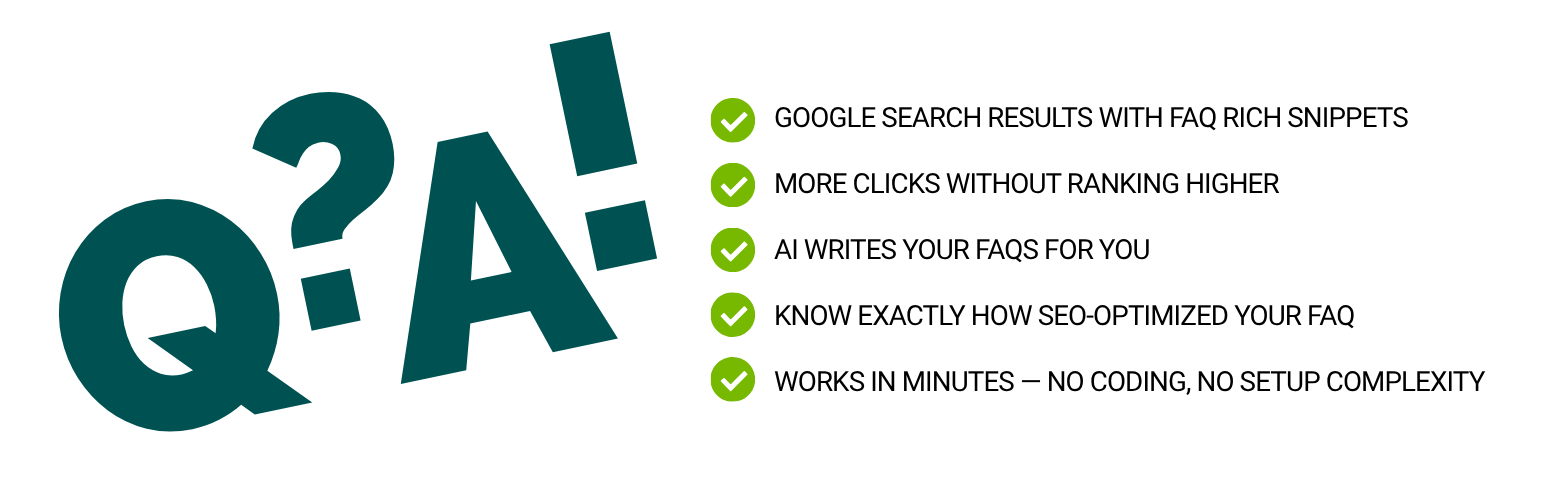
🪄 New in 1.8.0 — Fix with AI: the only FAQ plugin that scores your FAQ quality AND fixes it. Run the analyzer, click one button, and every answer is rewritten as a citation-ready 40-80 word answer capsule — direct Yes/No openers, hard data points, self-contained sentences AI engines love to quote. Watch your SEO and GEO scores jump in real time. 🌍 19-language Auto Generate with content auto-detect. ✅ WordPress 7.0 ready.
Struggling to get your content noticed on Google — or cited by AI search? Most WordPress sites miss out on FAQ rich results simply because setting up structured data is too technical or too time-consuming. And almost nobody is optimizing for AI Overview, ChatGPT, or Perplexity citations.
AI FAQ Schema solves both in one click.
Write your post, add the block, hit “Generate FAQ” — and the plugin handles everything else. It reads your content, generates relevant FAQ pairs using OpenAI, and automatically injects valid FAQPage JSON-LD schema into your page’s <head>. No coding. No guesswork. No plugin conflicts. Then run the dual SEO + GEO analyzer to see exactly how AI-citation-ready your FAQs are before you publish.
Why FAQs Matter in the AI Search Era
Search has changed. Google AI Overview, ChatGPT, and Perplexity now answer questions directly — and they cite their sources. Studies show pages with well-structured Q&A content get cited significantly more often in AI answers, and the strongest signals are structural: a direct answer in the first sentence, 40-80 word “answer capsules”, and specific data points.
That is exactly the format this plugin generates and scores. Visible Q&A content for AI engines to quote, plus FAQPage JSON-LD for search engines that consume structured data (Bing, and the AI assistants built on its index).
What Makes This Plugin Different
Most FAQ plugins just display pretty accordions. This one goes further:
- 🪄 Fix with AI — the only plugin that scores your FAQ quality AND rewrites your answers to pass. One click.
- ✅ AI writes the FAQs for you — one click reads your actual post content. No pasting, no templates.
- ✅ Real structured data — valid FAQPage JSON-LD, not just visual styling
- ✅ Built-in SEO quality check — 12-point analyzer tells you exactly what to improve
- ✅ GEO quality check — 8-point AI citation analyzer for AI Overview, ChatGPT, and Perplexity visibility
- ✅ 19 languages — FAQ output auto-matches your post language, or force any of 18 specific languages
- ✅ Works with any theme — no shortcodes, no theme dependency
- ✅ Zero build tools — drop it in and activate. No npm, no React, no headaches
Key Features
3 Ways to Add FAQs
- Auto Generate (AI) — One click. The plugin reads your post content directly from the editor and generates relevant FAQs — no copying, no pasting. Powered by OpenAI.
- Paste Existing FAQs — Already have FAQs? Paste them in almost any format (Q:/A:, Question:/Answer:, numbered lists, plain text, HTML, or markdown) and the smart parser auto-detects and structures them instantly.
- Manual Input — Prefer full control? Type your questions and answers directly in the block editor.
Fix with AI (NEW in 1.8.0)
Run the quality analyzer, then click Fix with AI. Every answer is rewritten as a citation-ready “answer capsule”:
- Direct answer in the first sentence — Yes/No questions open with “Yes,” or “No,” plus a restated claim
- 40-80 words total, every sentence under 20 words
- At least one concrete data point per answer (numbers, dates, timeframes)
- Fully self-contained — extractable by AI engines without any page context
- Keeps your questions and your language untouched (works in all 19 supported languages)
Your SEO and GEO scores re-calculate instantly, so you see exactly what the fix accomplished.
FAQ Quality Analyzer (100-Point Score)
Before you publish, run the built-in analyzer. It checks 12 SEO criteria across 3 categories:
- Basic checks — FAQ count, duplicate detection, question format
- Direct answer quality — first-sentence scoring, search intent alignment
- Keyword SEO — keyword presence in questions and answers, sentence length, uniqueness
You get a score out of 100 with specific recommendations. No guessing what to fix.
GEO Quality Analyzer (AI Citation Score)
Optimize your FAQs for AI search engines — Google AI Overview, ChatGPT, Perplexity, and Claude. The GEO analyzer checks 8 criteria across 4 categories:
- Answer-First structure — no filler phrases, direct answers in the AI citation sweet spot (8-60 words)
- Self-Contained — no relative references, no vague endings, each FAQ stands alone
- Specificity and E-E-A-T — concrete data points, no promotional superlatives
- Clarity — no ambiguous pronouns, structured multi-sentence answers
SEO and GEO scores display side by side. Click each to see the detailed breakdown.
Google-Ready JSON-LD Schema
The plugin automatically injects FAQPage structured data into your page’s <head> — exactly the format Google requires for rich results. You don’t touch any code.
Multiple OpenAI Models
Choose the model that fits your needs and budget:
gpt-4o-mini— Fastest, lowest cost. Great for most blogs.gpt-4o— Multimodal flagship, balanced quality and cost.gpt-4.1-mini— Upgraded mini with a larger context window.gpt-4.1— Flagship model. Best quality for competitive niches.o3-mini— Reasoning model. Good for complex topics.o3— Most capable reasoning model.o4-mini— Latest lightweight reasoning model.
7 Display Styles
- Minimal — Clean text list with Q prefix
- Card — Elevated cards with hover effects
- Accordion — Click to expand, great for long answers
- Boxed — Colored header with distinct sections
- Timeline — Vertical timeline with numbered dots
- Chat Bubble — Messenger-style question/answer bubbles
- Numbered — Large index numbers for tutorial-style posts
Dark Mode
All display styles automatically adapt to your visitor’s OS preference — readers using dark mode see a matching dark-themed FAQ block with no extra configuration.
Custom AI Prompt
Not happy with the default output? Edit the prompt. Use {count} as a placeholder for the number of FAQs. The plugin always enforces JSON formatting automatically.
Target Keyword Optimization
Set a target keyword per block (or let AI detect it from your content). The quality analyzer then checks whether your FAQs are properly optimized around that keyword.
Who Is This For?
- Bloggers who want more Google visibility without touching code
- SEO professionals who need to scale FAQ structured data across many posts
- Content marketers building topical authority in competitive niches
- Agencies managing client sites and needing a reliable FAQ solution
- Small business sites looking to stand out in Google search results with rich snippets
Security
Your OpenAI API key is stored server-side and never exposed to the browser. All AI calls happen through a protected REST endpoint with nonce verification. Rate limiting (10 requests/minute/user) prevents abuse.
External Services
This plugin connects to the OpenAI API (api.openai.com) to generate FAQ content and extract target keywords.
When you click “Generate FAQ” or “AI Detect,” your post content and custom prompt are sent to OpenAI’s servers for processing. This only happens on demand — never automatically in the background.