
Simple LaunchPad
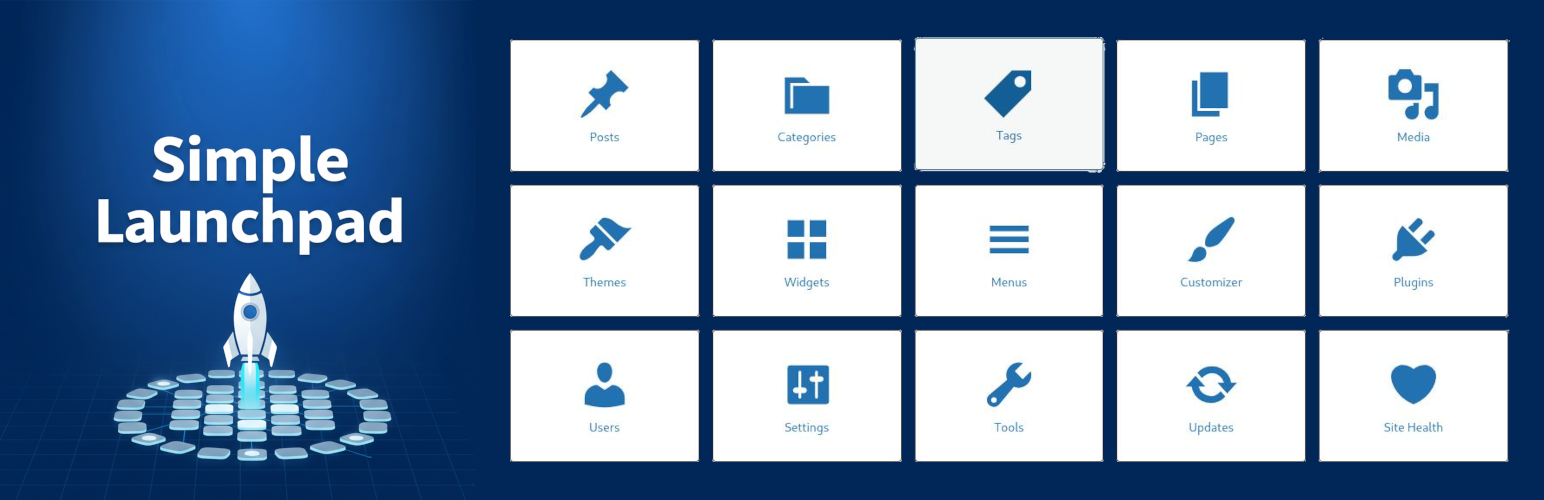
Simple LaunchPad appears as the first menu item in your WordPress admin, providing instant access to 20 carefully organized buttons across four categories: Content Management, Appearance, Administration, and WooCommerce.
Why This Plugin Exists
If you manage multiple WordPress installations with different plugins (like I do), you know the frustration: plugin developers arbitrarily decide where their menu entries appear, constantly pushing core WordPress menu items like Themes, Plugins, and Settings up and down the sidebar. One site has “Plugins” at position 5, another at position 12, and yet another at position 8. You’re forced to scroll endlessly, hunting for the same common entries you use every day.
I got tired of complaining about it, so I did something about it.
Simple LaunchPad puts all your most-used admin pages in ONE predictable location at the top of your admin menu. No more scrolling. No more hunting. Just click and go. This is my contribution to the WordPress community—a solution to a problem we’ve all experienced but rarely talk about.
Perfect for: * Site administrators who want faster navigation * Agencies managing multiple client sites * Developers who need quick access to tools * Content teams focusing on specific admin areas * Users with visual disabilities who rely on screen readers and predictable navigation
Accessibility Features
Simple LaunchPad is fully WCAG 2.1 AA compliant and specifically designed to help users with visual disabilities navigate WordPress more efficiently.
Why This Matters for Accessibility:
When you manage multiple WordPress sites with different plugins, the admin menu becomes unpredictable. One site has “Posts” at position 3, another at position 7. Plugin developers arbitrarily inject their menu items anywhere, constantly shifting core WordPress items up and down. For sighted users, this is frustrating. For screen reader users, this is a nightmare.
Every time a screen reader user logs into a different site, they must: – Navigate through the entire menu structure to find familiar items – Re-learn where “Posts”, “Pages”, “Plugins”, and “Settings” are located – Tab through dozens of unfamiliar plugin menu items just to reach core WordPress functions
Simple LaunchPad solves this by providing ONE predictable location at the top of the admin menu where all essential WordPress areas are always accessible.
Accessibility Compliance Features:
✓ Keyboard Navigation: Full keyboard support with visible focus states
✓ Global Keyboard Shortcut: Press Alt+Shift+L (Windows/Linux) or Control+Option+L (Mac) to instantly open LaunchPad from anywhere in WordPress admin
✓ Screen Reader Support: Proper ARIA labels and semantic HTML structure
✓ Skip Links: “Skip to admin shortcuts” link for faster navigation
✓ Descriptive Labels: Each button includes clear, descriptive aria-labels (e.g., “Go to Posts”, “Go to Settings”)
✓ Icon Accessibility: All icons are properly marked as decorative (aria-hidden="true")
✓ Semantic HTML: Proper use of navigation landmarks and heading structure
✓ Large Click Targets: 64px icons with generous padding meet WCAG touch target guidelines
✓ Focus Management: Clear visual focus indicators with high contrast
✓ Consistent Location: Always appears as the first menu item for predictable navigation
Real-World Impact:
Instead of tabbing through 20+ menu items that change position on every site, screen reader users can: 1. Log in to WordPress 2. Tab once to “LaunchPad” (always first in the menu) 3. Access any of 15 core WordPress areas with predictable, consistent labels
This reduces cognitive load, speeds up navigation, and makes WordPress administration accessible to everyone—not just sighted users who can visually scan the menu.
Key Features
🎯 Quick Access Buttons * 20 pre-configured buttons organized in 4 logical rows (5 buttons each) – Row 1: Posts, Categories, Tags, Pages, Media – Row 2: Themes, Widgets, Menus, Customizer, Plugins – Row 3: Users, Settings, Tools, Updates, Site Health – Row 4: WooCommerce, WC Settings, Orders, Products, Product Categories (when WooCommerce is active) * One-click access to any WordPress admin page * Visual icons using WordPress Dashicons * Fully customizable button order via drag-and-drop * WooCommerce integration with HPOS support
🎨 Full Customization * Enable/disable individual buttons * Reorder buttons via intuitive drag-and-drop interface * Customize text colors (normal and hover states) * Customize background colors (normal and hover states) * Responsive design that works on all devices * Dark mode support
👥 Role-Based Visibility * Control which user roles can see each button * Capability-based security (respects WordPress permissions) * Granular per-button access control * Perfect for multi-user sites with different team roles
⚡ Performance * Lightweight and fast * Assets only load where needed * Clean, semantic code * No jQuery dependencies (except admin) * Optimized for WordPress standards
♿ Accessibility * WCAG 2.1 AA compliant * Full keyboard navigation support * Global keyboard shortcut: Alt+Shift+L to open LaunchPad from anywhere * Screen reader optimized with proper ARIA labels * Skip links for faster navigation * Large click targets (64px icons) * Consistent, predictable menu position * Reduces cognitive load for users with disabilities
🔧 Developer Friendly * Extensible with WordPress filters and hooks * Well-documented code with PHPDoc comments * Clean, object-oriented architecture * Translation-ready (i18n) * Compatible with WordPress Coding Standards
Use Cases
For Bloggers: Quickly access Posts, Media, and Comments without navigating through menus.
For E-commerce Sites: Add custom buttons for WooCommerce pages like Products, Orders, and Coupons.
For Agencies: Configure different button layouts for different client sites or user roles.
For Developers: Extend the plugin with custom buttons using the provided filter hooks.
For Users with Visual Disabilities: Access all core WordPress admin areas from one predictable location with full screen reader support. No more hunting through constantly changing menu structures.
Developer Hooks
Filters:
simple_launchpad_default_buttons - Modify or add default buttons
simple_launchpad_buttons - Modify buttons before rendering
Example – Add Custom Button:
add_filter('simple_launchpad_default_buttons', function($buttons) {
    $buttons['my_custom'] = array(
        'label' => 'Custom Area',
        'url' => 'admin.php?page=my-custom-page',
        'icon' => 'dashicons-admin-generic',
        'capability' => 'manage_options'
    );
    return $buttons;
});
Translations
Simple LaunchPad is translation-ready! Help translate it into your language: * Text Domain: simple-launchpad * All strings wrapped with proper i18n functions * POT file included for translators
Privacy
Simple LaunchPad does not: * Collect any user data * Use cookies * Connect to external services * Track analytics
All settings are stored locally in your WordPress database.
Credits
Developed by Rafael Minuesa
Support
For support, feature requests, or bug reports, please visit: * Plugin Support Forum * GitHub Repository
Donations
If you find this plugin helpful, please consider: * Leaving a 5-star review * Contributing on GitHub