
Better Badge – Custom Product Badges for WooCommerce
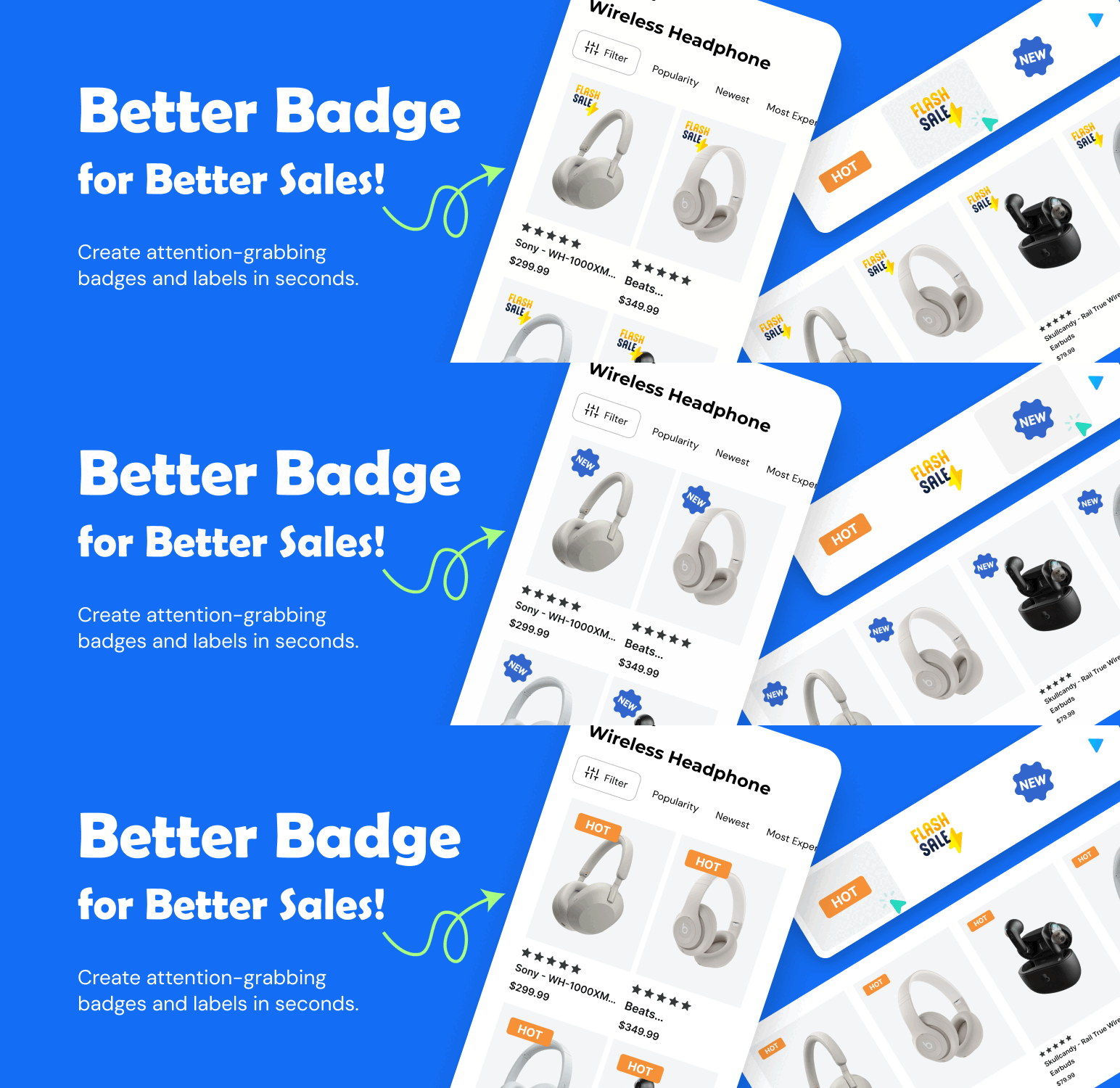
With the Custom Product Badges for WooCommerce plugin, you can easily create attention-grabbing badges and labels in seconds.
This WooCommerce product badges plugin has 100+ built-in product badges like Best Seller, On Sale, Limited Stock, New Arrival, Free Shipping, and more, plus you can create your own within a few clicks
And it’s fully customizable; you can easily change badge shape, size, color, placement, and text to perfectly match your brand. With its easy-to-use interface, you can create eye-catching labels for a specific product, an entire product category, or a set of selected products.
Documentation | Pro Version | Request Feature | Support
Why Should You Use Custom Product Badges for WooCommerce?
- 100+ built-in product badges.
- Fully customizable
- User-friendly interface
It also helps to increase conversions by highlighting your best offers nicely.
Watch this step-by-step video guide on how to add and customize product badges in WooCommerce using the Better Badge plugin:
Core Features
✅ Pre-made 100+ badge collection ✅ Unlimited badge creation ✅ Fully customizable badge design ✅ MemberPress ✅ Oxygen Builder ✅ Multiple badge types & shapes ✅ Advanced product labels ✅ Schedule badges & labels ✅ Show badges on product pages & archives ✅ Easy-to-use interface with live preview styling ✅ Hide default WooCommerce badges ✅ Category-based & product-specific rules ✅ Stock & sale badges (e.g., “Only 5 Left!”) ✅ Expiry date & time badges ✅ Discount percentage badges ✅ Holiday & seasonal badges (BF/CM, Valentine’s, Eid, Diwali, Easter, etc.) ✅ Custom image badges ✅ Gradient & shadow effects ✅ Label size multiplier & rotation options ✅ Tooltip with images support ✅ Multiple labels per product ✅ Product age conditions ✅ Stock quantity rules ✅ Attribute-based labels (e.g., “Organic,” “Eco-Friendly”) ✅ Date & time scheduling rules ✅ Upload custom image badges (Pro) ✅ Dynamic discount badges (Pro) ✅ Multi-currency support (Pro) ✅ HTML badges (Pro) ✅ Animation effect badges (Pro) ✅ Advanced CSS templates (Pro) ✅ Advance filter (Pro) ✅ And many more effective features
Supported Badges/Labels
Better Badge supports a wide variety of badges and labels to highlight your products:
- Sale Badges – Clearance Sale, Limited-Time Discount, Price Drop, Flash Sale
- New Arrival Badges – Just Arrived, Fresh Stock, Hot Item
- Stock Level Badges – Only 3 Left, Low Stock, Out of Stock
- Best Seller Badges – Top Seller, Trending Now, Customer Favorite
- Exclusive Badges – Limited Edition, Exclusive Offer, Featured Product
- Seasonal Badges – Black Friday Deal, Winter Sale, Holiday Specials
- Trust Badges – Verified Product, Satisfaction Guaranteed
- Discount Badges – X% Off, BOGO
- Free Shipping Badges – Free Shipping, Free Delivery
- Urgency Badges – Ends Soon, Last Chance, Hurry Up
How to Add Product Badges/Labels in WooCommerce?
Once you install and activate the Better Badge plugin,
Step 1: Go to Badge Manager from the sidebar of your WordPress dashboard. Step 2: Click on the “New Badge” button to create a new product badge. Step 3: Name your Badge, Select the product, validity and type. You can choose from pre-built templates or upload custom icons or images to personalize your badges even more. Step 4: Customize the look (Ex: Position, content, dimension, color, shape etc.) to fit your store’s design. Step 5: Ensure everything looks perfect, then publish your changes by clicking the “Save Badge” button.
Easy peasy! Your selected ecommerce product labels are live and ready to help you drive more sales!
How to Customize Badges with HTML & CSS?
You can use placeholders like {{discount_percentage}}, {{discount_value}}, {{regular_price}}, {{regular_price_with_tax}}, {{sale_price}}, {{sale_price_with_tax}}, {{category_name}}, {{tag_name}}, {{brand_name}} to automatically display dynamic pricing details.
For advanced customization, inject your own HTML and CSS to design badges that match your store branding and customer psychology.
Compatibility
Compatibility
Better Badge – Custom Product Badges for WooCommerce plugin works seamlessly with all major WooCommerce themes and plugins, so you can add beautiful product badges and labels without worrying about conflicts.
Fully compatible with WooCommerce High-Performance Order Storage (HPOS) / Custom Order Tables.
Tested With 25+ Themes
- Astra
- Avada
- BeTheme
- Blocksy
- Bridge
- Bricks Builder
- Divi
- Enfold
- Flatsome
- GeneratePress
- Hello Elementor
- Hestia
- JupiterX
- Kadence
- Neve
- OceanWP
- Porto
- Salient
- Spectra One
- Storefront
- The7
- Uncode
- WoodMart
- XStore
- And many more…
Tested With 30+ Plugins
- WooCommerce
- WooCommerce Subscriptions
- WPML (multilingual support)
- WooCommerce Wishlist
- WooCommerce Compare
- ACF (Advanced Custom Fields)
- Advanced Woo Search
- Beaver Builder
- Breakdance Builder
- Bricks Builder
- Brizy Builder
- CartFlows
- Cart Abandonment Recovery
- Elementor
- Gutenberg (Block Editor)
- MemberPress
- Oxygen Builder
- Polylang
- PrestoPlayer
- Spectra
- SureForms / OttoKit
- SureMembers
- TutorLMS
- WC Vendors
- WooCommerce Memberships
- WooCommerce Product Addons
- YITH Wishlist
- And many more…
Customer Support
If you have questions about the Better Badge plugin, we’re here to help you with any issue. There are two ways to get support from our professional support team:
- WordPress Support Forum: Visit the plugin’s support forum on WordPress to find solutions, ask questions, and get help from the community.
- Email Support: Need direct assistance? Email us at innocodia[@]gmail.com, and we’ll be happy to assist you.
No matter the issue, don’t hesitate to reach out to us. We’ll be there for you to help with any questions or concerns you may have!