
Data Tables Generator by Supsystic
Data Tables Generator by Supsystic
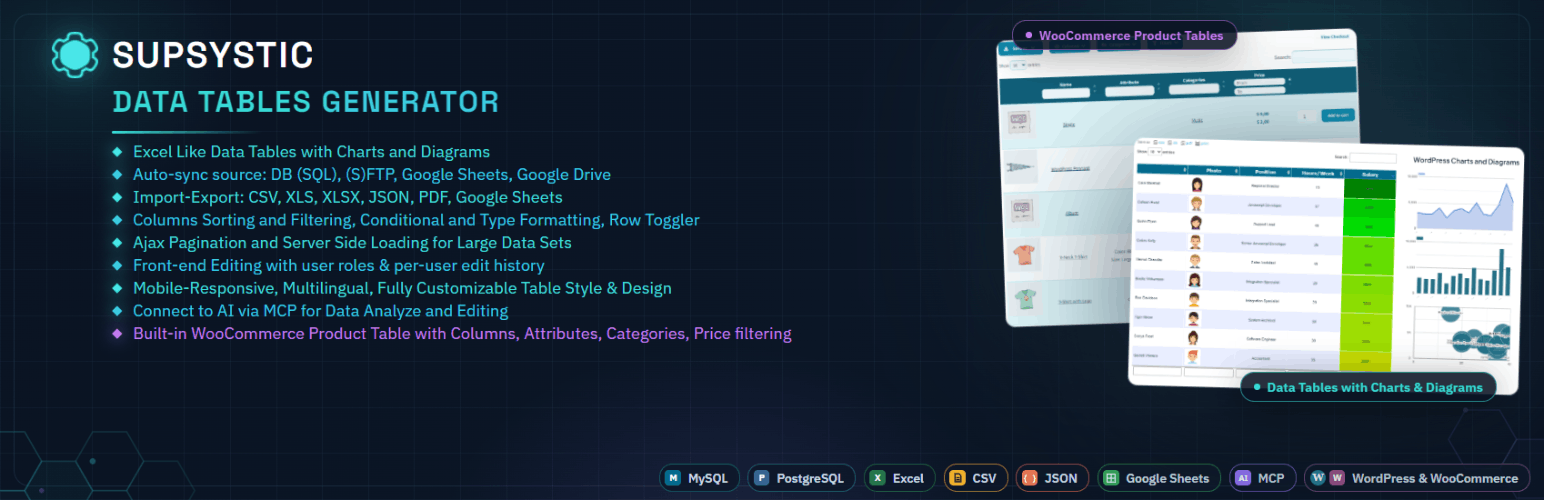
A powerful table builder plugin for WordPress — with built-in charts and graphs. Think of it like Excel spreadsheets for WordPress websites, where your data lives in structured tables and can also be visualised with charts when needed.
Data Tables Generator by Supsystic is a flexible WordPress table plugin that lets you create clean, interactive tables and datatables, with integrated charts and graphs to present structured data clearly — without writing code.
If your content makes more sense in rows and columns — but benefits from visual insights too — this plugin was built for you.
🤖 Now Works With AI — Control Your Tables by Typing or Talking
Data Tables Generator now connects directly to the AI tools you already use — including ChatGPT, Claude, Gemini, Copilot, Cursor, and any other AI assistant that supports the MCP standard.
Instead of clicking through menus, just ask:
- “What’s the average value in column B?”
- “Which rows have a quantity below 10?”
- “Give me a summary of this table.”
Your AI assistant reads your WordPress tables and answers instantly. No SQL. No exports. No manual scanning.
Included free: read and analyse any table using AI chat or voice.
⚡ Pro AI Add-On — Create, Edit and Manage Tables With AI
Upgrade to the Pro AI add-on and your AI assistant goes from reader to editor. Just describe what you want done:
- “Create a pricing table with three tiers.”
- “Add a new column for discount percentage.”
- “Apply a formula to calculate totals in the last row.”
- “Export this table as Excel.”
No need to open the WordPress dashboard. Non-technical team members can create and update structured data safely, just by asking.
Free = ask questions about your data. Pro AI = create, edit and manage it.
🛒 WooCommerce Product Table — Build Product Tables From Your Store
Data Tables Generator now includes a dedicated table type for WooCommerce stores. When WooCommerce is active, the Table Creation Wizard lets you choose between a regular Data Table or a WooCommerce Product Table, built specifically for displaying and managing store products.
Free version includes:
- Manual product assignment
- Column sorting
- Loader selection and loader icon colour customisation
Upgrade to Pro and unlock advanced product table tools:
- Include Categories
- Exclude Product IDs
- Custom Design Templates and Styles
- Search Columns
- Attribute Filtering
- Hide Priority for specific columns in responsive mode
- Search by Hidden Column
- and many other advanced features
Use a WooCommerce Product Table to build searchable product catalogues, comparison tables, and pricing lists, without writing code and without leaving WordPress.
📊 Turn Data Into Usable Tables (and Visuals)
Create:
- Simple and complex data tables
- Comparison and pricing tables
- Lists, schedules, directories, and datasets
- Large tables built from spreadsheet-style data
- Charts and graphs generated directly from table data
Tables are responsive by default and remain readable on all devices.
🧩 A Serious Table Builder — Not Just a Block
This is a dedicated table builder, designed for real data.
Built for table-heavy content where structure and usability matter:
- Sorting, searching, and pagination
- Column control and visibility options
- Reliable performance with large datatables
- Visual charts to highlight trends and comparisons
You get structured tables and visual storytelling in one plugin.
📥 Import From Spreadsheet & Database Sources
Create tables manually or import data from:
- CSV files
- Excel spreadsheets
- Google Sheets
- MySQL databases
Ideal if your data already lives outside WordPress.
🔄 Work With Dynamic Data
Data Tables Generator supports tables connected to external data sources.
When your source data changes — such as a spreadsheet or database — tables can be updated without rebuilding them from scratch. This makes it suitable for data that evolves over time, not just static content.
For example:
If you manage a product list, pricing table, availability sheet, or catalogue in a spreadsheet, you can connect it to a table on your site.
When prices, descriptions, or other data change in the source file, the table can be updated without manually editing it inside WordPress.
🎨 Style Tables to Match Your Site
Customise tables and charts visually:
- Fonts, colours, borders, and spacing
- Row and column formatting
- Links, images, icons, and tooltips
- Optional custom CSS is available for advanced users.
Table cells can also include images and video, allowing you to build richer layouts — such as:
- Product or feature comparison tables with short demo videos
- Staff or team directories with profile media
- Data lists where visuals explain context better than text
📘 Learn as You Go
Data Tables Generator includes a growing library of step-by-step tutorials.
From your first table to more advanced setups with charts and larger datasets, the guides focus on practical, real-world use cases.
⚡ Fast, Stable, and Actively Maintained
Built to handle real-world data without slowing down your site. The plugin is regularly updated to stay compatible with the latest versions of WordPress and modern themes.
⚙️ Beginner Friendly. Developer Capable.
- Visual table builder UI
- Insert tables using shortcodes or blocks
- Extend behaviour with custom CSS or JavaScript
Suitable for site owners, agencies, and developers alike.
🔓 Free Version + Pro When You Need More Power
The free version covers most common table use cases Upgrade to Pro and is ideal for getting started — including free AI read and analyse access.
As your data grows or requirements become more advanced, the Pro version unlocks tools designed to save time and reduce manual work, including:
- Formula calculations and computed values
- Advanced filtering and search logic
- Front-end table editing
- Additional import and export options
- Enhanced chart and visualisation features
❤️ Real Support From People Who Know the Plugin
Data Tables Generator is actively maintained and supported by a team that builds, uses, and supports the plugin every day.
When you need help, you’ll be talking to Get support who live and breathe tables.