
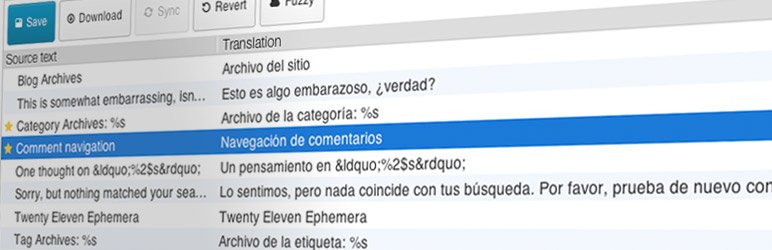
Loco Translate provides in-browser editing of WordPress translation files and integration with automatic translation services.
Fornisce anche strumenti di localizzazione per sviluppatori, come estrarre stringhe e generare template.
Funzionalità incluse:
- Built-in translation editor within WordPress admin
- Integration with translation APIs including DeepL, Google, Lecto, Microsoft and OpenAI.
- Crea e aggiorna i file di localizzazione direttamente dal tuo tema o dal tuo plugin
- Extraction of translatable strings from your source code
- Native MO file compilation without the need for Gettext on your system
- JSON (Jed) file compilation compatible with WordPress script localization
- Support for standard PO features including comments, references and plural forms
- PO source view with clickable source code references
- Protected language directory for saving custom translations
- Configurable PO file backups with diff and restore capability
- Built-in WordPress locale codes
Official Loco WordPress plugin by Tim Whitlock. For more information please visit our plugin page.
Scorciatoie da tastiera
The PO file editor supports the following keyboard shortcuts for faster translating:
- Completa e prosegui:
Ctrl ↵ - Stringa successiva:
Ctrl ↓ - Stringa precedente:
Ctrl ↑ - Next untranslated:
Shift Ctrl ↓ - Previous untranslated:
Shift Ctrl ↑ - Copia dal testo originale:
Ctrl B - Clear translation:
Ctrl K - Toggle Fuzzy:
Ctrl U - Save PO / compile MO:
Ctrl S - Toggle invisibles:
Shift Ctrl I - Suggest translation:
Ctrl J
Gli utenti Mac possono usare ⌘ Cmd invece di Ctrl.