
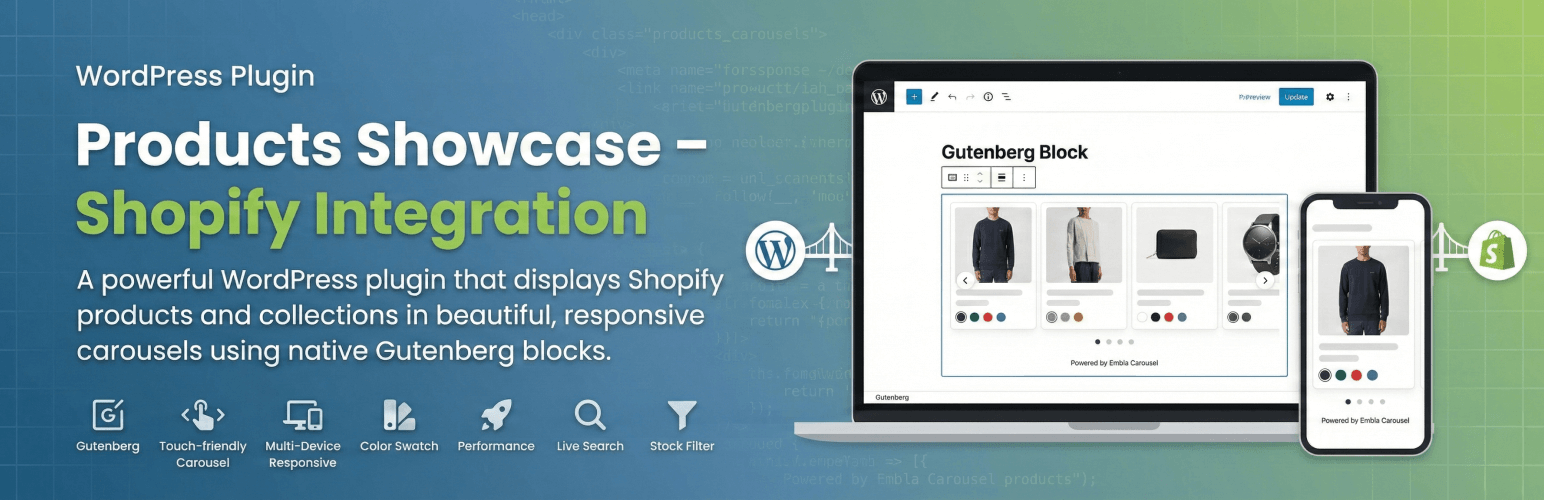
Products Showcase – Shopify Integration is a powerful WordPress plugin that allows you to display your Shopify products and collections directly on your WordPress website using beautiful, responsive carousels built with native Gutenberg blocks.
Features
- Native Gutenberg Block – Built with React, zero external dependencies for block functionality
- Beautiful Carousels – Touch-friendly product carousels powered by Embla Carousel
- Smart Product Display – Show individual products or entire collections
- Color Swatches – Visual product color options with hover effects
- Fully Responsive – Optimized for all screen sizes and devices
- Performance Optimized – Smart caching and lazy loading for optimal performance
- Live Search – Real-time product/collection search in block editor
- Stock Filtering – Automatically hides out-of-stock items
- Customizable Display – Control product limits and display options
- Two Display Modes – Carousel for multiple products, special layout for single product
- Modern Development – Built with @wordpress/scripts and webpack
Requirements
- WordPress 6.0 or higher
- PHP 8.1 or higher
- Node.js 18+ and npm 8+ (for development only)
- A Shopify store with Admin API access
Optional
- WPGraphQL plugin (for headless/decoupled WordPress setups)
Source Code
This plugin includes compiled JavaScript and CSS files. The source code is fully available:
- Source code repository: GitHub – HosseinKarami/products-showcase
- Source files location: The
src/directory contains all uncompiled source code (React components, SCSS files) - Build tool: The plugin uses @wordpress/scripts (Webpack) for compilation
- Development guide: See README.md for complete build instructions
To build from source:
npm install
npm run build
For development with hot reloading:
npm start
External Services
This plugin relies on the Shopify Admin API (a third-party external service) to function. The plugin connects to your Shopify store’s GraphQL API to retrieve product and collection information for display on your WordPress website.
What is the service and what is it used for?
Service Name: Shopify Admin API (GraphQL endpoint) Service Provider: Shopify Inc. Purpose: To fetch product and collection data from your Shopify store for display on your WordPress site
The Shopify API is the core service that provides all product information including: * Product titles, descriptions, and pricing * Product images and media * Product variants and options (sizes, colors, etc.) * Product availability and stock status * Collection information and organization
What data is sent and when?
Data Transmitted to Shopify:
1. Shopify Store URL – Your store’s domain (e.g., your-store.myshopify.com) configured in plugin settings
2. Admin API Access Token – Your Shopify Admin API authentication token (configured in plugin settings)
3. GraphQL Queries – Specific queries requesting product and collection data
When Data is Transmitted: * In WordPress Admin: When you search for products or collections while editing content in the block editor * On Frontend: When your website displays products to visitors (first view only, then cached) * During Testing: When you test your API connection in the plugin settings page * Manual Cache Clear: When you manually clear cached product data from the settings page
Important: The plugin includes smart caching (default: 1 hour) to minimize API requests. After the initial data fetch, subsequent page loads use cached data and do NOT make additional API calls until the cache expires.
Privacy and Data Protection
No Visitor Data Transmitted: This plugin does NOT send any personal information about your WordPress site visitors to Shopify. The only data transmitted is: * Your store’s administrative credentials (configured by you) * Product search queries (initiated by site administrators)
Server-Side Only: All API requests are made server-side from your WordPress installation. No client-side (browser) connections to Shopify are made.
Data Storage: Product information retrieved from Shopify is cached locally in your WordPress database. No data is sent back to Shopify.
Service Links and Legal Information
By using this plugin, you are subject to Shopify’s terms of service and privacy policies:
API Endpoint Format: https://{your-store}.myshopify.com/admin/api/2025-10/graphql.json
(The API version 2025-10 may be updated in future plugin releases to maintain compatibility)
Note: The domain shop.example.com may appear in the plugin as a placeholder fallback when no store is configured. This is a non-functional example domain—you must configure your actual Shopify store URL in Settings → Shopify Products for the plugin to work.
Use Cases
- Showcase featured products on your blog
- Display seasonal collections on landing pages
- Add product carousels to content-heavy sites
- Create product highlights in editorial content
- Bridge content and commerce seamlessly
Configuration
Plugin Settings
- Navigate to Settings → Shopify Products in WordPress admin
- Enter your Shopify Store URL (e.g.,
your-store.myshopify.com) - Paste your Admin API Access Token
- Set Cache Duration (default: 1 hour, recommended to reduce API calls)
- Click Save Settings
The plugin will automatically test the connection and display a success message if configured correctly.
Usage
Adding the Block
- Edit any page or post in WordPress
- Click the “+” button to add a new block
- Search for “Shopify Products”
- Add the block to your content
Block Settings
All settings are available in the block sidebar (Inspector Controls):
Basic Settings * Title: Optional heading for the block * Description: Optional description text
Content Type * Individual Products: Select specific products manually * Collection: Display all products from a collection
Products Mode * Search Products: Type to search and select products * Products display with image preview * Reorder: Use up/down arrows to change order * Remove: Delete products from selection
Collection Mode * Search Collection: Type to find collections * Shows collection name and product count * Product Limit: Control how many products to show (1-50)
Display Modes
Multiple Products – Displays as a carousel: * Touch/swipe enabled on mobile devices * Arrow navigation on desktop * Automatically hides navigation if only 1 product
Single Product – Special two-column layout: * Product image + info on left * Product details on right * Perfect for featured products
Customization
Custom CSS Classes
Target these CSS classes for custom styling:
/* Container */
.wp-block-products-showcase-products { }
.prodshow-shopify-block { }
.prodshow-container { }
/* Header */
.prodshow-title { }
.prodshow-description { }
.prodshow-cta-button { }
/* Carousel */
.prodshow-carousel { }
.prodshow-carousel-viewport { }
.prodshow-carousel-container { }
.prodshow-carousel-btn { }
/* Product Cards */
.prodshow-product-card { }
.prodshow-product-image { }
.prodshow-product-title { }
.prodshow-product-price { }
.prodshow-product-swatches { }
.prodshow-swatch { }
/* Single Product Layout */
.prodshow-single-product { }
.prodshow-single-info { }
Template Overrides
Copy templates to your theme for customization:
your-theme/
products-showcase/
block-template.php
product-card.php
The plugin will automatically use your theme templates if they exist.
Developer Documentation
REST API Endpoints
The plugin registers these REST API endpoints:
GET /wp-json/prodshow-shopify/v1/connection-status– Check API connectionGET /wp-json/prodshow-shopify/v1/search-products?query=shirt– Search productsGET /wp-json/prodshow-shopify/v1/search-collections?query=summer– Search collectionsPOST /wp-json/prodshow-shopify/v1/clear-cache– Clear product cacheGET /wp-json/prodshow-shopify/v1/cache-status– Get cache status
Hooks & Filters
Modify cache duration:
add_filter('prodshow_cache_duration', function($duration) {
return 2 * HOUR_IN_SECONDS;
});
Customize product data before display:
add_filter('prodshow_product_data', function($product) {
// Modify product data
return $product;
}, 10, 1);
Add custom product filtering:
add_filter('prodshow_filter_products', function($products) {
// Filter products array
return $products;
}, 10, 1);
Programmatic Usage
// Get Shopify API instance
$shopify_api = new PRODSHOW_Shopify_API();
// Search products
$products = $shopify_api->search_products('shirt');
// Search collections
$collections = $shopify_api->search_collections('summer');
// Fetch product data
$product = $shopify_api->fetch_product_data('gid://shopify/Product/123456');
// Fetch collection products
$products = $shopify_api->fetch_collection_products('gid://shopify/Collection/789', 12);
Build Scripts
# Development - watch for changes
npm start
# Production build
npm run build
# Linting
npm run lint:js # Lint JavaScript
npm run lint:css # Lint styles
npm run lint:pkg-json # Lint package.json
# Formatting
npm run format # Auto-fix code style
# Create plugin zip
npm run plugin-zip
Troubleshooting
Products Not Showing
- Check API credentials in Settings → Shopify Products
- Verify connection – Green checkmark should appear after saving
- Clear cache using button in settings
- Check product status – Only ACTIVE products are displayed
- Check stock – Out of stock products are automatically filtered
Block Not Appearing in Editor
- Rebuild assets: Run
npm run buildin plugin directory - Check browser console for JavaScript errors
- Clear browser cache and WordPress cache
- Verify file permissions on build directory
Search Not Working
- Check REST API – Visit
/wp-json/prodshow-shopify/v1/connection-status - Verify API credentials are correct
- Check browser console for errors
- Ensure your WordPress REST API is accessible
Build Errors During Development
- Ensure Node.js 18+ is installed
-
Clean install:
rm -rf node_modules package-lock.json npm install npm run build -
Check @wordpress/scripts version compatibility
Credits
- Built with Embla Carousel for smooth, touch-friendly carousels
- Powered by @wordpress/scripts for modern build tooling
- Inspired by modern e-commerce UX patterns
Support
For support, please visit: * Plugin Support Forum * GitHub Issues * Documentation
Privacy Policy
This plugin connects to Shopify’s API to fetch product data. Product information is cached locally on your WordPress server. The plugin does NOT collect or transmit any personal data about your site visitors.
Third-Party Service: This plugin uses the Shopify Admin API. Please review Shopify’s privacy policy for information about how Shopify handles data.
Data Stored Locally: Product titles, descriptions, images, prices, and variants are cached in your WordPress database to improve performance and reduce API calls.
No Tracking: This plugin does not use cookies, does not track users, and does not send any analytics data to third parties.
Translation
The plugin is translation-ready:
- Text domain:
products-showcase - Translation files location:
/languages/directory - Use Loco Translate or Poedit to create translations
Contributing
Contributions are welcome! Please visit GitHub to: * Report bugs * Suggest features * Submit pull requests * Review the development guidelines
Made with ❤️ by Hossein Karami
