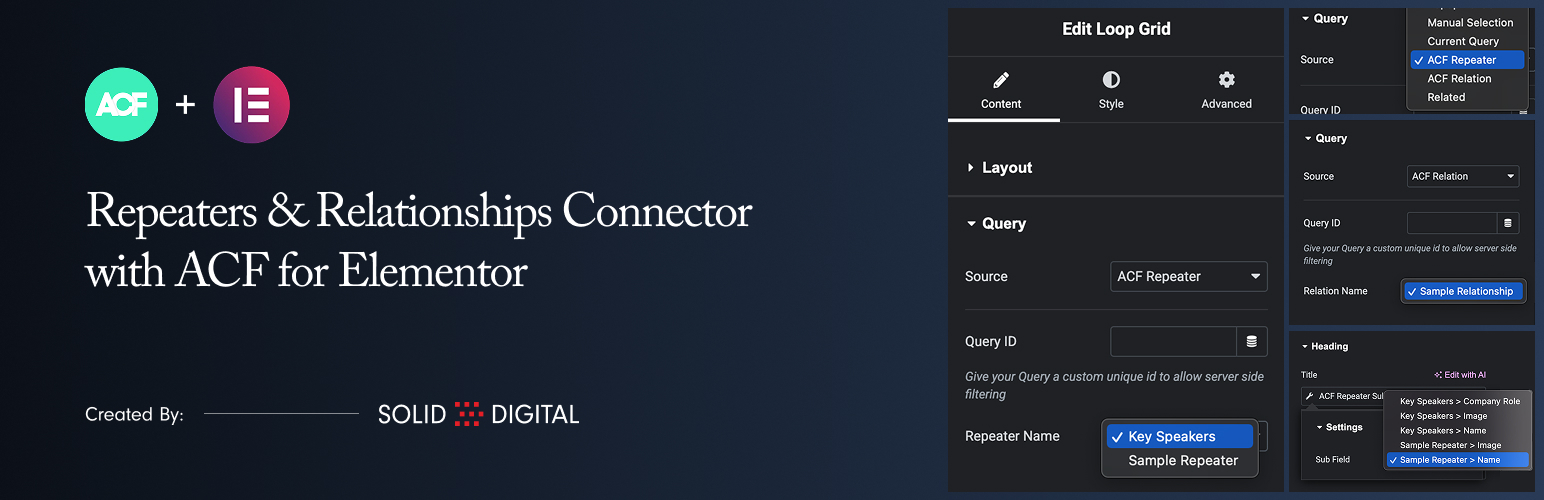
This plugin allows you to use ACF Repeater and ACF Relationship fields as data sources for Elementor’s Loop Grid widget.
Key Features:
- New Data Sources: Adds “ACF Repeater” and “ACF Relationship” to the Source dropdown in the Loop Grid’s Query tab.
- Use Repeater Data: Select any ACF Repeater field from the current post/page to power your Loop Grid.
- Use Relationship Data: Select any ACF Relationship field to create a grid of related posts in your Loop Grid.
- Repeater Sub-Field Tag: A dedicated dynamic tag to easily pull and display data (text, images, etc.) from any sub-field within your repeater.
- Relationship Sub-Field Tag: A dynamic tag to display data from the related posts, such as the post title, content, featured image, and permalink.
- Taxonomy Archive Support: Use ACF Repeater and Relationship fields on category, tag, and custom taxonomy archive templates.
- Author Archive Support: Use ACF Repeater and Relationship fields on author archive templates.
Requirements
- Elementor
- Elementor Pro
- Advanced Custom Fields Pro (The Repeater and Relationship fields are ACF Pro features)
Usage
1. Configure the Loop Grid
- Add an Elementor Loop Grid widget to your page.
- In the widget settings, go to the Query tab.
- From the Source dropdown, select “ACF Repeater” or “ACF Relationship”.
- A new dropdown will appear below the Source. Select the specific ACF field you wish to use as the data source for the grid.
- Create or select a template for your loop item.
2. Displaying Data in Your Loop Template (ACF Repeater)
- Edit the Elementor template you are using for your loop item.
- Add any standard widget, such as a Heading, Text Editor, or Image widget.
- Click the Dynamic Tags icon next to a field.
- Scroll to the “ACF Connector” group and select the ACF Repeater Sub Field tag.
- Click on the tag name again to open its settings.
- In the Sub Field dropdown, select the specific sub-field you want to display. The fields are grouped by repeater name for clarity.
Note that the preview within the template will not display the sub-field data. This is expected behavior because no applicable preview data can be set in Elementor.
3. Displaying Data in Your Loop Template (ACF Relationship)
- Edit the Elementor template you are using for your loop item.
- Your template will be supplied with a standard WordPress Post object, so just create your template as you normally would.