FormsDB – Save Elementor Forms to Google Sheets & Post Type
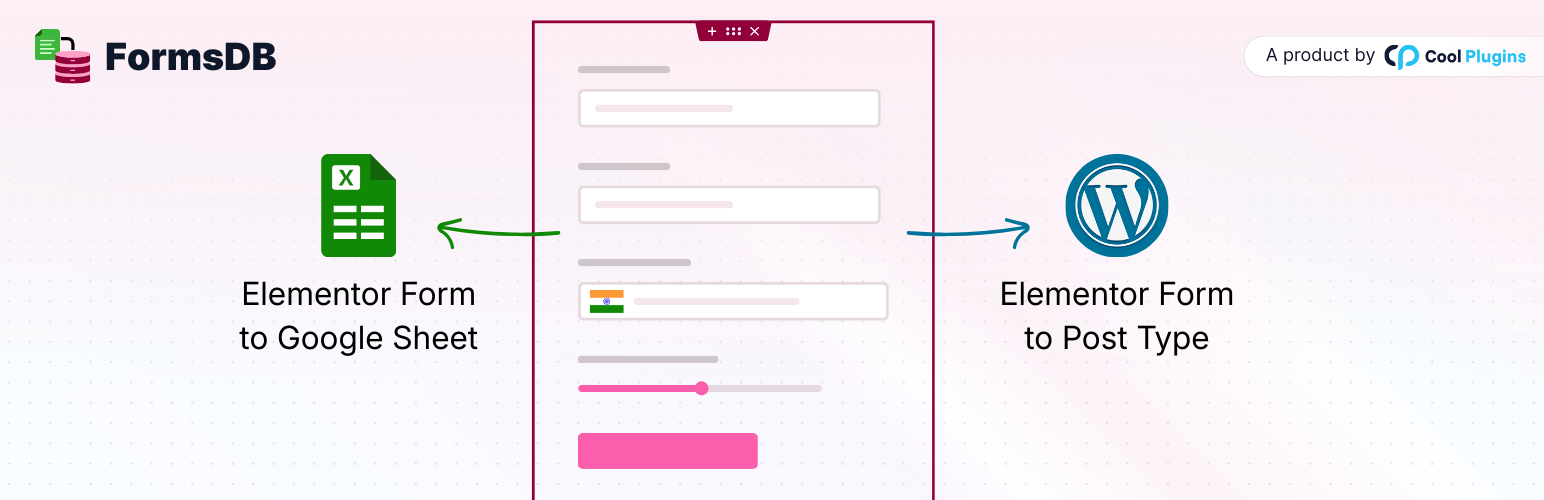
FormsDB is a useful addon for Elementor Forms that lets you connect Elementor forms with Google Sheets to sync form entries or save form submissions into any WordPress post type.
FormsDB works with both Elementor Pro and Hello Plus forms. It helps you store Hello Plus form submissions in WordPress and also send form data to Google Sheets or use Elementor forms as frontend post submission forms for creating posts, pages, or custom post types.
👉 Elementor Forms to GSheets – Video Tutorials
To extend Elementor form features further, you can use Cool FormKit along with FormsDB to unlock advanced features such as Range Slider, Signature Field, Conditional Logic, Calculator, and many more advanced fields to build smarter and more dynamic forms with Elementor.
Important Notice: From version 2.0.0, this plugin has been acquired, fully rebuilt, and rebranded as FormsDB by Cool Plugins. It has been redesigned with new features like Google Sheets sync and frontend post submission, as its earlier functionality is now available within Elementor Pro. If you were using older versions, you can export previous entries from the FormsDB → Old Submissions tab.
FormsDB Plugin Features
-
Sync Elementor Forms with Google Sheets Connect Elementor forms with Google Sheets and sync form entries in real time. Create a new sheet or select an existing one, add new tabs automatically, and choose which form fields to save. FormsDB acts as a secure connector and can store data like name, email, IP address, page URL, and submission date. Data is synced instantly using secure Google authentication, and no Google account or Drive data is stored by the plugin author.
-
Send Form Submissions to Post Type Use Elementor forms as frontend post submission forms and create WordPress posts automatically from form entries. Send submitted data to any post type, including posts, pages, or custom post types. This is useful for testimonials, reviews, listings, events, job posts, or other user-generated content without giving admin access.
-
Save Hello Plus Form Entries FormsDB saves Hello Plus form submissions in the WordPress admin, allowing you to view, manage, and export entries from a single dashboard.
-
Modern Dashboard for Easy Management FormsDB includes a clean dashboard inside WordPress admin that shows all Elementor forms and their connection status with Google Sheets or post types. You can manage all integrations from Elementor → FormsDB.
Who Should Use FormsDB
FormsDB is ideal for website owners and teams who use Elementor forms and want better control over form submissions.
- Website owners who want to save Elementor form submissions to Google Sheets for easy tracking and reporting.
- Marketing teams managing leads collected from Elementor or Hello Plus forms.
- Business owners who want frontend content submission without giving users admin access.
- Agencies and freelancers building lead forms, testimonial forms, or custom submission forms for clients.
- Hello Plus users who want to store form submissions inside WordPress.
- Developers who need a simple connector between Elementor Forms, Google Sheets, and WordPress post types.
More Essential Addons for Elementor Forms
Along with FormsDB, you can use these additional Elementor form addons to build more flexible and feature-rich forms.
-
Conditional Fields for Elementor Form Add conditional logic to Elementor form fields and dynamically show or hide inputs based on user choices. This helps create cleaner forms and improves the overall user experience.
-
Country Code for Elementor Form Telephone Field Add a country code dropdown to phone fields so users can easily select their country while entering mobile numbers, ensuring accurate and properly formatted submissions.
-
Cool FormKit Cool FormKit is a complete form builder for Elementor Free and Pro. It extends Elementor Pro forms with advanced fields and also provides a dedicated form builder for Elementor Free users. Popular features include:
👉 View all Cool FormKit features
Other Popular Elementor Addons by Cool Plugins
Cool Plugins also provides these powerful Elementor addons that help you extend design, content, and workflow capabilities across WordPress websites.
-
Loop Grid Extender for Elementor Pro Enhance Elementor Pro Loop Grids by adding support for ACF Repeater fields and advanced taxonomy-based filtering options.
-
AutoPoly – AI Translation for Polylang Automatically translate Elementor pages using AI and build multilingual websites faster with Polylang integration.
-
Timeline Widget for Elementor Create visually engaging vertical or horizontal timelines to display company history, milestones, roadmaps, or events inside Elementor pages.
-
Events Widgets for Elementor Easily add The Events Calendar widgets to Elementor and display events in grid, list, or carousel layouts.
-
LocoAI – AI Translation for Loco Translate Translate WordPress plugins and themes automatically using AI with one-click string translation inside Loco Translate.
FormsDB is a fully open-source plugin. You can view the complete source code on GitHub – https://github.com/CoolPluginsTeam/sb-elementor-contact-form-db
Use of 3rd Party Services: This plugin connects to the Cool Plugins feedback server only for optional usage data sharing and voluntary feedback submission (for example, during plugin deactivation). Data is transmitted solely after explicit user consent. No hidden tracking is performed, and no frontend visitor or site user data is collected. For more details, please review our Data Usage Policy, TOS, and Privacy Policy and this plugin also uses Google APIs Client Library for PHP for Google Sheets integration, which is licensed under Apache License 2.0.