Timeline Widget For Elementor (Elementor Timeline, Vertical & Horizontal Timeline)
Timeline per Elementor – Timeline verticale & orizzontale
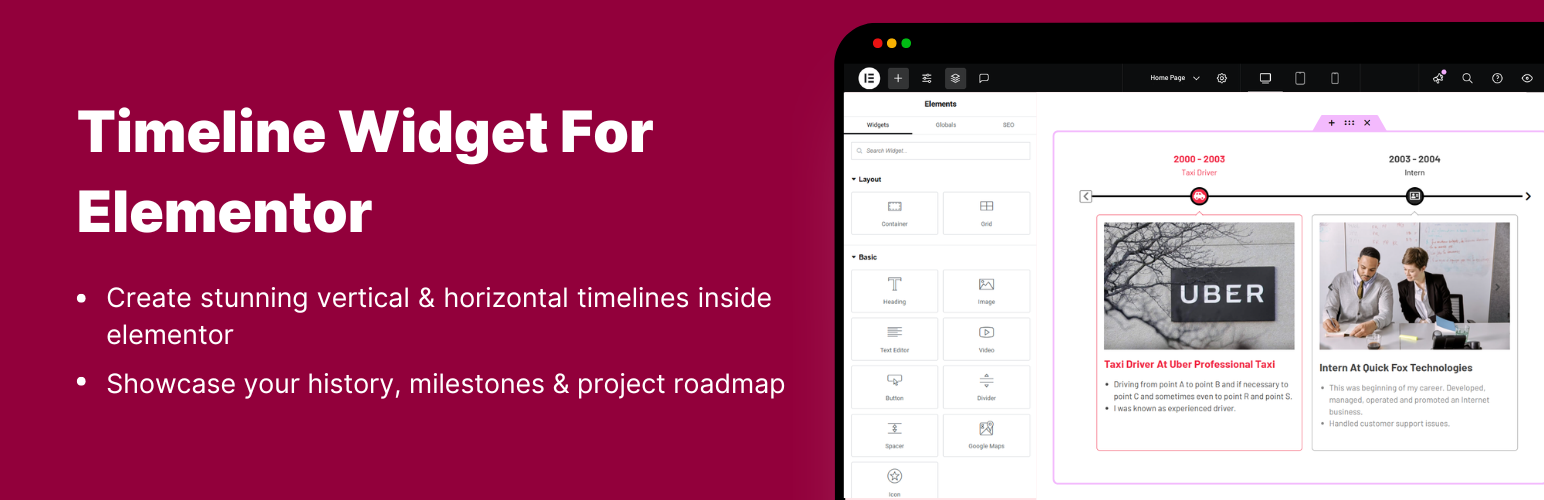
Timeline Widget for Elementor is a powerful timeline slider plugin that allows you to create stunning vertical and horizontal timelines to showcase your achievements, personal journey, or company history directly inside Elementor.
Whether you’re showcasing a company history, project roadmap, personal journey, or blog timeline. With multiple designs and customization options for colors, fonts, and icons, you can easily design your Elementor timelines according to your brand.
Key Features
- Compatibility with Elementor: Fully integrated with Elementor, simply drag and drop the timeline widget into any page and start customizing your timeline sliders visually.
- Story Timeline: Perfect for showcasing any type of story or chronological content like company history, career paths, product journeys, or blog timelines.
- Multiple Layouts: Choose between vertical timelines or horizontal layouts according to your preferences.
- Pre-made Templates: Use pre-designed timeline slider layouts to quickly create a timeline. Just choose a template, add your content, and customize it to match your style.
- Font Awesome Icons Support: Assign icons to each timeline step using the built-in Font Awesome library according to the story.
- Custom Labels: Add personalized text labels to each timeline step and display important details like dates, years, event names, or step numbers.
- Image & Multimedia Support: Enhance your timeline’s engagement using interactive images that visually tell your story.
- Timeline Customization: Customize typography, colors, backgrounds, spacing, and borders of your story elements for a more personalized look.
- Content Alignment Options: Align your text and media (left, right, or center) according to your design and layout.
- Compatible with all WordPress Themes: Timeline widget plugin is fully compatible with all WordPress themes.
- Fully Responsive: This plugin is fully responsive, ensuring that your events display perfectly on all screen sizes.
Use Cases
- Traguardi dell’azienda: Metti in evidenza i traguardi e i risultati della tua azienda.
- Timeline storiche: Mostra eventi storici o la storia della tua azienda.
- Guide passo per passo: Mostra processi o tutorial in un formato a timeline.
- Timeline di programmi: Visualizza con chiarezza programmi e fasi.
- Timeline per gli eventi: Metti in evidenza efficacemente eventi passati e futuri.
- Storie lavorative/Traguardi personali: condividi storie lavorative e traguardi personali.
- Work Experience Timelines: Create timeline sliders of work experience for resumes or portfolios.
- Roadmap del prodotto: mostra le tappe di sviluppo di un prodotto e i piani futuri.
- Storie del brand: racconta la storia del tuo brand in maniera coinvolgente.
Upgrade to Pro Version
Upgrading to the Timeline Widget Pro unlocks more advanced features like:
- Layout Options: Choose from Vertical, Horizontal, and One-Sided timelines to match your design needs.
- Preset Styles: Set up beautiful timeline sliders in one click with styles like elegant, minimal, and classic.
- Timeline di articoli: visualizza gli articoli del tuo blog in un accattivante layout a timeline.
- Impostazioni di stile avanzate: personalizza l’aspetto della tua timeline per adattarlo al design del tuo sito web.
- Effetti di animazione: rendi vive le tue timeline con oltre 15 effetti di animazione come fade-in, flip-up e zoom.
- Colori & tipografia: regola facilmente la dimensione del testo, i font e i colori per un aspetto perfetto.
- Storie con colori personalizzati: usa diversi colori per ciascuna storia nella tua timeline e crea un effetto vivace.
- Immagine/Video/Presentazione: aggiungi immagini, video o presentazioni alla tua timeline.
- Caricamento con AJAX: carica altre storie quando gli utenti scorrono la timeline.
- Icone nella timeline: utilizza icone, testo personalizzato o immagini come indicatori nella timeline.
🔗 Check Pro Version Demos | Get Pro
Dai un’occhiata alle demo degli altri plugin
- Cool Timeline: Display your company’s history, product roadmaps, personal stories, or key events using the built-in block or via simple shortcode. View Demo
- Timeline Block For Gutenberg: Create interactive timelines directly within the WordPress Block Editor to display step-by-step tutorials, a company’s history, and a product roadmap. View Demo
- Timeline Module Pro For Divi: Showcase your personal story or company history using stunning vertical or horizontal timelines directly inside the Divi Builder. View Demo
Use of 3rd Party Services: This plugin connects to the Cool Plugins API to display information about related plugins inside the dashboard. It also offers optional usage tracking and optional feedback submission on deactivation. Data is sent only after explicit user consent. No hidden tracking is performed, and no frontend visitor or site user data is collected. For more details, please review our Data Usage Policy, TOS, and Privacy Policy.