
WebChange Detector: Visual Regression Testing & Visual Checks After Updates
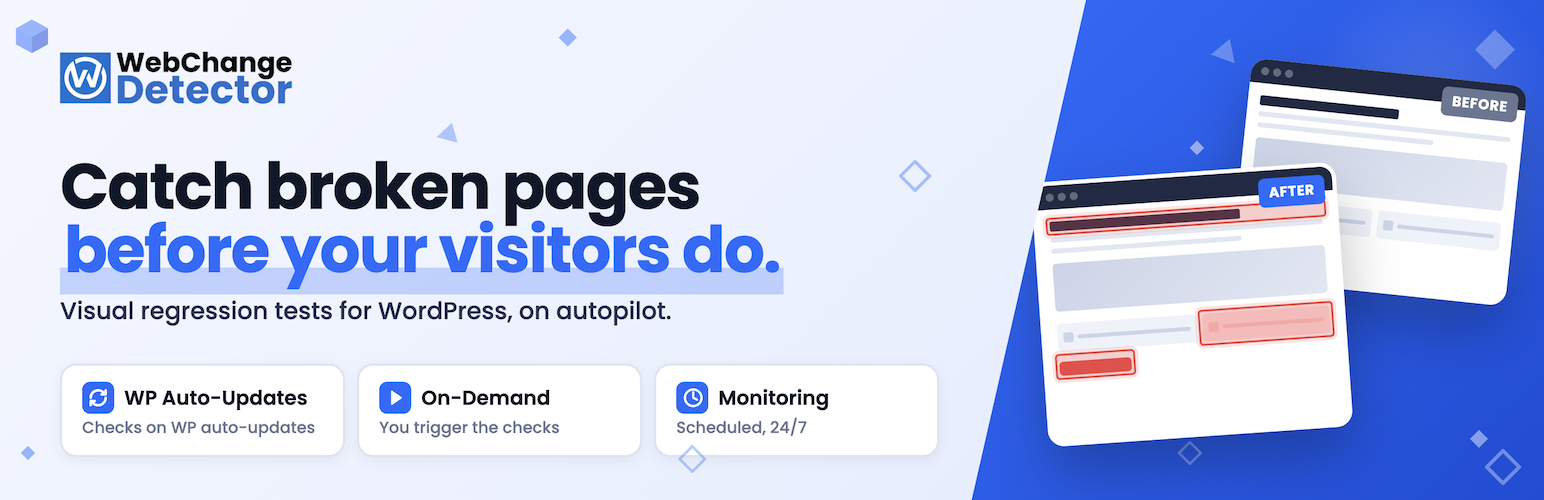
Visual regression testing for WordPress: catch broken layouts after auto-updates, plugin installs, or deploys before your visitors do.
Find visual bugs before your visitors do
Every time WordPress core, a plugin, or a theme updates, something on your site can quietly break. By the time a visitor reports it, you have already lost trust and probably sales.
WebChange Detector takes a screenshot of your pages before the change, another after, and tells you exactly what is different on desktop and mobile. The AI check ignores moving parts like sliders, carousels, and animations, so you only get alerts that actually matter.
What is visual regression testing?
Visual regression testing is the practice of taking a screenshot of a web page in a known-good state, then comparing a new screenshot to it after any change like an update, a deploy, a CSS tweak, or a plugin install. Anything that looks different is flagged.
It is the fastest way to catch layout breakage that traditional testing like PHP errors or broken links cannot see, because the page can render “successfully” while still looking wrong to a human visitor. WebChange Detector brings this practice to WordPress with one-click setup, no headless-browser scripting, and no Selenium or BackstopJS know-how required.
What you can detect
- Layout breaks after WordPress updates (core, plugins, themes)
- Side effects of installing or activating a new plugin
- Visual regressions after deployments, CSS edits, or pagespeed tweaks
- Silent breakage from third-party scripts, fonts, or external APIs
- Hacks, defacement, or injected ads during continuous monitoring
- Theme regressions after switching themes or updating a child theme
- Block library or page-builder breakage (Gutenberg, Elementor, Divi, Beaver Builder, Bricks)
- Mobile-only layout issues that you would never see on desktop
- Scheduled monitoring checks from every 15 minutes up to once per month
- Quiet times when monitoring gets skipped to save check credits
Three ways to detect changes
WebChange Detector gives you three independent check modes. Use one, two, or all three side by side, depending on how you manage your site.
1. Auto Update Checks: automatic safety net for WordPress auto-updates. This mode hooks directly into the WordPress auto-update system. Right before WordPress installs a core, plugin, or theme update automatically, WebChange Detector takes a “before” screenshot of the pages you selected. Right after the native WordPress auto-update finishes, it takes the “after” screenshot. If anything changed visually you get an email with the affected pages highlighted, plus an AI summary of what looks different. This is the mode that lets you actually leave WordPress auto-updates turned on without losing sleep.
2. On-Demand Checks: visual diffs on your own schedule. Run a check on demand right before and right after any change you make: a deploy, a plugin install, a CSS tweak, a theme switch, a hosting migration. On-demand checks are perfect for teams that already have an update workflow in tools like MainWP, ManageWP, WP Umbrella, InfiniteWP, or WP Remote. Use those tools to push your updates, and use WebChange Detector to verify visually that nothing broke. The plugin captures the pre-state, you push your changes, you trigger the post-state, and you get a side-by-side diff.
3. Monitoring: continuous visual surveillance with alerts. Schedule recurring checks at fixed intervals. The plugin captures and compares your selected pages on schedule, and emails you the moment a difference appears. Monitoring catches changes that nobody on your team pushed: hacks, defacement, expired SSL, third-party-script breakage, broken CDN assets, accidental edits, server-side issues, theme regressions, vendor outages. It is your “site is silently broken” alarm.
You can mix all three. A typical agency setup: auto-update checks on every client site so nothing breaks silently during automated WordPress updates, monitoring at 24h intervals on the same selection, and on-demand checks fired from the agency’s MainWP or ManageWP dashboard before scheduled maintenance windows.
Features
- Automatic cookie banner opt-in to load all content which is blocked initially.
- Hiding ads that might cause changes on every check.
- AI classification of whether a change is an actual change or just a moving element.
- Train the AI to recognize intentional changes like A/B tests so specific patterns get ignored.
- Smart shift detection: if your hero section gets taller, we don’t flag the entire page below it as ‘changed’.
- Check desktop and mobile screen sizes.
- Pausing dynamic content like sliders, carousels, GIFs, videos, etc. before taking screenshots.
- Trigger lazy load elements before starting the visual regression testing.
- Check browser console logs for new errors to detect errors like a broken contact form.
- WPML and Polylang support.
- WP Multisite support.
- Publicly accessible link to a change detection to share with your agency or developer.
- Basic Auth support to check websites behind a password.
- Static IP proxy to whitelist the IP in a firewall which blocks other users.
Why site owners and agencies pick WebChange Detector
- Works on staging, password-protected, and firewalled sites. Basic-auth credentials and an optional static IP for firewall whitelisting come built in. Most visual-regression plugins refuse to run on anything that is not public.
- Free plan with 10 monthly checks. On-demand checks, auto-update checks, and the API are all included; no paywall on the core workflow.
- AI-powered noise filtering. Sliders, counters and other randomized content are filtered out automatically so you stop drowning in false positives.
- Built for multisite. Network-activated or per-site, with sub-site allowances so agencies can hand each client a controlled slice of features.
- WPML and Polylang ready. Each language version is synced and checked separately.
- Share results without giving WP access. Every comparison has a public link you can paste into Slack or send to a designer.
- Desktop and/or mobile in every check. Choose which screen size(s) you want to check per site.
How it works
- Install the plugin and create a free account from inside WordPress.
- Pick the pages you want watched (posts, pages, custom post types, taxonomies, custom URLs).
- Pick your check mode: auto-update checks, on-demand checks, monitoring, or any combination.
- Get an email alert with the changed pages highlighted. Open the slider view to compare before/after, mark the result Ok / To Fix / False Positive, and share the link with your team.
Manual QA vs. automated visual regression testing
Most WordPress site owners check their site after an update by clicking through a few pages and trusting their memory. That works until it does not.
A manual click-through covers only the pages you happen to remember, takes 10 to 60 minutes per round, almost never includes the mobile viewport, and depends on your eyes catching pixel shifts that the human visual system is genuinely bad at. The output, when something does break, is usually a panicked Slack message after a customer noticed first.
WebChange Detector checks every URL you selected, every single time, on desktop and mobile, in seconds. It runs unattended while you sleep (in monitoring and auto-update modes), and produces a public side-by-side comparison link you can paste straight to a designer or developer.
Manual QA is fine for one-off changes. WebChange Detector pays for itself the first time an auto-update silently breaks a checkout button at 3 a.m.
Who is WebChange Detector for?
Site owners and freelancers who do not want to spend half a Sunday afternoon clicking through 30 pages after the WordPress auto-update ran.
Agencies and maintenance providers running MainWP, ManageWP, WP Umbrella, InfiniteWP, or WP Remote across dozens or hundreds of client sites. WebChange Detector slots into your existing update workflow as the visual-verification layer those tools do not provide on their own.
WooCommerce and shop owners who cannot afford a broken checkout, cart, or product page after a WooCommerce or payment-gateway update.
Publishers and news sites that release content many times a day on top of fragile templates and ad scripts.
SaaS and lead-gen teams running landing-page experiments where every CRO test carries layout risk.
Multilingual sites running WPML or Polylang where breakage often hides in non-English language versions.
Multisite networks where one update can ripple across dozens of sub-sites and a single dashboard view is the only way to stay sane.
Compatibility
WebChange Detector renders the front-end of your site through a real browser, so anything that renders for a human visitor renders for our screenshot engine. We are tested with:
- Page builders: Gutenberg, Elementor, Divi, Beaver Builder, Oxygen, Bricks, GenerateBlocks, Cwicly, Spectra, Stackable.
- Themes: Astra, GeneratePress, Kadence, Blocksy, Hello, Divi, Avada, Storefront, and any well-coded theme.
- WooCommerce, EDD, MemberPress, LearnDash, BuddyBoss, bbPress, and most WordPress ecosystems.
- Caching plugins: WP Rocket, W3 Total Cache, LiteSpeed Cache, WP Super Cache, FlyingPress.
- Multilingual: WPML, Polylang.
- Hosts: works on shared hosting, VPS, managed (Kinsta, WP Engine, SiteGround, Pressable, Cloudways), and on-premise.
Trial plan
- 1,000 checks during your 14-day trial
- Use and test all features mentioned above
Free plan
After the trial, you are automatically switched to our free plan with some restrictions: * 10 checks per month * No browser console log errors
Premium plans
Need more checks and all features unlocked? See the pricing page at webchangedetector.com/pricing.
Privacy and data
Screenshots are taken from our servers only for publicly available sites or sites you give access to via our proxy or basic auth. We never inject anything into your site or load any styles or scripts on the public site. We operate under GDPR.
About WebChange Detector
WebChange Detector started because we kept finding client sites broken after updates. We first built it for our own web agency. Now we help other agencies catch problems before their clients do.