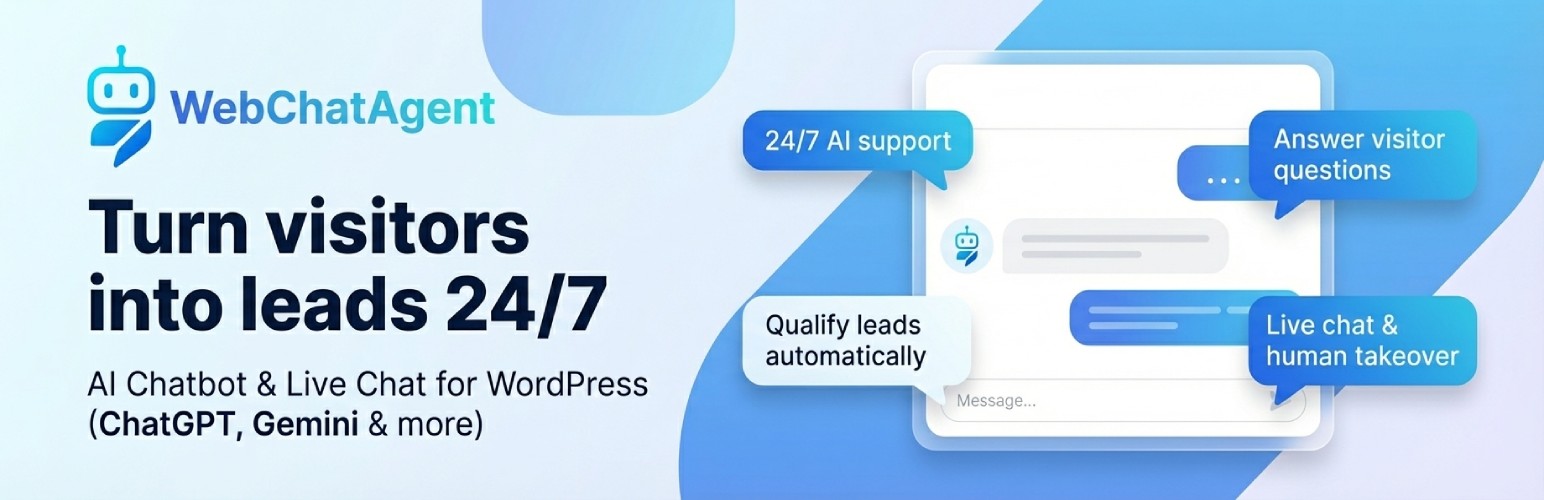
Add a GDPR-compliant AI chatbot & live chat to your WordPress site. Answer visitors 24/7, capture leads, book appointments, hand over to humans.
🤖 Description
AI Chatbot & Live Chat for WordPress with ChatGPT and Gemini Support by WebChatAgent lets you add a powerful AI assistant and live chat widget to your WordPress website.
Use advanced features like RAG (Retrieval-Augmented Generation) with support for OpenAI ChatGPT, Google Gemini, xAI Grok, Mistral AI and other top AI models to give your visitors highly relevant answers based on your content. Combine this with human takeover (live chat) so your team can jump in whenever it matters.
You connect your site to your WebChatAgent account, where you manage all AI settings, design, live chat rules, WhatsApp integration, bookings and more. The WordPress plugin focuses on a smooth embed and a live preview in your WP admin.
WebChatAgent operates in accordance with the GDPR (DSGVO): IP addresses are stored in anonymized form, and old conversations and personal data are cleaned up automatically after a configurable retention period. This makes the KI-Chatbot a good fit for European and German websites.
Key integrations and tools include:
- Action Bar & Form Builder – Add links, WhatsApp, Calendly scheduling, and custom lead-collection forms directly inside the chat widget
- Live Chat & Human Takeover – AI handles most questions, humans can take over any conversation in the inbox
- Kanban Ticket Management – Turn chat conversations into support tickets and manage them on a kanban board
- Proactive Triggers – Start conversations automatically based on visitor behavior (scroll depth, exit intent, inactivity and more)
- WhatsApp Business Integration – Engage users via your WhatsApp business number, with QR code and direct link in the chat widget
- API Connector for WooCommerce & More – Let customers check their WooCommerce order status, account info or support tickets directly in the chat
- Confluence & Notion Integration – Import wiki pages and databases as chatbot knowledge sources
- Zapier & n8n Integration – Automate workflows and connect to thousands of apps
- AI Team Wiki – Publish an AI-assisted team knowledge base on your subdomain
- Knowledge Tester – AI-powered quality testing that finds gaps in your chatbot’s knowledge
- Custom MCP (Model Context Protocol) Server Support – For advanced, self-hosted or custom AI models
✨ Key Features
- Generous Free Plan – Start free on WebChatAgent.com and upgrade only when you need more usage or advanced features
- Inline Chat Embed (Shortcode & Block) – Place the chat directly inside any page or post with the
[webchatagent_inline]shortcode or the “WebChatAgent Inline Chat” Gutenberg block, e.g. on product pages, contact pages or news articles - Hybrid AI Chatbot + Live Chat – Let AI handle routine questions and let humans join any conversation in real time
- Human Takeover / Agent Inbox – View all conversations in one inbox and take over any chat with a single click
- Smart Contextual Answers – Uses RAG (Retrieval-Augmented Generation) to answer based on your website content and uploaded documents
- Multi-LLM Support – Switch between OpenAI ChatGPT, Google Gemini (incl. Gemini 3.5 Flash), xAI Grok, and Mistral AI models
- Message Streaming – Bot responses appear word by word in real time for a natural, modern chat experience
- Voice Input – Visitors can dictate their messages via the microphone button in the chat widget
- Live URL Answers – Visitors can paste a link in the chat and the bot reads that page to answer questions about it
- JavaScript Page Crawling – The website crawler renders JavaScript-heavy pages (SPAs), so their content becomes chatbot knowledge too
- AI-Assisted Setup – Let AI write your widget texts, assistant role and prompt buttons based on your website
- Temperature Control – Adjust per chatbot how creative or how precise the answers should be
- Custom Fonts – Use your brand font in the chat widget, with multilingual fallback recommendations
- Kanban Ticket Management – Manage support requests from chats as tickets on a kanban board
- Team Permissions – Per-chatbot access control for your team members
- GDPR / DSGVO Compliance – Anonymized IP storage and automatic cleanup of old conversations and personal data after a configurable retention period
- Action Bar & Form Builder – Add a customizable action bar with up to 5 buttons: external links, WhatsApp contact, Calendly scheduling, and custom lead-collection forms
- Proactive Triggers – 9 intelligent trigger types (time on page, exit intent, scroll depth, inactivity, URL match, section visibility, returning visitor, pages visited, rage click) with AI-generated messages
- Calendly Integration – Embed your Calendly scheduling page directly inside the chat widget — no redirects
- WhatsApp Button in Widget – QR code on desktop, direct link on mobile — visitors can start a WhatsApp conversation from the chat widget header
- Knowledge Tester – AI generates test questions from your knowledge base, grades answers, and can fix gaps with one click
- Content Search – Search through the actual content of all your data sources with hybrid AI + keyword matching
- Custom MCP Server Support – Connect your own Model Context Protocol servers for self-hosted or specialized AI models
- Confluence & Notion Integration – Import wiki pages, knowledge bases, and databases directly into your chatbot (Premium+)
- AI Chat File Upload – Visitors can upload files and images in the chat for AI analysis (Premium+)
- Tool Integrations – Connect your chatbot with external services and systems to perform actions
- Lead Management – Automatically collect, qualify and manage potential customer information
- Feedback Management – Gather and analyze user feedback to improve your service and chatbot
- Questions Management – Track and categorize all questions asked to your chatbot
- API Connector for WooCommerce & More – Connect your shop so customers get instant answers
- WooCommerce Order Status – Customers ask “Where is my order?” and your chatbot checks WooCommerce and answers in seconds
- WooCommerce Product Info – Let customers ask about product availability, prices or details from your shop
- Account & Order History – Look up customer accounts, past orders or membership status automatically
- Support Ticket Updates – Show real-time status of support requests without manual lookup
- Ready-Made WooCommerce Template – Get started in minutes with our pre-built WooCommerce connector — no coding needed
- Secure by Design – Customers must verify their identity (e.g. order email) before seeing personal data
- WhatsApp Business Integration – Let your bot respond to customers on WhatsApp using your business number
- In-Chat Appointments & Bookings – Allow visitors to book appointments directly inside the chat (with Google Calendar sync on supported plans)
- Multilingual Support – Automatically responds in the user’s language; human replies can be translated as well
- WCAG 2.2 AA Accessibility – Ensures accessible use for all visitors regardless of disabilities
- Spam Protection – Prevents chatbot abuse and protects against unexpected usage spikes
- Drag & Drop File Upload – Upload PDF, Word, Excel, and text files by dragging them onto the Data Sources tab
- Bulk Actions – Select multiple data sources and delete or re-index them all at once
- Complete Customization – Customize appearance, persona, colors, fonts, behavior and more via the WebChatAgent dashboard
- Custom Role Presets – 6 ready-made chatbot personas to get started in seconds
- Live Preview – See your current widget in a live preview iframe inside the WordPress admin
- Responsive Design – Works perfectly on all devices and screen sizes
- Simple Embedding – Easy integration with your WordPress site using a single Chatbot ID
🚀 Installation
- Upload the
webchatagentfolder to the/wp-content/plugins/directory of your WordPress installation or install it directly from the WordPress plugin directory. - Activate the plugin in the WordPress admin area under “Plugins”.
- Register or log in at https://webchatagent.com and create your chatbot.
- Copy your Chatbot ID from the WebChatAgent dashboard.
- In WordPress, navigate to “WebChatAgent” in the admin menu and paste your Chatbot ID.
- Enable the chatbot in the plugin settings to display the widget on your site.
All design, AI, live chat, WhatsApp and behavior settings are managed in your WebChatAgent dashboard. The WordPress plugin handles the embed and displays a live preview based on your current configuration.
⚙️ Frequently Asked Questions
Do I need an API key or account to use this plugin?
You need to register at WebChatAgent.com to create a chatbot and get a Chatbot ID. You then enter this ID in the plugin settings to connect your WordPress site to your chatbot. API keys and model settings are managed in your WebChatAgent account.
Is this plugin completely free?
You can start with a free plan on WebChatAgent.com. There are paid plans available if you need higher limits, more pages, more traffic or advanced features like higher message quotas, team features and additional integrations.
Can I customize the appearance of the chat widget?
Yes. You customize the color scheme, avatar, fonts, welcome message, widget position, behavior and persona directly in the WebChatAgent dashboard. The WordPress plugin shows a live preview and uses your current configuration.
Is WebChatAgent GDPR (DSGVO) compliant?
Yes. WebChatAgent operates in accordance with the GDPR. IP addresses are stored in anonymized form for abuse prevention, chat conversations are kept only for a limited time, and old conversations and personal data are cleaned up automatically after a configurable retention period. See the Privacy Policy section below for details.
Can I embed the chat inside a page instead of the floating button?
Yes. Use the [webchatagent_inline] shortcode (Classic Editor, page builders, text widgets) or the WebChatAgent Inline Chat Gutenberg block to place the chat directly inside your content — for example on a product page, contact page or news article. Both use the Chatbot ID from the plugin settings; you can override it per embed with chatbot-id="..." (or via the block sidebar). The inline embed works independently of the Enable Chatbot toggle, which only controls the floating widget, and the widget script loads only on pages that use it.
Is the chat widget mobile-friendly?
Yes, the chat widget is fully responsive and works well on all devices, including mobile phones and tablets.
Does WebChatAgent support live chat and human takeover?
Yes. WebChatAgent offers a hybrid model: AI answers most questions automatically, and your team can take over any chat at any time via the Agent Inbox. You can reply as a human and then hand control back to the bot if you like.
Does the plugin support WhatsApp Business?
Yes. You can connect your WhatsApp Business number in the WebChatAgent dashboard. Your AI chatbot can then reply to WhatsApp messages, and you can manage those conversations alongside website chats.
How does the AI chatbot understand my website content?
WebChatAgent uses RAG (Retrieval-Augmented Generation) to index and understand your website content and documents. When visitors ask questions, the AI combines this indexed content with a large language model (e.g. ChatGPT or Gemini) to provide accurate, context-aware answers.
Which AI models are supported?
The chatbot supports multiple large language models including OpenAI ChatGPT, Google Gemini (incl. Gemini 3.5 Flash), xAI Grok, and Mistral AI. You can choose which model to use in your WebChatAgent settings. Speed and quality indicators help you pick the right model. Additionally, you can connect custom MCP (Model Context Protocol) servers for self-hosted or specialized AI models.
Does the chatbot support multiple languages?
Yes, the chatbot automatically detects and responds in the user’s language, making it ideal for multilingual websites. Human replies in the inbox can also be auto-translated.
Is the chat widget accessible for people with disabilities?
Yes, the chat widget is designed to meet WCAG 2.2 AA accessibility standards, ensuring it’s usable for all visitors, including those using assistive technologies.
Can the chatbot perform actions beyond just answering questions?
Yes. With Tool Integrations, your chatbot can connect to external services and systems to perform actions such as submitting forms, booking appointments, updating records or querying databases. You configure these tools in your WebChatAgent dashboard.
What is the API Connector and how does it work?
The API Connector lets your chatbot answer questions that require live data from your WooCommerce shop or other business systems. Instead of just answering general questions, your chatbot can look up real information for each customer.
WooCommerce examples:
- “Where is my order #12345?” – The chatbot checks your WooCommerce shop and tells the customer the current order status
- “Is the blue T-shirt in size M available?” – Looks up product stock and availability in WooCommerce
- “Show me my recent orders” – Displays the customer’s order history from your shop
Other systems:
- Support tickets – Show ticket status from helpdesk systems
- Account info – Look up balances, memberships or custom data from any system
How to set it up:
- Select the WooCommerce template (or another template for your system)
- The chatbot asks customers to verify their identity (e.g. their order email)
- Once verified, the chatbot can look up their orders, products and personal data
No programming knowledge required — the WooCommerce connector works out of the box.
What analytics and management tools are included?
From your WebChatAgent account, you can access:
- Lead Management – Collect, categorize and follow up with leads generated through your chatbot
- Feedback Management – Review and analyze user feedback to improve your chatbot and service
- Questions Management – View all questions asked to your chatbot, identify common topics and improve your knowledge base
- Analytics Dashboard – Track conversations, leads, bookings, human handovers and unanswered questions
How does the spam protection work?
Built-in spam and abuse protection monitor usage patterns and prevent abusive or excessive requests. This helps protect your account from unexpected usage spikes and keeps your costs predictable on higher tiers.
📷 Screenshots
- WebChatAgent – AI Chatbot & Live Chat for WordPress settings page in the WordPress admin.
- Live chat widget on your website – desktop view.
- Mobile view of the chat widget.
📝 Changelog
1.1.0
- Added: [webchatagent_inline] shortcode to embed the inline chat widget in any page, post or text widget
- Added: “WebChatAgent Inline Chat” Gutenberg block with optional per-block Chatbot ID (WordPress 5.8+)
- Added: Optional chatbot-id attribute to override the global Chatbot ID per embed
- Added: New “Inline Embed” tab in the plugin settings with a copy-ready shortcode snippet
- Improved: Inline embeds load the widget script only on pages that use them
- Compatibility: Minimum required WordPress version is now 5.8
1.0.5
- Added: Bundled translations for German, Spanish, French, Italian, Dutch and Russian (admin UI and privacy policy text)
- Fixed: Plugin text domain is now loaded, so translations actually apply
- Improved: Admin JavaScript …