
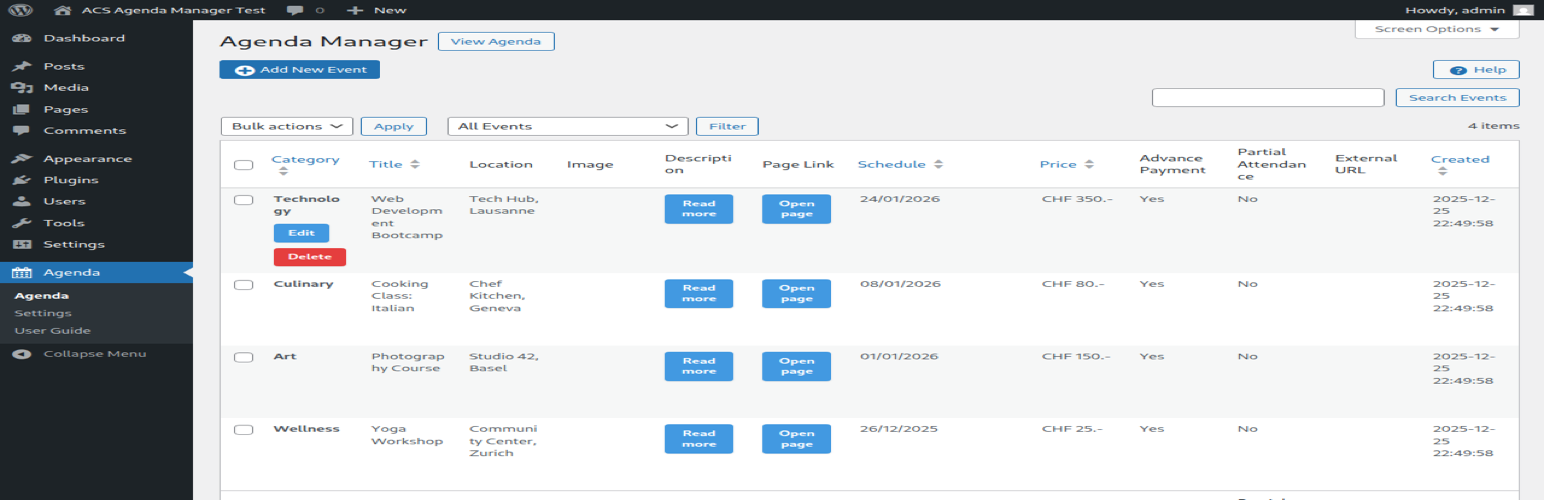
ACS Agenda Manager provides an easy way to create and manage an event agenda on your WordPress site. Display upcoming events with dates, locations, images, and descriptions in a clean, responsive layout.
Features
- Multi-date support: Events can span multiple days with visual multi-date calendar picker
- Media integration: Upload and display event images via WordPress Media Library
- Image lightbox: Click images to view full-size in a popup overlay
- Location display: Show event locations prominently
- Linked pages: Connect events to detailed WordPress pages
- Automatic expiration: Past events are automatically hidden
- Modern responsive design: CSS Grid layout with glass-morphism effects
- Easy administration: Intuitive admin interface with card-based form sections
- Real-time validation: In-dialog error messages and success notifications
- Native contact form: Built-in organizer contact form available via the dedicated Contact action
Supported Languages
- English (en_US) – Default
- French (fr_FR)
- German (de_DE, de_CH)
- Italian (it_IT)
- Japanese (ja)
Usage
Display the agenda on any page or post using the shortcode:
[acsagma_agenda]
The plugin automatically creates an “Agenda” page upon activation with the shortcode included.
External Services
This plugin uses external services as follows:
Google Maps API
When a Google Maps API key is configured in the plugin settings, the plugin loads the Google Maps JavaScript API to display location maps for events.
- What data is sent: Event location addresses (only when viewing events with locations)
- When: The API is loaded when viewing pages that display the agenda with events containing location information
- Service provider: Google LLC
- Terms of Service: https://developers.google.com/maps/terms
- Privacy Policy: https://policies.google.com/privacy
Note: Google Maps integration is optional. The plugin works without an API key, but maps will not be displayed.
Credits
- jQuery UI Datepicker: bundled with WordPress core
- Icons: WordPress Dashicons