CoderCreation Table Builder for Elementor

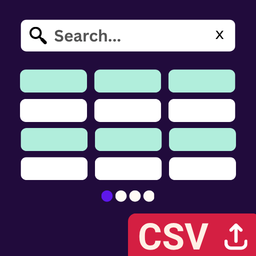
CoderCreation Table Builder for Elementor is the easiest way to convert CSV files into beautiful, interactive data tables in Elementor. Simply upload your CSV file and instantly display it as a fully styled, searchable, and paginated table.
Perfect for displaying product catalogs, price lists, staff directories, event schedules, and any structured data from spreadsheets.
🚀 Key Features
- CSV to Table Conversion — Upload any CSV file and instantly convert it to a beautiful data table
- Live Search — Real-time table search with instant filtering as users type
- Pagination — Automatic pagination with customizable rows per page (First, Previous, numbered pages, Next, Last)
- Searchable Tables — Full-table keyword search to help users find data quickly
- Mobile Responsive — Choose between horizontal scroll or stacked cards layout for mobile devices
- Table & List Views — Display data as a classic HTML table or an unordered list
- Image Support — Automatically detects and displays images from URLs in your CSV
- Full Elementor Styling — Complete control over typography, colors, borders, spacing, and more
- No Coding Required — Simple drag-and-drop widget in Elementor
💡 Perfect For
- Product Catalogs — Display product listings with prices and specifications
- Price Lists — Show pricing tables with search and filtering
- Staff Directories — Create searchable employee or member directories
- Event Schedules — Display timetables and event listings
- Data Tables — Any structured data from Excel or Google Sheets
- Comparison Tables — Feature comparisons with search functionality
🎨 Styling Options
- Typography Controls — Customize fonts for headings, headers, and table cells
- Color Controls — Set colors for headers, body, striped rows, hover effects, and pagination
- Border & Radius — Control borders and border-radius for tables, cells, and buttons
- Spacing Controls — Adjust padding and margins for every element
- Striped Rows — Enable alternating row colors for better readability
- Hover Effects — Add hover colors to table rows
📱 Mobile Responsive
- Horizontal Scroll — Tables scroll horizontally on mobile devices
- Stacked Cards — Convert table rows into mobile-friendly stacked cards
- Configurable Breakpoint — Set custom mobile breakpoint (default: 768px)
🔍 Search & Pagination
- Live Search — Instant search with animated search/clear icons
- Customizable Placeholder — Set custom search placeholder text
- Numbered Pagination — First, Previous, page numbers, Next, Last buttons
- Rows Per Page — Control how many rows display per page
- Pagination Alignment — Left, center, or right alignment options
🛠️ Technical Features
- CSV File Support — Upload CSV files up to 5 MB
- Unlimited Rows — No artificial row limits (limited only by file size and server memory)
- Automatic Header Detection — First row automatically becomes table header
- Image URL Detection — Automatically renders image URLs as images (jpg, jpeg, png, gif, webp, svg, bmp)
- Clean Code — Proper escaping, sanitization, and security throughout
- WordPress Standards — Follows WordPress coding standards and best practices
📋 How It Works
- Edit any page or post with Elementor
- Search for “CSV Upload & Display” widget
- Drag the widget onto your canvas
- Upload your CSV file via Elementor media library
- Customize styling and settings
- Publish!
Your CSV data is instantly transformed into a beautiful, searchable, paginated table.
🎯 Use Cases
- Convert Excel spreadsheets to web tables
- Display Google Sheets data as searchable tables
- Create filterable product catalogs
- Build searchable price comparison tables
- Show employee directories with search
- Display event schedules with pagination
- Create data-driven content from CSV files
⚙️ Requirements
- WordPress 5.0 or higher
- Elementor (free version) 3.0.0 or higher
- PHP 7.4 or higher
🔒 Privacy & Data Collection
This plugin collects anonymous, non-sensitive usage data to help us improve the plugin. The data collected includes:
- Plugin activation and deactivation events
- WordPress version
- PHP version
- Plugin version
- Site language
** We never collect personal information, user data, or site content is ever collected.**
This data helps us understand how the plugin is used and prioritize improvements. You can opt-out anytime by deactivating the plugin.
Data is sent to: codercreation.com (Our Official Website) Privacy Policy: https://codercreation.com/privacy-policy/
🆓 100% Free
This plugin is completely free with no locked features, no premium version, and no hidden costs. All features are available to everyone.