
ReelsWp – Shoppable Videos & Vertical Reels Carousels
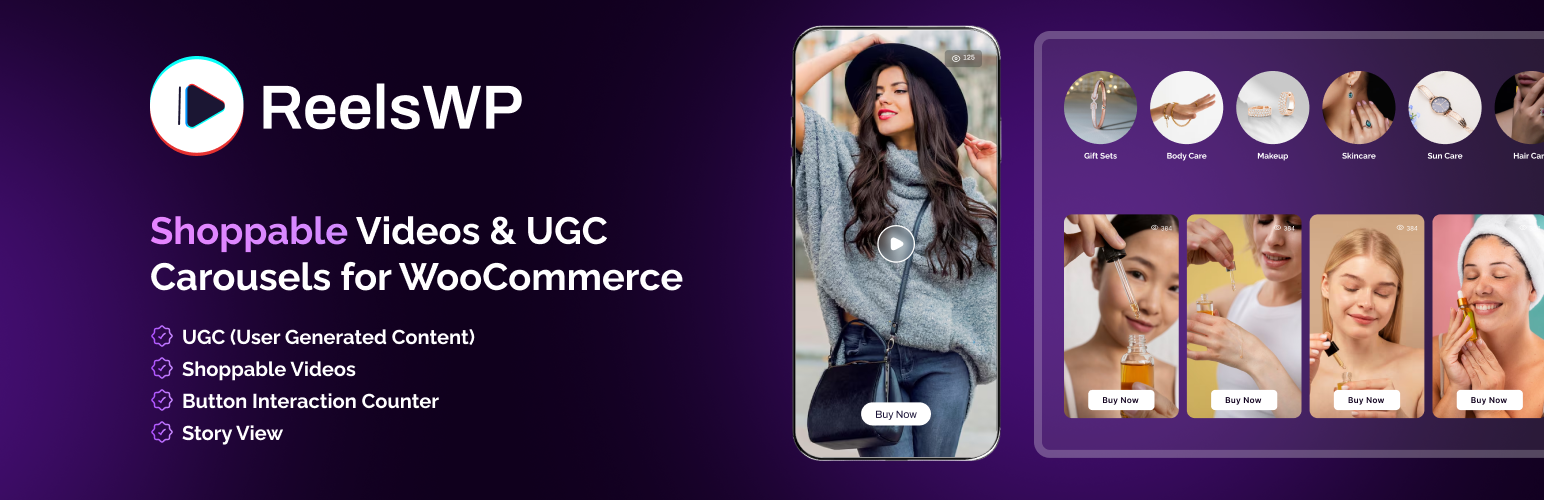
Create Insta-style stories and video reels on your WordPress site with ReelsWP. Easily add fast, mobile-friendly vertical video grids and reels carousels to your landing page, blog posts, news articles, or product pages. Tag products inside videos, add custom call-to-action buttons, and keep customers shopping on your site without sending them to social media platforms. Turn your product videos and customer UGC into high converting reels that keep visitors engaged on your site. Showcase creator content to build stronger social proof and track engagement with built-in analytics for clicks and video views.
Plugin Demo | Documentation | Get Pro for Advanced Features
Boost engagement and conversions on your Woocommerce store with shoppable videos. Use the ReelsWP Vertical video player to create reels, stories, and short form video carousels that build powerful social proof.
The #1 Shoppable Video Plugin for WooCommerce
Most video plugins just display videos. ReelsWP makes them sell. Tag WooCommerce products directly inside videos, add custom call-to-action buttons, and track clicks and views, all without the visitor ever leaving your page. Perfect for store owners looking to increase conversions using UGC and shoppable video content. Built to work globally with full RTL and multi-language support.
Short-form video is one of the most powerful ways to increase engagement and product discovery in ecommerce. ReelsWP brings this experience directly into WordPress and WooCommerce.
With ReelsWP you can:
- Turn product videos into interactive shoppable reels
- Display UGC videos and creator content on your store
- Increase trust with video-based social proof
- Add engaging vertical video carousels
- Track views and clicks from each video
Unlike traditional video plugins that simply embed videos, ReelsWP turns your video content into a conversion-focused shopping experience.
Key Features
- Grid layout to display videos in a clean, responsive grid
- Carousel layout to embed shoppable Instagram, Tiktok like Reels & Stories
- Marquee Reels layout (Pro) for infinite, auto-scrolling video playlists
- Stacked Reels layout (Pro) for interactive and shoppable video experience
- Reels Popup (Pro) to display floating sticky video reels anywhere on your website
- Full style customization including shape, colors, typography, size, and spacing
- Swipe-based preview video player with horizontal and vertical (Pro) support
- Video play control options including play on click, auto play (Pro), and play on hover (Pro)
- Drag and drop (Pro) reordering to easily rearrange Reels and keep content fresh
- Custom CTA links inside videos like Buy Now, Learn More, and Add to Cart
- Product tagging inside videos for instant shoppable experience
- Support for UGC videos with tagged products to boost conversions
- Flexible video hosting including self-hosted videos, Vimeo (Pro), Youtube Shorts (Pro), Custom video URL support (Pro) to stream videos from dedicated video hosting platforms or personal media servers.
- Video view counter to show social proof on Reels and Stories
- Elementor page builder support with dedicated ReelsWP widget
- Gutenberg block editor support with built-in ReelsWP block
- Fully WooCommerce supported with direct product tagging from your store
- RTL and multi-language support for global websites
How to Create Reels with ReelsWP
- Upload your video Reels to your WordPress website using ReelsWP.
- Create a Reel widget and select the videos you want to display as a grid or carousel.
- Click Save and ReelsWP will automatically generate a shortcode.
- Paste the shortcode anywhere on your website to show shoppable videos.
- If you are using Gutenberg or Elementor, simply use the dedicated ReelsWP block or widget and select the playlist you want to display.
Performance Recommendations & Compatibility
For the best performance, we recommend compressing your videos before uploading and using modern video formats like WebM. The plugin is optimized for speed with lazy loading and smart caching, fully compatible with popular caching and CDN solutions, and built with a mobile-first, responsive design to ensure smooth performance across all devices.
If you are facing any issues or have suggestions or feedback, please share them on our support forum.
What’s Next?
If you like ReelsWp, then check out our other WordPress plugins designed to help you increase engagement, conversions, and sales.
Marquee Addons – Makes it easy to add smooth marquee effects for text, buttons, images, testimonials, videos, and cards to Elementor websites with continuous scrolling loops for your content.
ProofWP – Easily collect and showcase customer reviews, photo reviews, video testimonials, star ratings, trust badges, and social proof across your WooCommerce store. Build customer trust, increase credibility, and boost conversions with authentic user-generated content.