Joli Table Of Contents
Joli Table Of Contents is the most customizable and performance-focused table of contents plugin for WordPress. It works out of the box for beginners — thanks to a built-in Onboarding Wizard — and offers deep control for advanced users and developers.
Easily insert a table of contents into all your posts with either the Auto-insert, the Gutenberg Block, or the Shortcode.
🚀 Why Joli Table Of Contents?
✅ Beginner-Friendly Onboarding Wizard
After activation, a step-by-step setup wizard walks you through the most important settings — no configuration headaches, no reading documentation. You’ll have a working, good-looking TOC in minutes.
🎨 Instant Customization with the Color Palette System
The new Color Palette makes customization effortless. Set just the Accent color and it automatically propagates across your entire TOC — that’s 90% of the visual work done in a single click. Fine-tune everything else at your own pace.
🧠 Smart Heading Detection
Joli Table Of Contents accurately detects headings from third-party shortcodes and blocks that don’t appear directly in the editor but are rendered on the front end. Since v3, you can now choose between Content scope (default — prevents unwanted headings from appearing) and Extended scope for advanced use cases.
🆕 Gutenberg Block with Inline Editing
Use the dedicated Gutenberg Block to insert a table of contents anywhere in your post. The block lets you hide or edit specific headings inline — no settings page needed.
⚡ Performance First
No jQuery dependency. Minified CSS and JavaScript. Conditional style loading based on active settings — only the code you need is loaded. Built for fast websites.
🔁 Migrate from Another TOC Plugin — Without Touching Your Content
Already using Easy Table of Contents, LuckyWP Table of Contents, or another plugin? You can switch to Joli TOC without updating a single shortcode across your posts.
Use the built-in filter to map Joli TOC to your existing shortcode tag:
add_filter('jolitoc_shortcode_tag', function(){ return 'toc'; });
This works with any custom tag, so your existing [toc] (or any other) shortcodes continue to work immediately after switching.
✨ Key Features
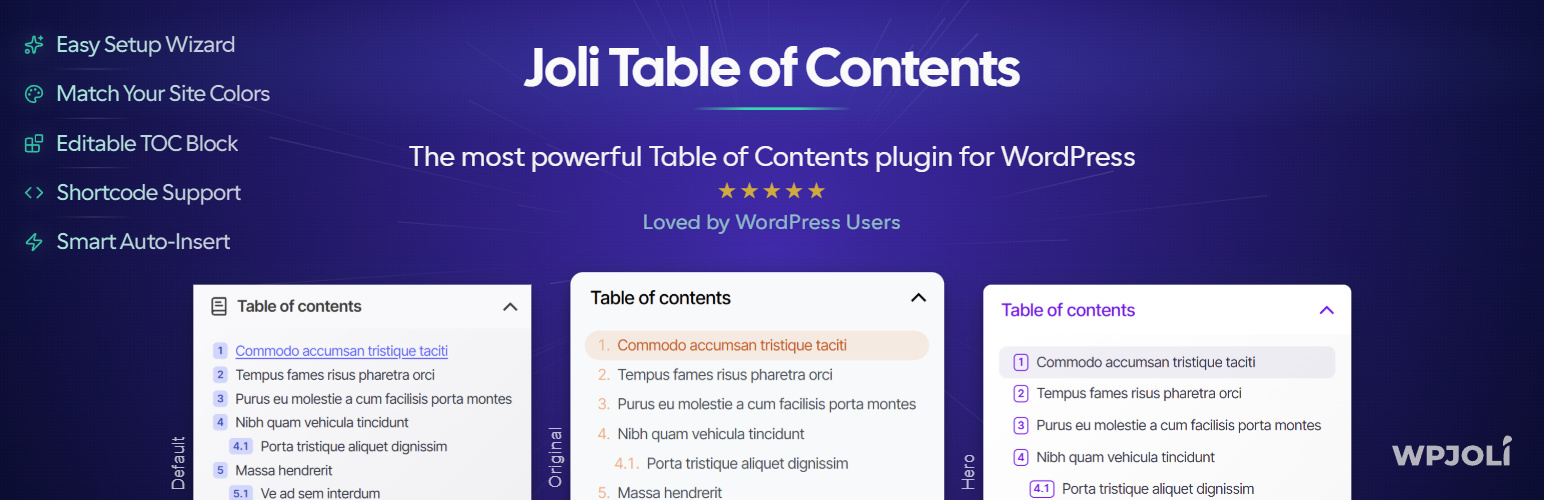
Design & Themes: * Professional looking themes (Default, Original, Hero, + all legacy themes) * Dark mode support for v3 themes * Color Palette system — set one color, style the whole TOC * Fully customizable: padding, margin, borders, fonts, colors, icons * Custom CSS support * CSS variable architecture for deep theming * Custom theme engine (create your own theme)
Insertion methods:
* Auto-insert (by post type and position)
* Gutenberg Block
* Shortcode [joli-toc]
Auto-insert positions: * Before/After the content * Before/After H1 * Before first H2 / After first H2 * After first paragraph
Headings & Detection: * Detect headings from third-party blocks and shortcodes * Heading scope: Content (default) or Extended * Show headings by custom depth (H2 to H6) * Hide or edit specific headings via the block * Disable headings by text or CSS class
Navigation & UX:
* Reading time estimate (new in v3)
* Hierarchical or Flat view
* Multiple numbering styles (with regional number support)
* Customizable numbering separator and suffix
* Smooth scrolling
* Folding/unfolding with animation
* Pretty URL hash (e.g. mysite.com/article/#section-title)
* Latin & non-latin character support
* Multilingual hash transliteration
* Responsive — hover events work as touch on mobile
Other:
* Import / Export settings
* Import presets for quick setup
* Custom CSS section
* Fully responsive
* <!--nextpage--> multi-page support
* RTL support
* WPML compatible
* No jQuery
* Developer hooks (see full list)
⭐ What’s New in v3
🧙 Onboarding Wizard
New users are greeted with a step-by-step onboarding wizard that configures the most important settings for their site — without needing to touch advanced options.
🎨 Color Palette System
A brand-new reusable color palette makes customization fast and consistent. Define your Accent color once and watch it style your entire TOC automatically.
🖼 New & Updated Themes
v3 ships with new and upgraded themes: Default (replaces Basic Light/Dark), Original, and Hero — all with dark mode support and theme-specific style variants.
🎛 Redesigned Settings Page
The admin interface has been fully redesigned with: * A search bar to quickly find any setting * A Live Preview panel — see your changes in real time * A Quick Settings Panel for the most common options * Better color pickers with palette support * Session checker to prevent lost changes
📐 New Style Options
New styling controls include: header border style/width/radius/color, numbering badge colors, base font size, and toggle button styles.
🔢 Improved Numbering System
The numbering engine has been upgraded to behave like a proper list — including support for regional numbering formats. Hexadecimal and binary modes have been removed.
📍 TOC Alignment
Choose between left, center, and right alignment for the entire TOC block.
📖 Reading Time Estimate
Automatically display an estimated reading time inside the TOC header.
🔒 PRO Features
Get Joli Table Of Contents Pro →
Premium Themes:
Widgets: * 🆕 Timeline TOC — display the TOC as a visual timeline on the side of the screen, with proportionally spaced markers * ✅ Floating TOC Widget — follows the user as they scroll, shows the active section * ✅ Slide-Out TOC Widget — fixed panel on the side of the screen * ✅ Sticky Sidebar TOC — TOC in a sidebar widget that sticks while scrolling * ✅ Progress Bar Widget — reading progress indicator at the top of the page
PRO-only customization: * ⭐ Collapsible headings * ⭐ View more button (Partial fold) * ⭐ Independent top-level heading styling * Separator between top-level headings * Multi-columns mode * Per-device TOC visibility (in-content vs. sidebar) * Fade past headings
Advanced auto-insert rules: * Filter by post type, post title, or post ID * Exclude specific posts by title or ID * Different settings per post type (theme, layout, everything)
Custom Post Type support with per-post-type settings.
🔧 Shortcode
Insert the TOC anywhere using the shortcode:
[joli-toc]
Migrating from another plugin? Keep your existing shortcode tag without updating any content:
add_filter('jolitoc_shortcode_tag', function(){ return 'toc'; });
This is compatible with shortcode tags used by Easy Table of Contents, LuckyWP Table of Contents, and others.
🎣 Developer Hooks
Joli Table Of Contents provides a full set of action and filter hooks for developers.
Common examples (add to your theme’s functions.php):
Disable auto-insert globally: add_filter(‘joli_toc_disable_autoinsert’, function(){ return true; });
Disable JS or CSS: add_filter(‘joli_toc_disable_js’, function(){ return true; }); add_filter(‘joli_toc_disable_styles’, function(){ return true; });
Customize the TOC title dynamically: add_filter(‘joli_toc_toc_title’, function( $title ){ return ‘My Custom Title’; });