
JSM Show Order Metadata for WooCommerce HPOS
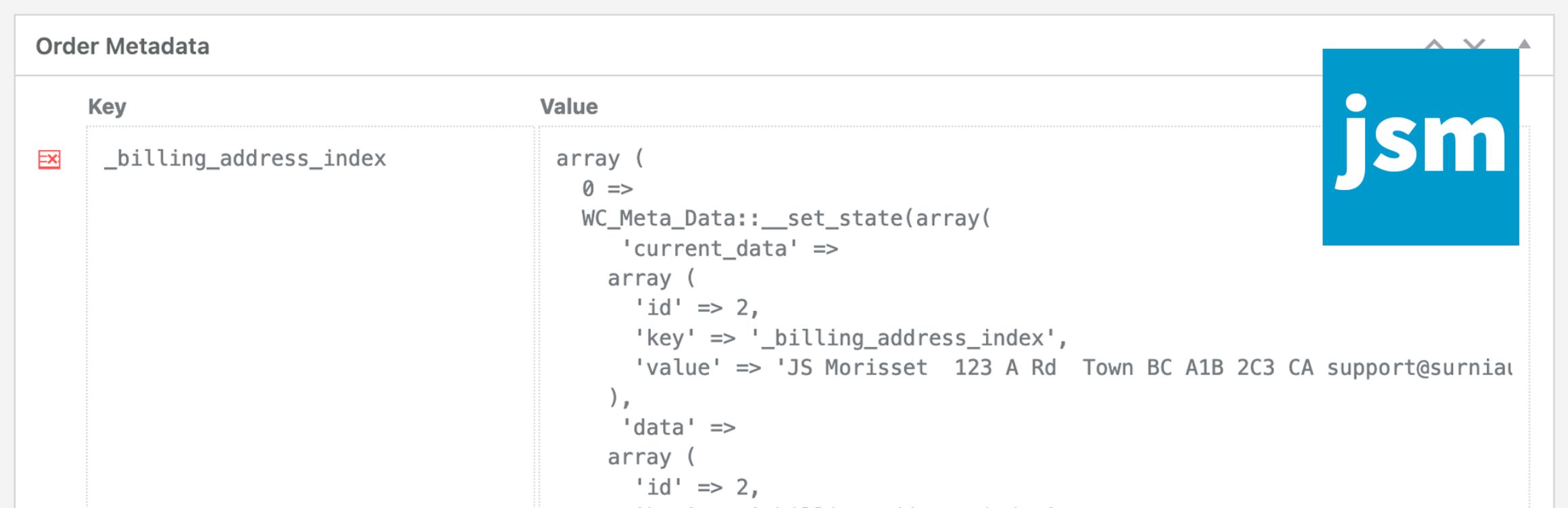
The JSM Show Order Metadata for WooCommerce HPOS plugin displays order meta keys and unserialized values in a metabox at the bottom of the WooCommerce HPOS order and WooCommerce Subscriptions editing pages.
Note that if you’re NOT using WooCommerce HPOS (High-Performance Order Storage), available since WooCommerce v8.2, then your WooCommerce orders are post objects and you should use the JSM Show Post Metadata plugin instead.
There are no plugin settings – simply install and activate the plugin.
Available Filters for Developers
Filter the order meta shown in the metabox:
'jsmsom_metabox_post_types' ( array $post_types )
Array of supported HPOS post types (i.e. ‘woocommerce_page_wc-orders’ and ‘woocommerce_page_wc-orders–shop_subscription’).
'jsmsom_metabox_table_metadata' ( array $metadata, $order_obj )
Array of regular expressions to exclude meta keys:
'jsmsom_metabox_table_exclude_keys' ( array $exclude_keys, $order_obj )
Capability required to show order meta:
'jsmsom_show_metabox_capability' ( 'manage_options', $order_obj )
Capability required to delete order meta:
'jsmsom_delete_meta_capability' ( 'manage_options', $order_obj )
Icon for the delete order meta button:
'jsmsom_delete_meta_icon_class' ( 'dashicons dashicons-table-row-delete' )