
KooKoa Folders – メディアライブラリフォルダー & ファイル整理ツール
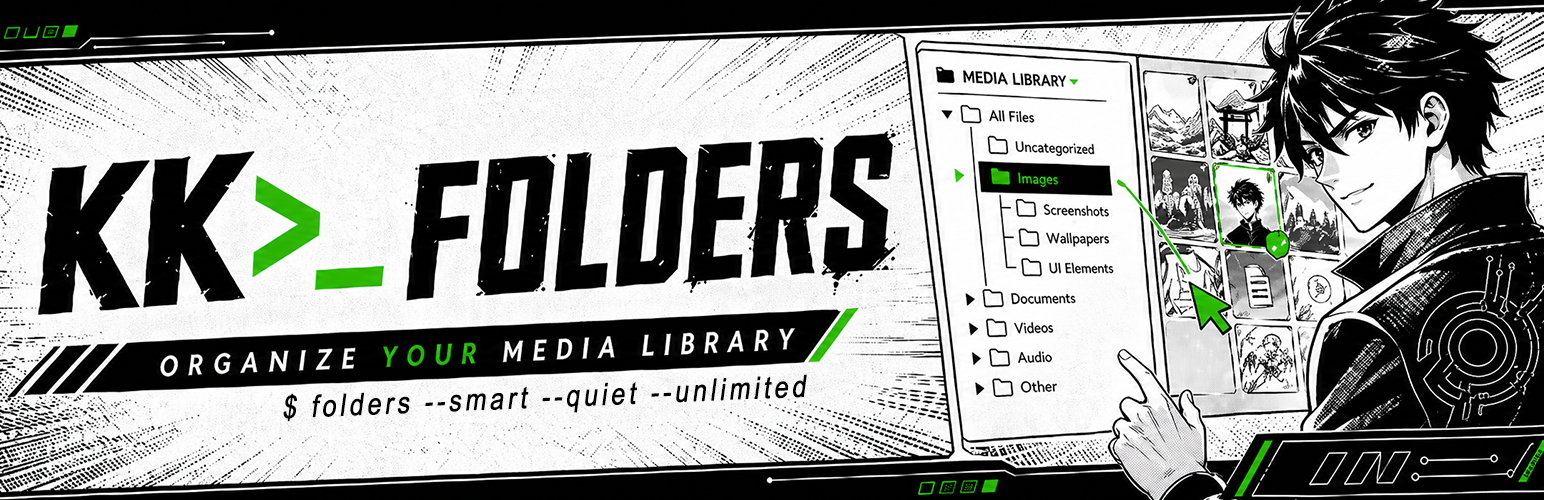
KooKoa Folders は WordPress メディアライブラリにフォルダーサイドバーを追加します。フォルダーを作成し、サブフォルダーとして入れ子にし、ドラッグ & ドロップでファイルを移動できます。さらに、ファイルタイプ、サイズ、日付、寸法、タグなど、定義したルールに基づいて自動的にアイテムを追加する無制限のスマートフォルダーも利用できるため、ライブラリが増えても整理された状態を保てます。
👉 ライブデモを試す ☝️ — すぐにアクセスできます。アカウントは不要です
フォルダーは仮想的なものです。非公開の WordPress タクソノミーとして保存され、メディアアイテムに紐付けられるため、ディスク上のファイルは移動されず、既存の画像 URL もそのまま動作します。プラグインを停止しても、メディアライブラリは何も起きなかったかのように使い続けられます。
🗂️ 整理
- メディアライブラリで無制限のフォルダーとサブフォルダー
- 添付ファイルをフォルダー間でドラッグ & ドロップ
- 新しいアップロードを現在開いているフォルダーに自動割り当て
- フォルダーごとのアイテム数
- メディアライブラリのリスト表示で使えるフォルダーフィルター
⚡ スマートフォルダー
- 無制限のスマート (ルールベース) フォルダー。メディアライブラリの増加に合わせて自動的にアイテムを追加
- フォルダーごとに複数のルールを AND 条件で組み合わせ — ファイルタイプ、サイズ、寸法、日付、投稿者、ステータス、検索、タグなど
- フォルダーごとのライブ件数をキャッシュし、アイテム変更時に自動更新
- 固定、ロック、色、アイコンに対応 — 通常フォルダーと同じ UX
🌈 外観
- カスタムフォルダー色
- 絵文字ピッカー対応のカスタムフォルダーアイコン
- フォルダーをツリーの先頭に固定
- フォルダーをロックして、誤った名前変更、色変更、アイコン変更、削除を防止
🔍 ナビゲーション
- サイズ変更可能で固定表示できるフォルダーサイドバー
- フォルダーツリーの検索と並べ替え
- パンくずバーとサブフォルダーカード
- スマート起動フォルダー — メディアライブラリを前回使用したフォルダー、または指定した固定フォルダーで開きます
- よく使う操作のキーボードショートカット
- モバイル対応レイアウト
🔄 一括操作
- 一括整理モード — 複数の添付ファイルを選択し、ワンクリックでフォルダーに移動
- フォルダー (すべてのサブフォルダーを含む) を 1 つの ZIP アーカイブとしてダウンロード
- 一括整理ツールバーから、選択したアイテムだけを ZIP としてダウンロード
- パソコンからフォルダー構造をアップロードし、サブフォルダーを自動的に再作成
- フォルダー構造を JSON としてエクスポート/インポート。結合または置換モードに対応
📊 インサイト
- メディアアイテムにマウスを乗せると、ファイル名、サイズ、寸法を表示するツールチップ
- ホバー時ツールチップに任意の EXIF フィールド — カメラ、絞り、シャッター、ISO、焦点距離
🛡️ アクセス制御
- 権限グループベースのアクセス — フォルダーサイドバーを使用できる WordPress 権限グループを選択できます
🔒 プライバシー
- セルフホストフォント。Google Fonts への呼び出しなし
- 外部スクリプト、トラッカー、アナリティクスなし
- 通常の訪問者向けにはフロントエンドアセットを読み込みません。ビルダー/エディター連携は、権限のある編集者が対応ビジュアルビルダーを開いた場合にのみ読み込まれます
✅ 対応環境
フォルダーサイドバーは次の場所で利用できます:
- WordPress メディアライブラリのリスト表示とグリッド表示
- ブロックエディター (Gutenberg) のメディアモーダル
- クラシックエディターのメディアモーダル
- Divi 4 / 5 のメディアモーダル
- Elementor のメディアモーダル
- WooCommerce 商品ギャラリーのメディアモーダル
🔁 Migrate from other folder plugins
Already using another folder plugin? Switch in one click. KooKoa Folders detects existing folder structures directly from your database and rebuilds the full tree inside the KooKoa sidebar — with file assignments intact, no JSON export, no rebuilding from scratch.
Supported sources:
- FileBird (Ninja Team)
- Folders (Premio)
- Real Media Library (devowl.io)
A subtle hint inside the Media Library surfaces the importer when one of these plugins is detected, so you find it without going hunting through Settings. After a successful import, the source plugin can be deactivated with one button — your KooKoa folder structure keeps living independently.
🚀🚀🚀 Pro アドオン
👉 TRY THE LIVE DEMO ☝️
🚀 Folders for Posts & Pages 🚀 Folders for Custom Post Types 🚀 AI Image Generator (text-to-image) 🚀 AI Image Editor (text-guided edits) 🚀 WebP / AVIF Converter 🚀 Replace Media (same name or rename) 🚀 Watermark Images (logo or text) 🚀 Clean Unused Media 🚀 Find Duplicate Media (byte-exact + perceptual hash) 🚀 Image Editor (crop, rotate, filters, resize) 🚀 Media Stats Dashboard 🚀 Priority Email Support
💻 Use cases
A few real-world setups where KooKoa Folders earns its keep:
- Bloggers and content writers — keep every blog image, post screenshot, hero photo, video clip and audio file inside dedicated media folders. Drag and drop assets between folders, filter the media library by folder, and find the right image for tomorrow’s article in seconds instead of scrolling past 2,000 thumbnails.
- WordPress photographers and photo studios — split your media library by shoot type (portraits, weddings, real estate, landscapes, nature, family), by client, by year, or by location. Pin your active project to the top, lock the archive against accidental edits, and let smart folders auto-collect images by date, file size or alt text.
- WooCommerce shop owners and e-commerce managers — organize product images into folders that mirror your catalog (apparel, footwear, accessories, electronics). Drag and drop new product photos straight from upload into the right SKU folder, and use smart folders to auto-group every PNG, JPEG or WebP above a certain size for quality audits.
- Web designers, web developers and freelance agencies — separate site assets per project, per page section or per client (logos, mockups, illustrations, icon sets, screenshots). Folder colors and custom icons turn the media library into a navigable workspace even when you sit on thousands of files.
- Online publishers, magazines and editors — file every image per issue, per article, per author or per topic. Smart folders auto-collect everything uploaded this week, this month, or by a specific contributor — no manual sorting needed.
- Real estate, hospitality and listings sites — one folder per property or per location, subfolders per room, view or photoshoot. Bulk upload an entire shoot, drag the keepers into the listing folder, and skip the rest. Color-code your busiest property folders so the right one stands out at a glance.
- Course creators and membership sites — split lesson screenshots, video thumbnails and downloadable PDFs into folders per course, per module or per lesson. Find the right cover image without scrolling past fifty unrelated lessons.
- Marketing agencies, design studios and creative teams — one WordPress Media Library, many clients. A folder per brand keeps work tidy, role-based access keeps clients out of each other’s assets, and the export/import tool ships a folder tree to a new project in a single JSON file.
オープンソースライブラリ
KooKoa Folders はこれらのオープンソースプロジェクトの上に構築されています。成果をコミュニティと共有してくださった作者の皆さんに感謝します。
-
jsTree v3.3.16 by Ivan Bozhanov (vakata) — MIT License Website: https://www.jstree.com/
-
Share Tech Mono、Carrois Apostrophe (Ralph du Carrois) 作 — SIL Open Font License 1.1 — https://www.carrois.com/ インターフェース全体で使用するセルフホストの等幅フォントです。Google Fonts CDN は使用しません。
その他の部分では、KooKoa Folders は WordPress コアに同梱されているライブラリ — jQuery、jQuery UI (Draggable、Droppable、Sortable)、Dashicons — を使用し、独自コピーは同梱していません。
クレジット
KooKoa Folders は Adamo Lussana によって設計・開発されています — https://www.kookoa.com