
PublishPress Future で投稿の変更をスケジュールする: 非公開、削除、ステータス変更、ゴミ箱、カテゴリー変更
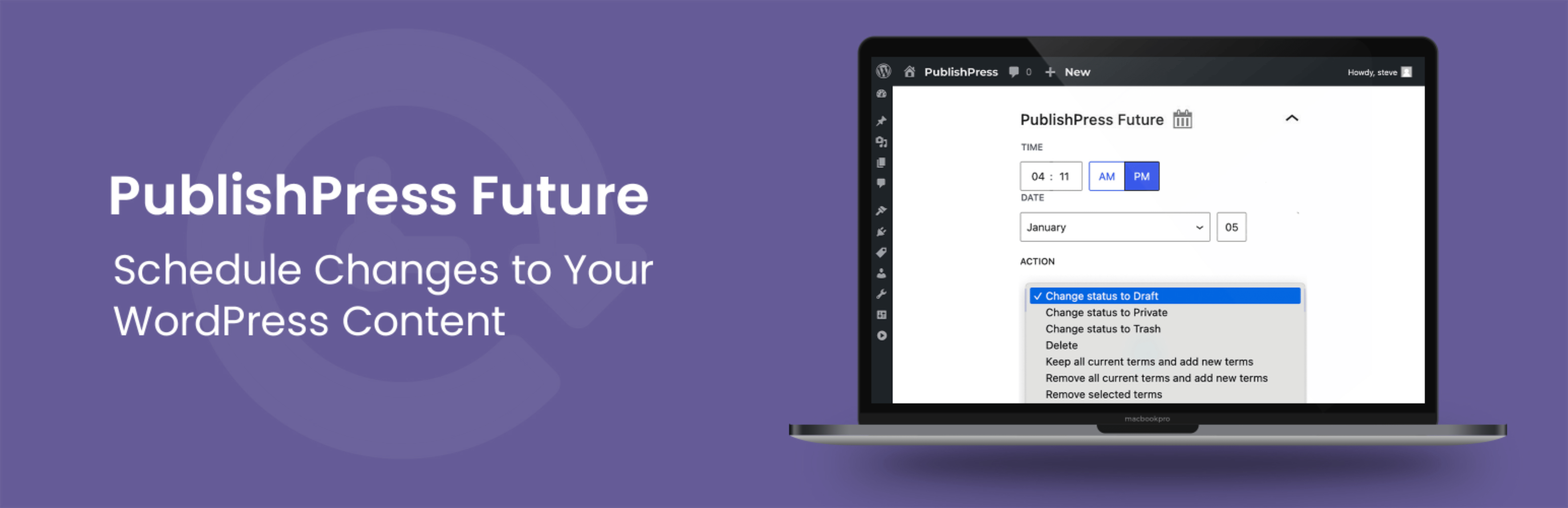
PublishPress Future プラグインを使用すると、投稿、ページ、その他のコンテンツタイプへの変更をスケジュールできます。このプラグインを使用すると、投稿を非公開、削除、ゴミ箱に移動、新しいステータスに移動するなどの自動アクションを作成できます。Pro バージョンでは、複数のステップとスケジュールを含むカスタムワークフローを使用してコンテンツを更新できます。
PublishPress Futureでできることの概要は次のとおりです。
- 投稿の編集時に、右サイドバーで未来のアクション日を選択できます。これにより、コンテンツの変更を簡単にスケジュール予約できます。
- Future プラグインがコンテンツに変更を加えたときに、メール通知を受け取ることができます。
- Pro バージョンでは、複数のステップやスケジュールを使ってコンテンツを更新できる、カスタムワークフローによるアクションワークフローを構築できます。
- Pro バージョンでは、Advanced Custom Fields や他のプラグインとの連携によって投稿の変更を管理できます。
PublishPress Future Pro
PublishPress Future Pro へアップデート このプラグインは、PublishPress Future プラグインの無料版です。 Pro 版には、 WordPress のコンテンツの変更をスケジュールするために必要なすべての機能が付属しています。 WordPress のコンテンツ更新のスケジューリングに最適なプラグインの購入はこちら!
投稿に関する今後の対応についての選択肢
PublishPress Future では、コンテンツに自動的に起こる動きを設定できます。投稿に選択できる変更を紹介します:
- ステータスを「下書き」に変更。
- 投稿を削除
- 投稿をゴミ箱に移動
- 表示状態を「非公開」に変更
- 「ブログのトップに固定」オプションを有効にします。
- 「ブログのトップに固定」オプションを無効にします。
- 既存のカテゴリをすべて削除し、新しいカテゴリを追加。
- 既存のすべてのカテゴリを保存した上で、新しいカテゴリを追加。
- 変更を指定されたものを除いて、既存のすべてのカテゴリーを保存。
- 投稿をカスタムステータスに移動 (Pro バージョンで利用可能)
コンテンツ変更をスケジュール予約するためのカスタムワークフロー
PublishPress Future Pro を使えば、アクションワークフローを構築できます。 アクションワークフローでは、複数のステップやスケジュールを組み合わせたカスタムワークフローによって、コンテンツを柔軟に更新できます。以下は、アクションワークフローで実現できることの例です:
- 投稿が更新されたときに、サイト管理者にメールを送信。
- 投稿の公開から1週間後に、ステータスを「ゴミ箱」に変更。
- 投稿の公開から15日後に、ステータスを「下書き」に変更し、新しいカテゴリーを追加。
- 投稿が公開されてから1年後、著者にコンテンツの確認を依頼するメールを送信。
変更のためのワークフローの詳細を見るにはここをクリックしてください。
コンテンツに変更日を表示
PublishPress Future を使用すると、記事内に有効または変更期限を自動的に表示することができます。 有効または変更日は投稿の下部に追加されます。
フッター表示オプションを見るにはここをクリックしてください。
ショートコードを使用して、投稿内に有効期限を表示できます。 いくつかのフォーマットオプションを使用して、ショートコード出力をカスタマイズできます。
ショートコードオプションを見るにはここをクリックしてください。
投稿タイプごとのアクション初期設定を選択
PublishPress Future は、WordPress のすべての投稿タイプに対応しています。「設定 > PublishPress Future > デフォルト」へ移動し、投稿タイプごとにデフォルトの有効期限オプションを選択できます。
PublishPress Future メールで通知
The PublishPress Future プラグインは、コンテンツが非公開になったときにメールで通知を送信できます。 設定 > PublishPress Future > 初期設定 に移動すると、メールを管理できます。
他のプラグインとの連携
PublishPress Future Pro では、メタデータに基づいて投稿の変更をスケジュールできます。 これにより、PublishPress Future を他のプラグインと連携させることが可能になります。 たとえば、Advanced Custom Fields プラグインで日付フィールドを作成し、その日付を Future アクションの実行日時として使用することができます。
統合機能を使用する場合、PublishPress Future で更新できるデータは次の5種類です:
- アクションステータス: このフィールドは、アクションを有効にするかどうかを指定します。
- アクション日付: このフィールドには、アクションが実行される予定日が保存されます。
- アクションタイプ: このフィールドには、実行されるアクションの種類が保存されます。
- タクソノミー名: タームを選択する際に使用されるタクソノミーの名前です。
- タクソノミーターム: アクションで使用する用語 ID のリストです。
未来のアクションをインポート
PublishPress Future Pro は外部データソースからのインポートをサポートしています。投稿と同時に未来のアクションも自動的に作成できます。
最適な方法は「メタデータスケジューリング機能」を使うことです。WP All Import などのプラグインを使って、インポートしたデータと Future アクション用のフィールドを連携させることができます。
投稿が変更される動きの詳細
有効期限が切れるイベントごとに、カスタム cron ジョブが予定されます。これは、負荷の多いサイトのためにサーバーのオーバーヘッドを減らすのに役立ちます。このプラグインは、WP-CRON があなたのウェブホスト上で設定され、機能していることが必要です。 一部のホストはこれに対応していないので、プラグインを使用して問題が発生した場合は、調査と確認をしてください。
このプラグインの技術詳細を見るにはここをクリックしてください。
投稿の変更履歴をログに残す
PublishPress Future Pro は、投稿に起こるすべての変更を詳細に記録できます。PublishPress Future は、すべての変更に対していくつかの重要なデータ項目を記録します:
- アクションが実行された投稿。
- 投稿更新の詳細
- 投稿に変更があったとき。
過去ログ機能についてはこちらをご覧ください。
PublishPress に参加して Pro プラグインを入手する
PublishPress プラグインの Pro バージョンには投資する価値があります。 Pro バージョンには追加機能と迅速なサポートが備わっています。ここをクリックして PublishPress に加入.
Join PublishPress and you’ll get access to these Pro plugins:
- PublishPress Authors Pro は、WordPress の投稿に複数の著者とゲスト著者を追加できます。
- PublishPress Blocks Pro には、WordPress ブロックエディタを使用してプロフェッショナルなウェブサイトを構築するために必要なものがすべて揃っています。
- PublishPress Capabilities Pro は、WordPress ユーザー権限グループ、パーミッション、権限を管理するプラグインです。
- PublishPress Checklists Pro は、コンテンツ公開前に完了すべきタスクを定義できます。
- PublishPress Future Pro は、投稿の変更をスケジューリングするためのプラグインです。
- PublishPress Permissions Pro は、高度な WordPress の権限に関するプラグインです。
- PublishPress Planner Pro は、WordPress コンテンツを管理およびスケジュールするためのプラグインです。
- PublishPress Revisions Pro を使用すると、公開したページをチームワークと精度で更新できます。
- PublishPress Series Pro enables you to group content together into a series.
- PublishPress Shortlinks Pro allows you to create custom URLs for your posts and external links.
- PublishPress Statuses Pro enables you to create additional publishing steps for your posts.
これらのプラグインを組み合わせると、WordPress 用の強力な公開ツール群になります。 WordPress でモデレーション、リビジョン、権限などを備えたプロフェッショナルなワークフローを作成する必要がある場合は、PublishPress を試してください。
バグ報告
PublishPress Future のバグレポートは、 GitHub のリポジトリで受け付けています。 GitHub はサポートフォーラムではありませんので、バグとして適切に認定されない問題はクローズされることにご注意ください。