Precise Expressions Product Customizer

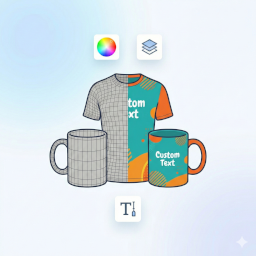
Precise Expressions Product Customizer adds an on-page customizer to WooCommerce products. Customers click “Personalize your product” to open a modal where they can upload images, add text, and adjust their design (move/rotate/resize) within your permitted area. The final preview is saved with the cart item and carried into the order for easy fulfilment. Key Features: * Modal customizer: Upload PNG/JPG and add text; move/rotate/resize with a live preview. * Permitted area: Define the customization area per product with a draggable/resizable bounding box. * Variable product aware: The customizer button only enables when a valid, in-stock option is selected. * Cart + checkout preview: Customers see their customized preview through checkout. * Order fulfilment friendly: Admin order view includes downloadable design links and a list of fonts used. * Media Library friendly: Artwork is stored under uploads/precise-expressions-product-customizer (outside the Media Library) to reduce bloat. Optional Google Fonts: Disabled by default, toggleable in settings.
🔥 Upgrade to Precise Expressions Product Customizer Pro
Need more control for personalised, engraved, printed, marked or made-to-order products?
Precise Expressions Product Customizer Pro adds advanced custom-product and production-review tools for WooCommerce stores selling personalised, engraved, printed, marked or made-to-order products.
Pro features include:
- Multi-area customisation for front, back, top, bottom, left and right.
- Default and area-specific production dimensions.
- Product-specific font controls and image upload policies.
- Laser workflow modes for engraving, raster, score/light mark, cut review, acrylic cut review, preview-only and quote-required products.
- Area-specific Production SVG downloads in millimetres.
- Preview PNG downloads, original upload retention and object measurements.
- Production Setup Summary for admin review.
- Quote, proof, artwork approval and revision workflow.
- Optional Australia Post and USPS shipping calculators.
Customer previews capture design intent only. Store admins should still review artwork, fonts, sizing, material suitability and production setup before fulfilment.
Upgrade to Precise Expressions Product Customizer Pro
How it works: 1. Enable the customizer on any product via the “Product Customizer” tab in the product data panel. 2. (Optional) Upload a transparent mockup image (e.g., a phone case or t-shirt frame) to overlay on top of the customer’s design. 3. The customer designs their item, clicks “Done”, and adds to cart. 4. You receive the combined preview image and individual assets in the order details.
External Services
This plugin includes an optional feature to load fonts from Google Fonts to provide typography options in the customizer. * Service: Google Fonts (https://fonts.google.com) * Data Shared: When enabled, visitors’ browsers request font files from Google’s servers, which typically includes IP address and user agent. * Control: This feature is disabled by default. It can be enabled in WooCommerce > Product Customizer > Settings.
Bundled Resources
This plugin bundles the following third-party library:
- Fabric.js
- Source: https://fabricjs.com/
- License: MIT (see
assets/vendor/fabric/LICENSE.txtincluded in the plugin)