
Registrations for the Events Calendar – Event Registration Plugin
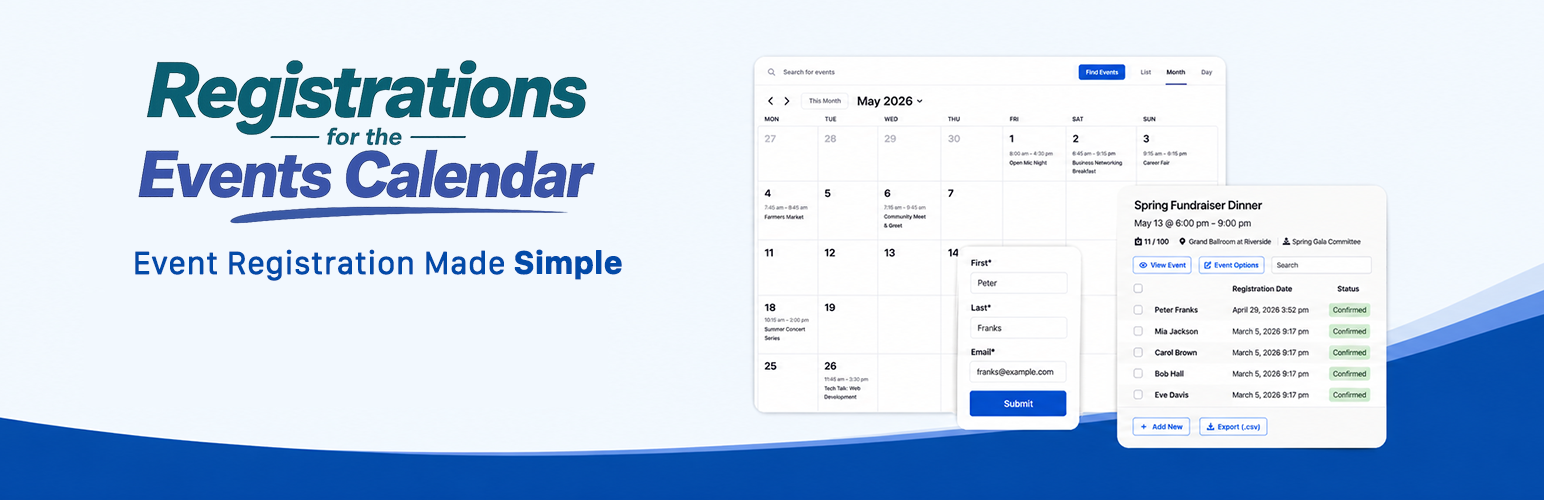
Whether you’re holding a meetup, class, workshop, tournament, or any other kind of event, you need a reliable way to handle event registration. Our plugin makes collecting and managing event registrations easy and simple. Even nontechnical users can set up the plugin and start collecting event registrations within minutes.
Create a simple RSVP registration form or a more advanced event registration form with custom fields. All event registrations are stored in your WordPress database for easy event management.
Customize confirmation and notification email templates to keep your attendees and event managers informed throughout the event registration process.
Looking for an All-in-One Event Plugin?
If you’re starting a new event website and prefer an all-in-one solution, check out Event Genius which is a partner plugin. Event Genius includes built-in event management, calendars, registrations, recurring events, and attendee management in a single plugin.
Requires The Events Calendar
Registrations for The Events Calendar works alongside The Events Calendar plugin. If The Events Calendar is not installed, you can install it directly from the onboarding setup wizard.
迅速なセットアップと簡単な開始
As soon as you install and activate the plugin, you can begin collecting event registrations on the single event page for all of your events. You can also customize the placement of the form on the single event page or on any other page using a shortcode or the block editor.
使用数
The plugin can be used for more than event registration. Here are some common ways people are using it:
- 会議への出欠の返事
- 授業登録や簡単な授業管理
- スポーツクラブ登録
- 会場予約
- ウェビナーのサインアップ
- プライベートインストラクターの予約
- バーチャルイベント
- Pickleball tournament registration
ユーザーフレンドリーな機能
- Reduce incomplete event registrations by keeping the entire process on a single page (AJAX form submission).
- Keep your event page uncluttered (your registration form is hidden initially and revealed by clicking a customizable “Register” button).
- Follow up with attendees using customizable confirmation emails.
- Save registrations in the WordPress database for easy management.
- Allow attendees to cancel their registration using a secure link sent via email.
高度にカスタマイズ可能
- Add as many fields as you’d like to your event registration form.
- Choose where the registration form appears on your event page.
- Control how the form displays: reveal on click, pop-up modal, or always visible.
- Display the form anywhere on your site using shortcodes or the Gutenberg block.
- Customize labels, error messages, instructions, and required fields.
- Customize both attendee confirmation emails and organizer notification emails.
- イベントごとの登録数を制限します。
- Restrict registration to logged-in users if needed.
- Display a list of registered attendees.
- Set a registration deadline (date and time).
Powerful Admin Tools
- 登録は WordPress データベースに保存され、手動で追加、編集、削除できます。
- メールアドレスの重複チェックが可能です(重複登録を防止します)。
- 新規登録の審査が必要なときに通知を受け取ります。
- イベントごとの登録の内訳を表示し、概要ですばやく参照します。
- イベント登録を CSV スプレッドシートにエクスポートします。
- Search event registrations by name, phone, or email.
- Integrates with WPML (WordPress Multi-language) for multi-language events.
GDPR 準拠のためのツール
- ここでスクリーンショット付きのツールの内訳をご覧ください
- メールアドレスでフィルタリングしたイベント登録を検索します。
- Export all collected data attached to an email address whether connected to a user or not.
- 個々のイベント登録を削除するか、電子メール アドレスに添付されているすべてのデータを完全に削除します。
- 参加者は登録する前に利用規約に同意する必要があります。 利用規約ページへのリンクを含めます。
メリット
- Save time with a simple, streamlined registration workflow.
- Customize the experience to match your needs.
- Build community by displaying registered attendees (optional).
- Provide a fast, user-friendly registration experience that increases sign-ups.
New in 3.0
- Cleaner, more modern interface
- Improved registration forms
- Revamped registration management experience
- 100+ improvements across the plugin
注目のレビュー
“Perfect plugin, excellent support! Really, two things you can never find combined. The plugin works great. Even the free version has many options, and the support is great. They answer quickly and provide answers to help you achieve what you need. Totally recommend it, and hope they keep creating great plugins!” –delfidream
「大学でのアドバイス セッションにサインアップできるようにするためのプラグインが必要でした。これはうまくいきました。シンプルでセットアップが簡単” –adowdle
“Awesome Support for Very Useful Plugin I’ve used Registrations for the Events Calendar for several years in a website for a chess camp. RoundupWP always provides timely, above-and-beyond support for any issues that arise.” – jodyfr
プロ版
Need more customization and control? Check out Registrations for the Events Calendar Pro. Pro features include:
Pro features include:
- Multiple registration forms per event.
- Drag and drop event registration form builder.
- Advanced field types: drop-down, number, checkbox, radio, date, file upload, and paragraph.
- Accept online payments for event registrations using PayPal (Stripe, iDEAL, and WooCommerce extensions available).
- オフラインでの支払い管理。
- Flexible pricing: add multiple costs to events or vary pricing based on form field responses.
- Guest registrations (register multiple attendees at once).
- Waiting lists with automatic promotion when spots open.
- 複数の確認メール テンプレート。
- Registration types with multiple price levels and limits.
- Scheduled email messages for reminders and follow-ups.
- Send emails manually from the WordPress dashboard.
- Connect event series to a single registration (with The Events Calendar Pro).
- Event check-in and attendance tracking tools.
- Customizable event registration reports downloadable as CSV.
- Import event registrations in bulk using CSV.
- Allow attendees to edit their own registrations.
- Ideal for membership sites and recurring event registration workflows.
- Logged-in users can view a list of their registered events.
フィードバックとサポート
私たちはプラグインのフィードバックとサポートをお待ちしておりますので、サポートが必要な場合は、プラグイン設定ページ内の「サポート」タブにアクセスしてください。
Registrations for the Events Calendarを設定する
- ようこそページから、Modern Tribe のプラグイン「The Events Calendar」をインストールします (まだインストールされていない場合)。
- イベントを作成していない場合は、WordPress ダッシュボードに移動し、[イベント] -> [イベント] に移動して作成します。 新しく追加する。
- 作成したイベントまたはその他の公開されたイベントに登録フォームが表示されます。
- Add a registration form for a specific event to another page on your site using the shortcode [rtec-registration-form event=743] with the “event” setting being the post ID for that event. Blocks also available.
- You can configure the form fields, messaging, registrations limits etc by navigating to Registrations -> Settings.
- You can configure the email options on the “Email” tab of the settings page.
- See a quick overview of your events and registrations on the “Registrations” page.
- Add, edit, and remove registrations manually by navigating to the “Registrations” tab and clicking “+ Manage Registrations” for an event. You can also export or view submission details here.