
Appointment Booking Calendar — Simply Schedule Appointments Booking Plugin
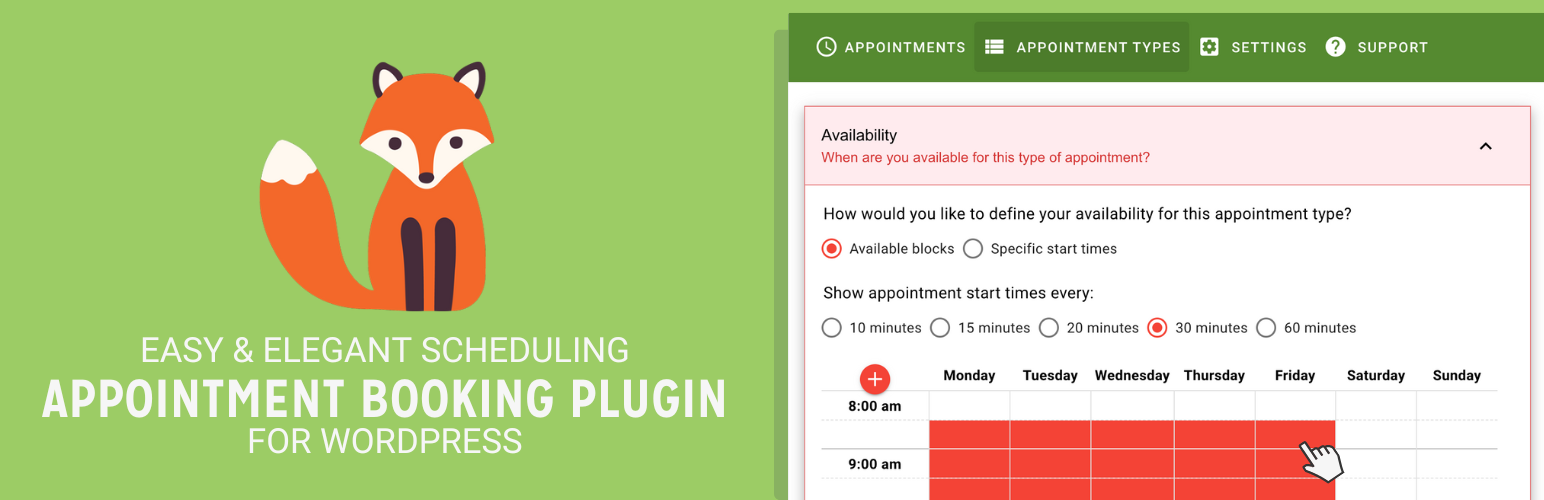
Simply Schedule Appointments® is an easy-to-use WordPress appointment booking plugin. It’s an automated appointment booking system loved by 70,000+ businesses, with a 5-star review average.
Simply Schedule Appointments booking calendars は素早く簡単に設定できます。そして、あなたの顧客やクライアントにとって、予約やスケジュールを立てるのがより快適なものになります。5分以内に最初の予約を取るためのスケジュールカレンダーを設定できます!。
そして何より、5つ星のサポートチームが各ステップでお客様をサポートします。私たちの包括的かつ組織化されたヘルプセンター、ここ WordPress フォーラム、または Simply Schedule Appointments プラグイン内のサポートタブから直接お問い合わせください。
ビジネス会議の予約に役立つ予約システムの機能
Simply Schedule Appointments 無料ベーシック エディションに含まれる機能:
- 無制限の予約カレンダーとカスタマイズ可能な通知
- 高度なスケジューリング オプションと予約除外日を使用して、スケジュールを高度にカスタマイズすることができます
- ブロックエディター、Elementor ウィジェット、Beaver Builder モジュール、Divi モジュールを使用して予約カレンダーを埋め込む
- Style and Customize the Booking Calendars to match your brand and website
- 翻訳対応 – スペイン語、ドイツ語、フランス語、その他多数 !
- WordPress との深い連携、The Events Calendar プラグイン、 WP Fusion Automationsなどの統合機能を含む !
Features included with the Simply Schedule Appointments Paid Premium Editions for booking appointments:
- Group or class event booking – Book time slots up to a certain capacity
- Booking Flows – Choose from a selection of booking steps and layouts
- Google Calendar Sync – Allow your site’s booking system to check your personal calendar for conflicts and customize those calendar events
- Team booking – Allow your staff to receive bookings and customize their own schedules
- Resource booking – Schedule meeting rooms, rental items and things such as bikes or tables, or set max occupancies
- Mailchimp – Automatically add users as new contacts to your audience from the booking form
- Stripe and PayPal for Payments – Instantly get paid for your time and expertise
- Twilio for SMS notifications and reminders
- Gravity Forms and Formidable Forms Integration – Create complex booking forms
- Zoom and Google Meet for virtual meetings
- Google Analytics and Tag Manager tracking enabled to count booking form conversions
- Trigger Webhooks for appointment actions and connect to Zapier
- ICS Subscription Feeds – Sync your personal calendar applications to all incoming bookings.
Simply Schedule Appointments is perfect if you want to let your customers schedule phone calls, in-person or virtual video meetings, or coaching appointments. The perfect tool for business consultations, interviews, or scheduling services.
You can tame and automate your schedule and easily manage when you’re available for appointments. And block off dates when you don’t want to be disturbed for bookings — no more phone calls or back-and-forth emails to find a meeting time that works. Simply let your WordPress booking system take care of it!
Easily limit how many daily appointments you schedule and set the minimum time between bookings. Automate your schedule while still maintaining control of your availability — manage your booking calendars, time slots, and appointments all in one place.
Offer different types of appointment calendars for your services. For example, you could allow new clients to schedule on an introduction call calendar or let established customers schedule a longer time slot with a separate calendar. And, forget about double-bookings, Simply Schedule Appointments is capable of preventing unexpected scheduling problems!
Are you looking to offer tutoring or remote teaching classes? Let your students quickly book times with you for lessons, reviews, or simple consultations. Localized time zones make meetings for distance learning and remote office hours a breeze to schedule.
Simply Schedule Appointments contains all the data from your appointments and customers within your WordPress site. Own your data and be fully GDPR-compliant and make it easier for your booking system to achieve HIPAA compliance.
Complete documentation to start booking appointments today is available on our website.
Getting Started with the WordPress Booking Calendars is Easy
Use the built-in Setup Wizard to create your first Appointment Type in under 5 minutes. Next, just embed the booking calendar on your site using our general booking shortcode [ssa_booking] or our native WordPress editor block:
Who This Booking System is For
Simply Schedule Appointments is ideal for anyone who needs to automate and book appointments with clients and customers, including booking for:
- Client Meeting Booking — Entrepreneurs, Web developers, Consultants, Personal and Business Coaches, Lawyers, Car Dealers, Real Estate, Agencies
- Event Booking — Wedding coordinators, Dress Shops, Boutiques, Workshop Teachers, Food Truck Lots
- Class Lessons or Tutor Scheduling — Personal trainers, Yoga studios, Exercise Studios, Language / ESL Tutors, Dance Studios, Fitness Professionals, Music Teacher, Instructors, Professors
- Service Booking — Handyman Services, Contractors, Hair Salons, Barbershops, Photographers, Tattoo Shops, Notaries, Tax Preparations, Home Inspections
- Visitor Booking — Bakeries, Restaurants, Museums, Retirement Homes, Curbside Pickup
- Patient Booking — Nutritionists, Vaccination Appointments, Chiropractors, Physical Therapists, Pharmacy Prescription Pickups
- Simple Reservations — Equipment Rentals, Room Reservations, Table Reservations for Restaurants, Office Reservations
Simply Schedule Appointments offers an excellent experience for your customers who need to book appointments. Our WordPress booking plugin has just the features you need without all the extra bloat and needless settings found in other appointment booking plugins. And our UI is snappy, highly responsive, and a joy to use.
Flexible, Fast, and Powerful Booking Calendars
Other appointment scheduling plugins are either too simple or too complicated. They lack the basic features you need to start automating your schedule and booking appointments, or, if they do have those features, as you grow and add services, staff, and locations, they become complex and confusing to use for booking.
Simply Schedule Appointments はあなたのビジネスの予約ニーズと共に成長する準備ができています。また、WordPressとの互換性が高く、あなたのサイトの任意のテーマやページレイアウトに追加することができます。
Simply Schedule Appointments offers fully responsive booking calendars and works efficiently on any device – even touch screens. Our WordPress booking plugin will work dependably and reliably, whether you’re managing your appointment availability from your tablet or your customer is booking an appointment from their smartphone.
User-Friendly and Accessible Booking System
Our WordPress booking calendar system was designed with people in mind, first and foremost. So we’re always thinking about how people will be using our appointment scheduling plugin, what they’ll expect, and what booking features they’ll want and need.
This WordPress booking calendar system is built with you and your customer in mind and is accessible for everyone. We believe appointment scheduling should be as clear and straightforward as possible while maintaining the flexibility and booking features our customers need.
We’ve made sure that everyone can use our appointment scheduling plugin, including people with auditory, visual, and physical disabilities.
Everyone deserves access to everything the web offers, so we built our WordPress booking calendar plugin with accessibility in mind. As a result, you’ll never have to worry that a customer will find themselves unable to schedule an appointment because of their abilities or the device they’re using.
Deep Integrations With All the Tools and WordPress Plugins You Love
Integrations included with the Simply Schedule Appointments Free Basic Edition for booking appointments:
- Logged in WordPress users can see their appointments and benefit from auto-filling Name and Email fields.
- Elementor widgets
- Beaver Builder モジュール
- Divi modules
- WP Fusion Automation
- The Events Calendar
Simply Schedule Appointments有料プレミアムエディションに含まれる予約の機能統合:
- Google Calendar
- Mailchimp
- Stripe and PayPal for Payments
- Webhooks for Zapier and Make
- Twilio for SMS notifications
- Gravity Forms
- Gravity Wiz Perks
- Formidable Forms
- Google Analytics and Google Tag Manager
- Zoom and Google Meet for virtual meetings
- The Events Calendar
- Project Panorama
- LifterLMS
- Webex
- Facebook pixel
Useful Links to Help You Start Booking Appointments Today
- Help Center for Troubleshooting and Setup Guides
- Free Basic Edition Setup Guide
- Booking Demos to Try Before Installation
- How to Display the Booking Calendars on a WordPress Page or Post
- Admin Dashboard Walkthrough Guide
- Full Appointment Type Settings Guide
1.6.12.2 – 2026-06-09
Fixes
- Fix IDOR in MemberPress user appointment REST endpoints
- fix: neutralize CSV formula injection in appointment backup exporter
- Fix SSA module missing from Divi 5 picker with a child theme active
1.6.12.0 – 2026-06-04
Fixes
- Remove public-nonce fallback and tighten notices/templates REST auth
1.6.11.13 – 2026-06-02
Fixes
- test(security): drain async queue to close a Time-Of-Check to Time-Of-Use race against notification cron
- fix(notifications): stop drift resync from wiping still-applicable reminders
- Throttle deprecated id-token verifies; use hash_equals on token compares
- Fix token-comparison auth bypass in get_items_permissions_check
1.6.11.11 – 2026-05-26
Fixes
- fix: dedicated reorder endpoint for appointment types to avoid oversized save requests
1.6.11.9 – 2026-05-19
Fixes
- 💰Bug/Ticket: Database size issues and fatal error in async
- Prevent token-authenticated modification of admin-controlled appointment fields (CVE-2026-6723)
- fix(security): strip append_where_sql from REST requests
- WordFence Vulnerability Appointment Booking Calendar <= 1.6.11.0 – Missing Authorization to Unauthenticated Arbitrary Modification via Bulk Appointments REST API Endpoint
1.6.11.7 – 2026-05-12
Fixes
- Cover both signed in and signed out usage in Cypress tests
- Cap async endpoint delay to prevent DoS (CVE-2026-7493)
1.6.11.5 – 2026-05-05
Fixes
- Detect and resync out-of-sync appointment reminders
Features and Improvements
- Add “Defer loading” toggle to booking integrations
1.6.11.3 – 2026-04-28
Features and Improvements
- Add hide_header toggle to embed snippet
1.6.11.2 – 2026-04-24
Fixes
- Security improvements to block mass assignment
1.6.11.0 – 2026-04-21
For older changelog entries, please see the additional CHANGELOG.md file delivered with the plugin.