
VRTs – 視覚的回帰テスト
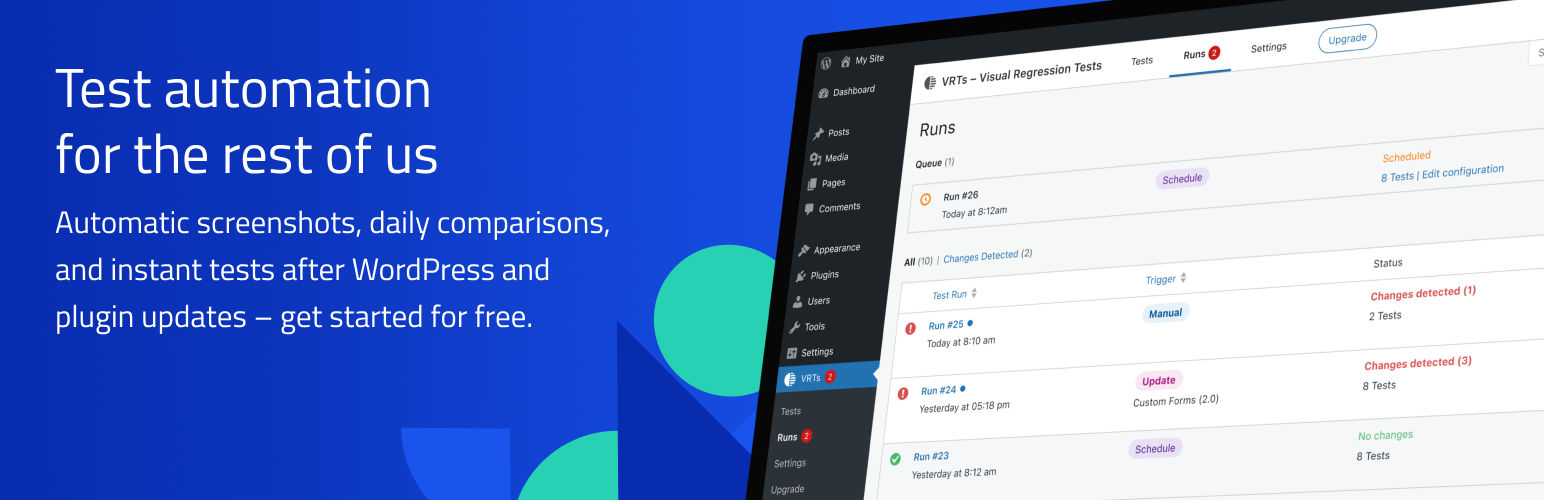
Find issues before others do – every time. With automatic screenshots, daily comparisons, and instant tests after WordPress and plugin updates. Select the pages of your choice for continuous monitoring. The plugin immediately notifies you of any visual changes it detects.
注意:テストの設定と実行には、サイトが一般にアクセス可能である必要があります。パスワードによる保護や何らかのファイアウォールにより、プラグインが正しく動作しない場合があります。
Your strategy to spot unwanted changes
How do you check your website after updates and code changes? Do you manually go through pages, or do you just cross your fingers, hoping everything will be okay? Visual regression testing provides a better way to spot issues and detect visual changes. The VRTs plugin automates testing for you with a click of a button.
- 任意のページや投稿のテストを有効: 有効化すると、参照用のスクリーンショットが撮影されます。これは投稿が保存または更新されると更新されます。
- VRTs monitors your pages: Every day, VRTs captures and compares screenshots of your selected pages. Upgrade to Pro to automate tests for WordPress updates, integrate deployment pipelines via API, and run manual tests on demand.
- Receive instant alerts: If a change is detected between the snapshot and the comparison screenshot, the plugin will notify you via email.
- Review changes: The difference view makes it easy to spot changes, while the comparison slider lets you inspect the details.
- 要素の非表示: スナップショットから動的要素、広告、アニメーションを除外することで、誤検出を防ぎます。
Use cases
視覚的回帰テストは、どのような場合に問題を発見するのに役立つのでしょうか?
- プラグインとコアソフトウェアのアップデート
- 手動によるコード変更
- 外部ソフトウェアと API の問題
- サーバーの問題
- マルウェアとその他の悪意のあるコード
- 品質保証の欠落
Features
- セットアップの必要なし:プラグインの有効化後、フロントページはすぐに監視され、アラートは WordPress 管理者のメールに送信されます。
- Daily Tests: The plugin monitors selected posts and pages and compares screenshots daily.
- Hide Elements: Hide dynamic or irrelevant elements to prevent false positives in your tests.
- Click Element: Define an element that should be clicked before taking a screenshot. This is useful for closing cookie banners or modals.
- メール通知:スナップショットと比較スクリーンショットの間で変更が検出されるとすぐに、メールで通知されます。
- Fullscreen Review: Inspect changes up close using the difference view and comparison slider in fullscreen mode.
- Read / Unread: Keep track of test results that require further attention by marking alerts as unread.
- Flag False Positives: Identify acceptable changes or non-issues to minimize unnecessary notifications.
- Update Automation (Pro): Automatically trigger tests on WordPress core, plugin, theme, or language updates and catch any issues right away.
- Manual Testing (Pro): Run tests manually on demand, either for all configured pages or for specific pages, to verify any changes or global edits immediately.
- API Integration (Pro): Trigger tests via PHP scripts or WP CLI for integration with other tools, deployment pipelines, or custom automations.
- Customizable Notifications (Pro): Specify email addresses for each trigger, to set up notifications for various teams or stakeholders.
Free forever
- テストは3ページまで
- 1つのドメインで
- 毎日自動テスト
Go Pro
VRT がお好きで、より多くのテストを実行したいですか ? 有料プランでより多くの機能をご利用ください:
- 合計500ページまでテスト可能
- マルチドメイン
- Scheduled daily tests
- Multiple alert recipient groups by alert type
- Manual tests (unlimited)
- API access (unlimited) Read the docs.
- Automatic tests after WordPress updates, plugin updates and plugin installations
Bug reports
バグを見つけましたか?サポートフォーラムで問題を作成して報告してください。
Read more
Want to learn more about VRTs? Visit our website: vrts.app