
Admin and Site Enhancements (ASE)
·
단일 플러그인에서 중복 게시물, 게시물 주문, 이미지 크기 조정, SMTP를 통한 이메일, 관리자 메뉴 편집기, 사용자 정의 CSS/코드, 구텐베르크 비활성화 등 다양한 기능을 사용할 수 있습니다.
평가
버전
8.9.2
활성화된 설치 항목
200K
최근 업데이트일
Aug 2, 2026
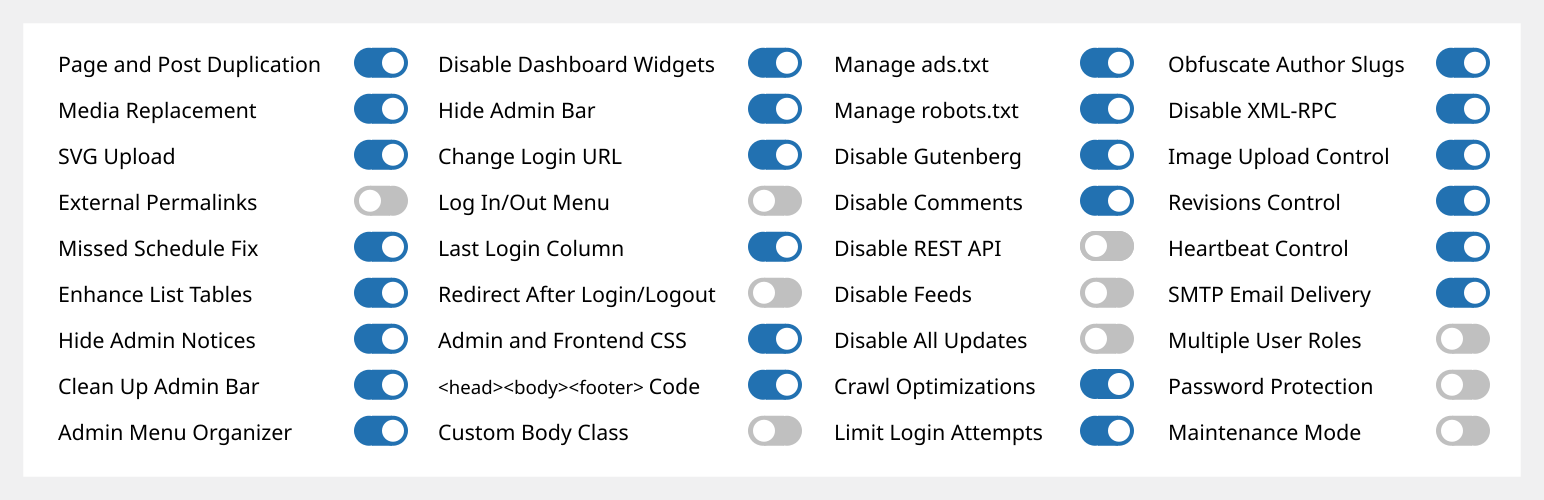
관리자 및 사이트 개선 기능(ASE)을 사용하면 여러 플러그인을 교체하면서 다양한 관리자 워크플로와 사이트 측면을 쉽게 개선할 수 있습니다.
평생 이용권이 포함된 프로 버전은 www.wpase.com에서 구매할 수 있습니다.
다음은 Jakson이 ASE Free v7.1.5에 대해 간략하게 설명한 내용입니다.
다음은 파스칼 클라로가 ASE 무료 버전 7.0.3에 대해 자세히 설명하는 글입니다.
사용자 의견
“ASE는 모든 웹사이트 프로젝트에 설치하는 12개 이상의 플러그인을 쉽게 대체합니다. 매우 가볍고 사용하기 쉽습니다.” ~NetzzJD
“평생 이용권을 구매했는데 품질에 놀랐고 무료 버전은 다른 많은 플러그인들도 대체할 수 있어요. 사랑해요!” ~Jacob Wonder
“ASE는 놀라운 플러그인입니다! 시간과 돈을 절약할 수 있습니다. 고마워요!” ~Iulian Baciu
기능 및 모듈
총 76개 모듈: 58개 무료 모듈 (32개는 Pro 기능 포함) | 18개 Pro 모듈
콘텐츠 관리
- [ASE Pro] 사용자 정의 콘텐츠 유형. Bricks, Breakdance, Oxygen 및 Elementor와 통합되는 사용자 정의 게시물 유형(CPT), 사용자 정의 택소노미, 사용자 정의 필드 그룹 및 옵션 페이지를 회원가입하고, 다양한 블록 테마와 플러그인과도 호환됩니다. 또한 WPML과 통합되며 TranslatePress와 함께 작동하여 다국어 사이트를 만들 수 있습니다. ACF Pro, Meta Box, Toolset, Pods, JetEngine 또는 ACPT의 대안입니다.
- [ASE Pro] 게시물 유형 전환기. 하나 이상의 게시물의 게시물 유형을 다른 게시물 유형으로 전환합니다.
- 콘텐츠 복제. 페이지, 게시물 및 공개 CPT를 복제합니다. ASE Pro는 특정 사용자 역할과 특정 공개 및 비공개 게시물 유형에 대해서만 복제를 활성화하며, 복제 링크에 위치 옵션을 추가합니다.
- Content Order. Drag-and-drop custom ordering of hierarchical post types. ASE Pro enables ordering of non-hierarchical post types, including media / attachments, reordering and changing the parent of child posts is supported, as well as applying the custom order on the frontend. Also WPML compatible.
- [ASE Pro] Terms Order. Drag-and-drop custom ordering of terms and child terms from various taxonomies and apply the custom order on the frontend. WPML compatible.
- 미디어 파일 표시 제어: 미디어 파일 표시를 제한하여 관리자만 모든 미디어 파일을 볼 수 있도록 합니다. 관리자가 아닌 사용자는 자신이 업로드한 미디어 파일만 볼 수 있습니다. ASE Pro는 이러한 제한이 적용될 관리자 이외의 사용자 역할을 지정하는 옵션을 추가합니다.
- [ASE Pro] 미디어 카테고리. 드래그 앤 드롭 방식으로 미디어 라이브러리를 계층형 카테고리로 분류합니다.
- 미디어 교체. 기존 링크가 끊어지지 않도록 보장하면서 모든 종류의 미디어 파일을 새 파일로 교체합니다. ASE Pro는 미디어 라이브러리의 그리드 보기에서 미디어를 교체할 수 있습니다.
- SVG 업로드. 일부 또는 모든 사용자 역할이 SVG 파일을 안전하게 정리(sanitization)하여 업로드할 수 있도록 허용합니다.
- AVIF 업로드. 미디어 라이브러리에서 AVIF 파일 업로드를 활성화합니다.
- [ASE Pro] 임시글 미리보기 공개. 일부 또는 모든 공개 게시물 유형의 임시글 및 예약 게시물에 대한 공개 미리보기.
- 외부 고유주소. 페이지, 글 및/또는 사용자 정의 게시물 유형이 외부 URL을 가리키는 고유주소를 갖도록 활성화합니다. ASE Pro에서는 특정 게시물 유형에만 활성화하거나, 일부 게시물 유형을 제외한 모든 게시물 유형에서 활성화할 수 있습니다.
- 모든 외부 링크를 새 탭에서 열기. 외부 사이트로 연결되는 모든 링크를 새 브라우저 탭에서 열도록 강제합니다. ASE Pro는 특정 도메인 / 서브도메인을 가진 링크를 새 탭에서 열지 않도록 제외하고 rel=”nofollow” 속성을 추가하지 않도록 설정할 수 있습니다.
- 사용자 정의 내비게이션 메뉴 항목이 새 탭에서 열리도록 허용. 사용자 정의 내비게이션 메뉴 항목의 링크가 새 브라우저 탭에서 열리도록 허용합니다.
- 예약 게시물 자동 공개(발행 시간 놓침) . 사이트 방문 시 “발행 시간 놓침”으로 표시된 예약 게시물의 공개를 트리거합니다.
관리자 화면
- 관리자 표시줄 정리. 관리 표시줄에서 다양한 기본 요소를 제거합니다. ASE Pro에서는 다른 플러그인에서 관리 표시줄 항목을 제거할 수 있습니다.
- [ASE Pro] 관리자 바 커스텀 요소. 관리자 바에 커스텀 메뉴 및 서브메뉴 항목을 추가합니다.
- 관리자 알림 숨기기. 알림을 관리자 바를 통해 접근할 수 있는 전용 패널로 이동합니다. ASE Pro는 관리자 권한이 없는 사용자의 알림을 완전히 숨기기를 활성화합니다.
- 대시보드 위젯 비활성화. 일부 또는 모든 위젯을 완전히 비활성화합니다.
- 관리자 바 숨기기. 모든 또는 일부 사용자 역할에 대해 프론트엔드에서 숨기기. ASE Pro는 백엔드에서 숨기기를 허용하고 프론트엔드 관리자 바를 토글 가능하게 합니다.
- [ASE Pro] 관리자 로고. 관리자 바 또는 관리자 메뉴 상단에 사용자 정의 로고를 표시합니다.
- 더 넓은 관리자 메뉴. 최대 300px 너비.
- 관리자 메뉴 편집기 / 정리 도구. 관리자 메뉴의 순서를 사용자 정의하세요. 메뉴 항목 제목을 변경하거나 일부 항목을 숨기기할 수 있습니다. ASE Pro는 일부 또는 모든 사용자 역할에 대해 메뉴 항목을 항상 숨기기, 사용자 정의 메뉴 및 하위 메뉴 항목 추가, 하위 메뉴 항목 재정렬, 그리고 적격 사용자에게 메뉴 항목을 보기 및 접근하도록 항상 허용하는 기능을 제공합니다.
- Navigation Menu Duplicator. Duplicate a navigation menu with one click from Appearance → Menus.
- [ASE Pro] 관리자 컬럼 관리자. 관리자 목록 테이블에서 컬럼을 정리합니다. ASE, ACF 및 Meta Box 사용자 정의 필드의 컬럼을 지원합니다.
- 사용자 정의 택소노미 필터 표시. 계층형 사용자 정의 택소노미에 대해 목록 테이블에 추가 필터를 표시합니다. ASE Pro는 비계층형 택소노미에 대해서도 추가 필터 표시를 허용합니다.
- 목록 테이블 개선. 추천 이미지, 발췌문, 마지막 수정일, ID, 미디어 파일 크기 열 등의 열과 요소를 추가/제거하여 다양한 글 유형의 목록 페이지의 유용성을 개선합니다.
- 다양한 관리자 UI 개선 사항:
- 사용자 정의 관리자 푸터 텍스트: wp-admin의 푸터에서 보이는 텍스트를 사용자 정의합니다. ASE Pro는 미디어 삽입을 활성화합니다.
로그인/로그아웃 및 등록
- 로그인 URL 변경. 로그인 URL을 더 기억하기 쉽고 안전하게 만드세요. ASE Pro는 WooCommerce 페이지의 로그인 프로세스(즉, 계정 및 결제)와 기본 로그인 URL에 대한 사용자 정의 404 리다이렉트를 지원합니다.
- 로그인 ID 유형. 로그인 ID를 사용자명 또는 이메일 주소로만 제한합니다.
- [ASE Pro] 로그인 페이지 커스터마이저. 로그인 페이지의 디자인을 쉽게 사용자 정의할 수 있습니다.
- 로그인 페이지의 사이트 아이덴티티. 사이트 아이콘과 URL을 사용하여 로그인 페이지의 기본값 워드프레스 로고를 대체합니다.
- 로그인/로그아웃 메뉴. 모든 내비게이션 메뉴에 추가할 수 있도록 로그인, 로그아웃 및 동적 로그인/로그아웃 메뉴 항목을 활성화합니다. ASE Pro는 “로그인” 및 “로그아웃” 텍스트를 사용자 정의할 수 있게 해줍니다.
- 등록 열. 사용자 등록 날짜를 표시합니다. ASE Pro는 열을 정렬 가능하게 만듭니다.
- 마지막 로그인 열. 마지막 로그인 날짜/시간을 기록하고 사용자 목록 표에 표시합니다. ASE Pro는 이 열을 정렬 가능하게 합니다.
- 로그인 / 로그아웃 후 리다이렉트. 로그인 / 로그아웃 후 모든 또는 일부 사용자 역할에 대해 사용자 지정 리다이렉트 URL을 설정하세요. ASE Pro는 각 역할별로 별도의 리다이렉트 URL을 설정할 수 있습니다.
- 사용자 계정 비활성화. 개별 사용자의 로그인을 비활성화하면서 해당 콘텐츠와 표시 이름은 유지합니다.
사용자 정의 코드
- [ASE Pro] 코드 스니펫 관리자. CSS / SCSS, JS, HTML 및 PHP 코드 스니펫을 관리하여 사이트의 콘텐츠, 디자인, 동작 및 기능을 수정할 수 있습니다.
- 사용자 지정 관리자 CSS.
- 사용자 정의 프론트엔드 CSS.
- 헤드, 본문 및 바닥글 코드 삽입. 추적, 분석 등을 위한 메타, 링크, 스크립트, 스타일 태그를 쉽게 삽입할 수 있습니다.
- 커스텀 바디 클래스.
- ads.txt 및 app-ads.txt 관리.
- robots.txt 관리.
구성 요소 비활성화
- Disable Gutenberg for some or all applicable post types. Optionally disable frontend block assets. ASE Pro allows disabling only on / except on certain post types, or on all post types, and adds optional always disable/enable on certain posts.
- 댓글 비활성화. 일부 또는 모든 공개 게시물 유형에서 댓글을 비활성화합니다. ASE Pro는 특정 게시물 유형에서만 / 또는 특정 게시물 유형을 제외하고 비활성화할 수 있으며, 모든 게시물 유형에도 적용할 수 있습니다.
- REST API 비활성화. 인증되지 않은 사용자에 대한 REST API 접근을 비활성화하고 <head>, HTTP 헤더 및 WP RSD 엔드포인트에서 URL 흔적을 제거합니다. ASE Pro는 일부 인증된 사용자 역할에 대해서만 접근을 활성화할 수 있도록 하며, 특정 API 경로를 제외하는 방법도 추가합니다.
- 피드 비활성화. 모든 RSS, Atom 및 RDF 피드를 비활성화합니다.
- 임베드 비활성화. 사이트 콘텐츠가 다른 사이트에 임베드되지 않도록 합니다. 화이트리스트에 없는 사이트가 사이트에 임베드되지 않도록 합니다. 모든 관련 JavaScript를 비활성화합니다. 임베드 블록에 대한 지원을 제거합니다.
- 모든 업데이트 비활성화. 코어, 테마, 플러그인 업데이트 및 자동 업데이트를 완전히 비활성화합니다. 업데이트 확인, 알림 및 이메일도 비활성화합니다.
- 작성자 아카이브 비활성화. 작성자 아카이브를 로드하려고 할 때 404 (찾을 수 없음) 오류를 반환합니다. 작성자 아카이브로의 링크를 제거하거나 비활성화합니다. 사이트맵에서 작성자 아카이브를 제거합니다.
- 작은 구성요소 비활성화. 작은 구성요소가 실행되거나 로드되지 않도록 합니다. 여기에는 생성기 <메타> 태그, 버전 번호, Windows Live Writer(WLW) 매니페스트 <link> 태그, Really Simple Discovery(RSD) <link> 태그, <head>의 워드프레스 숏링크 <link> 태그, 그리고 대시아이콘(CSS 및 JS 파일), 이모지 지원, jQuery Migrate, 블록 기반 위젯 설정 화면, 이미지의 네이티브 레이지 로드, 애플리케이션 비밀번호, 사이트 관리자 이메일 확인 화면, 비밀번호 변경 후 사용자 이메일 알림 및 플러그인/테마 편집기가 포함됩니다.
보안
- 로그인 시도 제한. IP 주소당 허용되는 실패한 로그인 시도 횟수를 제한하여 무차별 대입 공격을 방지합니다. ASE Pro는 IP 허용 목록 기능을 추가하며, 이는 사용자의 차단 해제에도 유용합니다. [ASE Pro] CAPTCHA 보호. ALTCHA 자체 호스팅 버전(GDPR 준수, 오픈 소스, 무료), Google reCAPTCHA v2 및 v3, 그리고 워드프레스와 WooCommerce 기본 양식(로그인, 비밀번호 재설정, 회원가입 및 댓글 양식)에 대한 Cloudflare Turnstile을 지원합니다. [ASE Pro] 2단계 인증(2FA). 유예 기간 설정과 각 사용자 역할별로 다른 2FA 설정을 적용하는 옵션을 통해 일부 또는 모든 사용자 역할에 2FA를 적용합니다. 지원되는 방법은 인증 앱(TOTP), 복구 코드 및 이메일입니다.
- 작성자 슬러그 난독화. 사용자 슬러그/사용자 아이디가 표시되는 공개적으로 노출된 작성자 페이지 URL을 난독화합니다.
- 이메일 주소 난독화기. 이메일 주소를 난독화하여 스팸 봇이 이메일 주소를 수집하지 못하도록 합니다. ASE Pro는 난독화된 메일 주소: 링크를 출력하고 게시물 콘텐츠의 이메일 주소를 자동으로 난독화할 수 있습니다.
- XML-RPC 비활성화. XML-RPC를 통해 무차별 대입, DOS 및 DDOS 공격으로부터 사이트를 보호하세요. 트랙백 및 핑백도 비활성화합니다.
최적화
- 이미지 업로드 제어. 새로 업로드된 큰 이미지를 더 작은 크기로 조정하고, 원래 업로드된 파일을 삭제합니다. BMP 및 투명하지 않은 PNG는 JPG로 변환되어 크기가 조정됩니다. ASE Pro는 사용자 지정 JPG 변환 품질 설정을 활성화하고, 사용자 지정 변환 품질로 WebP 변환 옵션을 추가합니다. 일부 또는 모든 중간 크기 생성도 비활성화할 수 있습니다.
- 리비전 제어. 일부 또는 모든 게시물 유형에 대해 유지할 리비전 수를 제한합니다. ASE Pro는 리비전 제어를 \”에 대해서만\”, \”제외하고\”, 또는 \”모든\” 게시물 유형에 대해 활성화합니다.
- 하트비트 제어. 관리자 페이지, 글 작성/수정 화면 및/또는 프론트엔드에서 워드프레스 하트비트 API의 간격을 수정하거나 비활성화할 수 있습니다.
유틸리티
- [ASE Pro] 사이트 백업 및 마이그레이션. 파일 및 데이터베이스를 백업하고, 백업에서 복원하며, 다른 서버로 마이그레이션하거나 동기화합니다.
- 이메일 전달. 사용자 지정 발신자 이름과 이메일을 설정합니다. 선택적으로 외부 SMTP 서비스를 사용하여 사이트의 알림 및 거래 이메일이 받은 편지함으로 전달되도록 합니다. ASE Pro에는 사용자 지정 회신 이름과 이메일, 숨은 참조 주소, 인증 비활성화 및 이메일 전송을 기록하는 옵션이 추가됩니다.
- [ASE Pro] Form Builder. Enable the drag-and-drop creation of various types of forms (contact, feedback, booking, application, proposal, admission, support, survey, etc.) on the frontend to collect information from site visitors or users or members. 33 field types are available, including Net Promoter Score (NPS), Likert, Matrix of Uniform and Variable Dropdowns and CAPTCHA fields. Support custom form styles, multi-columns layout, conditional logic, multi-step with saving progress, email notification, auto responder, entries management and webhooks for sending submission data to Zapier, n8n, etc.
- [ASE Pro] 파일 관리자. 폴더 트리 내비게이션, 파일 및 폴더 작업, 코드 편집 기능을 갖춘 종합적인 파일 관리자입니다.
- [ASE Pro] 로컬 사용자 아바타. 미디어 라이브러리의 모든 이미지를 사용자 아바타로 사용할 수 있도록 활성화합니다.
- 여러 역할. 사용자 계정 생성 및 편집 시 여러 역할을 지정합니다.
- 이미지 크기 패널. 미디어 라이브러리에서 이미지를 볼 때 사용 가능한 모든 크기를 표시하고 연결하는 패널을 표시합니다. ASE Pro는 클릭 시 이미지 URL을 복사하는 버튼을 추가합니다.
- 관리자를 역할로 보기. 관리자가 아닌 사용자 역할 중 하나로 관리자 페이지와 사이트(로그인한 상태)를 봅니다.
- 암호 보호. 전체 사이트를 비밀번호로 보호하여 공개 보기 및 검색 엔진 봇/크롤러로부터 콘텐츠를 숨깁니다. ASE Pro는 URL 매개변수를 통해 IP 화이트리스트 및 우회 기능을 추가하고 로그인 페이지 사용자 정의 모듈의 디자인 요소도 적용합니다.
- 유지관리 모드. 간단한 유지관리 메시지를 표시합니다. ASE Pro는 사용자 정의 페이지 및 브라우저 탭 제목을 설정하는 옵션을 추가하고, WYSIWYG 편집기 사용, 패턴·이미지·단색 배경 사용, 사용자 정의 CSS 적용, 그리고 블록/클래식 편집기 또는 페이지 빌더로 만든 기존 페이지를 유지관리 페이지로 사용할 수 있는 옵션을 추가합니다. 또한 특정 URL(와일드카드 지원)을 제외하고 비관리자에게도 프런트엔드 접근을 허용하는 옵션을 추가합니다.
- [ASE Pro] Redirect Manager. 와일드카드 및 정규식(regex)을 지원하여 다양한 유형의 리다이렉트/리디렉션(3xx, 4xx, 5xx 코드)을 쉽게 관리할 수 있습니다.
- 404 리디렉션. 모든 404(찾을 수 없음) 페이지에 대해 홈페이지로 301(영구) 리디렉션을 수행합니다. ASE Pro에는 사용자 지정 리디렉션 URL을 설정하는 옵션이 추가되었습니다.
- 시스템 요약 표시. “한눈에 보기” 대시보드 위젯에 웹 서버 소프트웨어, PHP 버전, 데이터베이스 소프트웨어 및 서버 IP 주소를 표시합니다. ASE Pro는 사이트, 데이터베이스 및 루트, wp-content, 플러그인, 테마 및 업로드 폴더의 크기도 표시합니다.
- 검색 엔진 가시성 상태. 검색 엔진이 사이트를 색인화하지 못하도록 설정된 경우 관리자 표시줄 상태 및 관리자 알림을 표시합니다. ASE Pro에는 개발/스테이징 사이트에서 검색 엔진 가시성이 활성화되지 않도록 하는 방법이 추가되었습니다.
ASE Pro
평생 거래(LTD)는 www.wpase.com에서 이용할 수 있습니다.
언어
ASE는 30개 이상의 언어로 번역되었습니다. 당신은 도움말을 통해 ASE를 당신의 언어로 번역할 수 있습니다.