
Advanced Custom Fields: Font Awesome Field
·
Adds a new 'Font Awesome Icon' field to the popular Advanced Custom Fields plugin.
평가
버전
6.0.4
활성화된 설치 항목
90K
최근 업데이트일
May 24, 2026
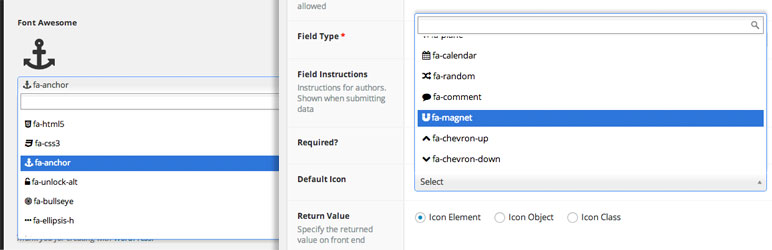
Add a Font Awesome icon field type to Advanced Custom Fields.
- Specify which FontAwesome icon sets to use (Solid, Regular, Light, Thin, Duotone, Duotone Sharp, Brands, and Custom Upload Icons) (Some features only available with FontAwesome 5.x or 6.x icons)
- Create your own custom filtered list of FontAwesome icons to use with your fields. Use different custom icon sets with different fields
- Returns Icon Element, Icon Class, Icon Unicode, or an Object including the element, class, unicode value, and SVG data (if applicable)
- Optionally enqueues Font Awesome in footer where needed (when a FontAwesome field is being used on the page))
- Integrates with the FontAwesome GraphQL for loading your FontAwesome Kits, searching for icons, and loading the latest version of FontAwesome
Note: It is recommended to let this plugin enqueue the latest version of Font Awesome on your front-end; or include the latest version yourself using your FontAwesome Kit; so that available icons in the admin area will be displayed properly on your sites front-end.
호환성
This ACF field type is compatible with: * ACF 5.7+ * FontAwesome 4.x, 5.x, 6.x and 7.x fonts
Optional Configuration
Filters
- ACFFA_always_enqueue_fa: Return true to always enqueue FontAwesome on the frontend, even if no ACF FontAwesome fields are in use on the page. This will enqueue FontAwesome in the header instead of the footer.
- ACFFA_admin_enqueue_fa: Return false to stop enqueueing FontAwesome in the admin area. Useful if you already have FontAwesome enqueued by some other means.
- ACFFA_get_icons: (Applies to FontAwesome 4.x and 5.x icons only) Filter the array of icons and icon details loaded from the database
- ACFFA_get_fa_url: Filter the URL used for enqueuing FontAwesome in the frontend and admin areas of the site.
- ACFFA_override_major_version: Filter to manually set the ‘major’ version of FontAwesome to load (accepts either 4, 5, or 6). NOTE: This filter must be registered before any calls to ACF get_field() function are made.
- ACFFA_fa_api_key: Filter to programmatically set the FontAwesome API key.
- ACFFA_fa_kit_token: Filter to programmatically set the FontAwesome kit token.