
Authyo OTP for Contact Form 7
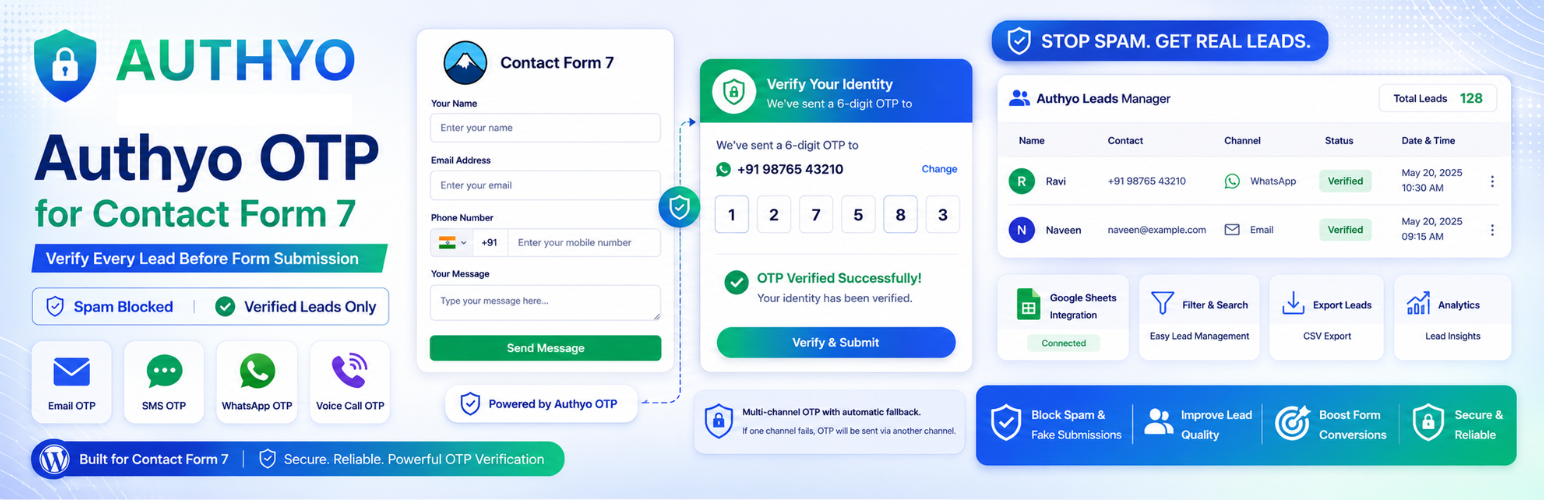
Tired of spam submissions and fake leads from your Contact Form 7 forms? Authyo OTP for Contact Form 7 helps you solve this by adding secure OTP verification before form submission.
With support for Email, SMS, WhatsApp, and Voice Call OTP, you can ensure that only genuine users submit your forms — improving lead quality and reducing unwanted entries.
The plugin is designed to work seamlessly with Contact Form 7 and provides an easy setup experience without complex configurations.
This plugin is an independent add-on for Contact Form 7, developed and maintained by Konceptwise Digital Media Pvt. Ltd., and integrates securely with the Authyo OTP service.
“This plugin is an add-on for Contact Form 7 and is not developed by or affiliated with the Contact Form 7 authors.”
Key Features
OTP Verification
- Add OTP verification to Contact Form 7 forms
- Email OTP using
[authyo_email]shortcode - Phone OTP using
[authyo_phone]shortcode - Automatic verification on OTP entry
- Custom messages for OTP sent, verified, and failed states
- Enable or disable OTP per form
OTP Delivery Channels
- Email OTP
- SMS OTP (India & international)
- WhatsApp OTP
- Voice Call OTP (available in India)
- Automatic fallback between channels if configured
Spam Protection & Security
- Prevent fake submissions and spam entries
- Verify email addresses and phone numbers before submission
- Uses secure API communication with validation
- Follows WordPress coding standards (nonce & sanitization)
Google Sheets Integration
- Automatically send form entries to Google Sheets
- Multi-sheet support for different forms
- Custom column mapping for form fields
- Dynamic sheet/tab creation
Leads Manager
- Automatically captures all verified form submissions in a dedicated leads table
- View, filter, and search leads by form, verification status, or date range
- Export leads to CSV for offline use
- Bulk delete leads with one click
- Tracks verification status and channel per submission
Country Dropdown
- Built-in country selector with search and flag icons
- Configure which countries to show — all or selected only
- Standalone
[only_country_dropdown]shortcode for use outside OTP flows - Automatically prepends country dial code to phone numbers before submission
Fallback Methods
- Configure multiple OTP channels as fallback options
- If the primary method fails, users can retry with an alternative channel
- Let visitors choose their preferred OTP method (SMS, WhatsApp, or Voice Call)
Form Control
- Set custom redirect URL after successful submission
- Works with AJAX and popup forms
Who Can Use This Plugin?
- Website owners using Contact Form 7 for lead generation
- Businesses looking to reduce spam and fake inquiries
- Agencies managing multiple client websites
- Developers building secure and verified forms
Live Demo
https://wpplugins.authyo.io/authyo-otp-for-contact-form-7/
Video Tutorial
External Services
This plugin connects to external Authyo services in the following scenarios:
OTP Verification
Service used: Authyo (https://app.authyo.io) Purpose: OTP verification (send and verify one-time passwords) Data sent: Email or phone number for verification When: During OTP request and verification on frontend forms Provider: Authyo Inc. / Konceptwise Digital Media Pvt. Ltd. Terms: https://authyo.io/terms-service Privacy Policy: https://authyo.io/privacy-policy
Support Requests
Service used: Authyo (https://app.authyo.io) Purpose: Delivering support/help requests submitted by the site administrator Data sent: Admin’s message, email address, site URL, plugin version, WordPress version, PHP version When: Only when the site administrator explicitly submits the help form in the Support tab Provider: Authyo Inc. / Konceptwise Digital Media Pvt. Ltd. Terms: https://authyo.io/terms-service Privacy Policy: https://authyo.io/privacy-policy
Plugin Activation & Deactivation Tracking
Service used: Authyo (https://app.authyo.io) Data sent: Plugin version, page URL, and optional deactivation reason When: On plugin settings save (non-blocking) and plugin deactivation (optional feedback) Provider: Authyo Inc. / Konceptwise Digital Media Pvt. Ltd. Terms: https://authyo.io/terms-service Privacy Policy: https://authyo.io/privacy-policy
Dependencies
This plugin requires the Contact Form 7 plugin to be installed and activated.
Contact Form 7 is developed by Takayuki Miyoshi and is available on WordPress.org: https://wordpress.org/plugins/contact-form-7/