
WPSyncSheets For Contact Form 7 – CF7 Google Sheets Connector & Save to Database
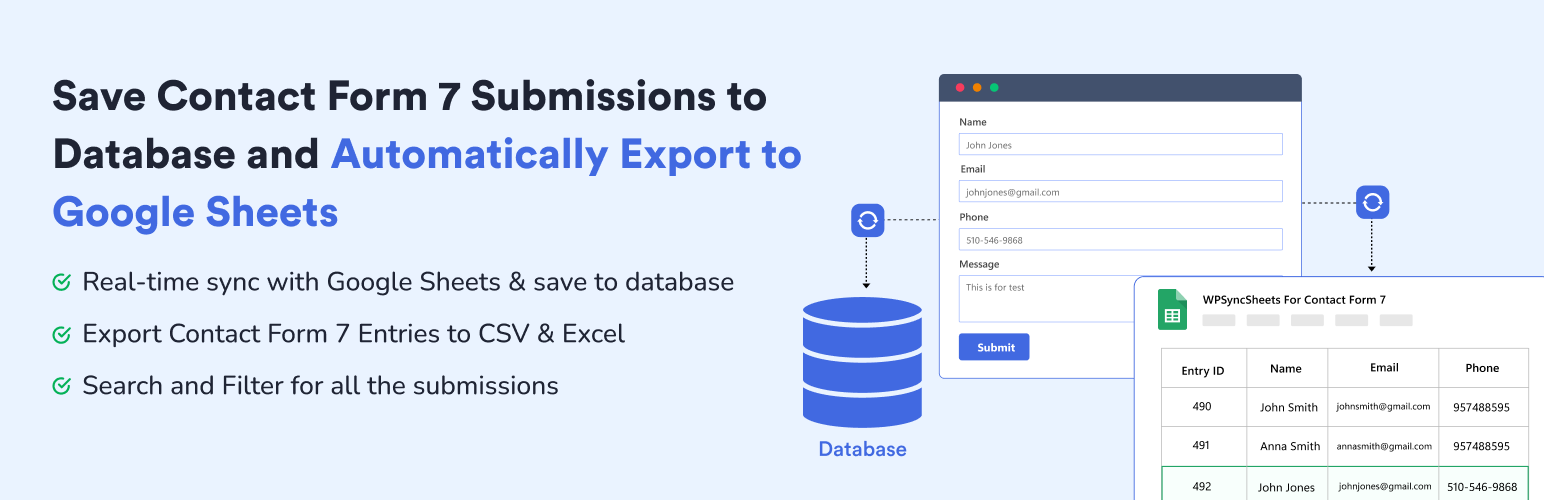
WPSyncSheets For Contact Form 7 automatically exports and syncs your Contact Form 7(CF7) submissions to a single Google Sheet while securely saving every entry in your WordPress database. Contact Form 7 Google Sheets Connector helps you to get real-time Google Sheets integration with built-in database storage to prevent data loss. Manage all your Contact Form 7 database(CFDB7) entries in one place with powerful, reliable, and easy-to-use features.
If you are looking for Google Sheets and Database Addon for Contact Form 7 this addon is the best choice. It lets you save and manage form submissions directly in your WordPress database and sync Contact Form 7 entries to Google Sheets.
Demo | Sample Sheets | Docs | Support | Pro
WPSyncSheets For Contact Form 7 Features
-
Contact Form 7 to Google Sheets Integration Connect Contact Form 7 with Google Sheets and save form entries to database in real time. CF7 Google Sheets Connector is also create a new sheet or select an existing one, add new tabs automatically, and map which form fields to save. WPSyncSheets For Contact Form 7 acts as a secure connector and can store data like name, email, IP address, page URL, and submission date. Data is synced instantly using secure Google authentication, and no Google account or Drive data is stored by the plugin author.
-
Save Form Submissions in Database Database Addon for Contact Form 7 lets you save Contact Form 7 submissions to your WordPress database. It also stores all the form entries in a single optimized database table and Google Sheets. It has ability to displays the entry count for each form with search and filter options. Each contact form 7 submission has its own entry detail page to add notes, show submission date, shop page url and many more.
-
Export Contact Form 7 Entries to Google Sheets, CSV & Excel CF7 Google Sheet Connector is the bridge between WordPress plugin Contact Form 7 and Google Sheets. It can help you to export all your form submissions to Excel and CSV which has already stored within the WordPress database. WPSyncSheets For Contact Form 7 plugin has also ability to export entries with date filter (Today, Last 7 Days, This Month, Custom Range) option and form wise cf7 entries export.
-
Modern & Elegant Dashboard for Easy CF7 Entry Management WPSyncSheets For Contact Form 7 includes a clean dashboard inside WordPress admin that shows all Contact Form 7 forms and their connection status with Google Sheets or Save to Database. You can manage all integrations from CF7 → Google Sheets or Database.
Upgrade to Pro Features
✅ Edit Sheet Headers – Rename spreadsheet columns from plugin settings ✅ Sort Sheet Headers – Reorder columns to match your desired field layout ✅ Payment Status Control – Sync entries only after PayPal or Stripe payment is successful ✅ Save File Uploads – Store uploaded files and add clickable links in the spreadsheet
You can check out the user guide to easily setup the plugin or watch the below video on How to Export Contact Form 7 Entries
Related Import-Export Google Sheets Plugins
WPSyncSheets connects WordPress and WooCommerce platforms with Google Sheets. Our mission is to help businesses automate data transfer, simplify operations, and reduce repetitive tasks through real-time, two-way data synchronization.
🔸 WPSyncSheets For WooCommerce: Import Export WooCommerce Orders, Products, Customers & Coupons.
🔸 WPSyncSheets For Gravity Forms: Send Gravity Forms submissions to Google Sheets in real-time.
🔸 WPSyncSheets For Core: Import, Export & Bulk Edit WordPress Posts and Pages via Google Sheets.
🔸 WPSyncSheets For Elementor: Map & Sync Elementor Form Entries to Google Sheets in Real Time.
🔸 WPSyncSheets For Document Library Pro: Sync Document Library Pro documents with Google Sheets.
🔸 WPSyncSheets For WPForms: Map & Sync WPForms Entries to Google Sheets.
🔸 WPSyncSheets For Ninja Forms: Automatically Sync Ninja Form Entries to Google Sheets.
🔸 WPSyncSheets For Fluent Forms: Sync Fluent Form Entries to Google Sheets in Real Time.
🔸 WPSyncSheets For Formidable Forms: Automatically Map and Sync Formidable Form Entries to Google Sheets.