
Joinchat – Enhanced "click to chat"
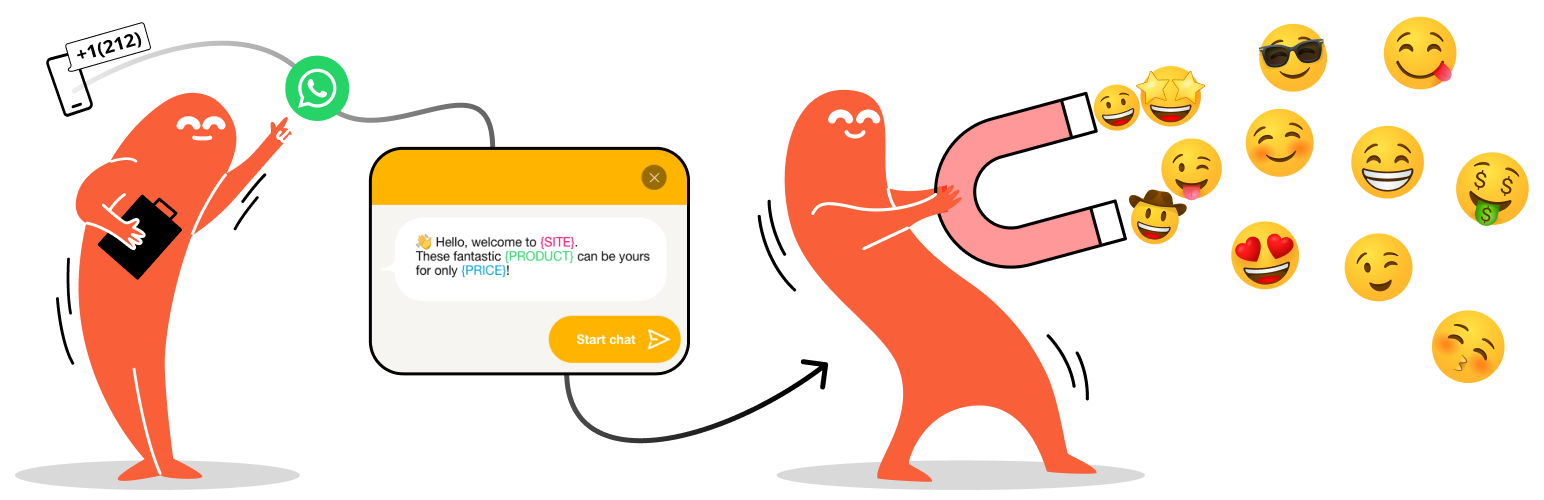
대화를 전환으로 전환하기
Joinchat is the most installed plugin for WhatsApp: a customizable floating button that turns your visitors into chats, leads and sales.
Built for conversion from the very first click: eye-catching CTAs, dynamic start messages, native WooCommerce integration and built-in analytics to measure every conversation.
🌍 Joinchat, the global leader in WhatsApp click to chat
🗺️ Present in more than 176 countries
🏆 #1 chat solution in:
🇦🇷 Argentina 🇨🇴 Colombia 🇧🇷 Brazil 🇪🇸 Spain 🇳🇱 Netherlands 🇲🇽 Mexico 🇨🇱 Chile 🇵🇪 Peru 🇵🇹 Portugal
Source: BuiltWith®
What you get with Joinchat
A complete WhatsApp conversion toolkit for WordPress, designed to capture more leads and close more sales.
- Floating WhatsApp button that opens the WhatsApp app on mobile, and on desktop launches WhatsApp Desktop or WhatsApp Web and shows a scannable QR code.
- Eye-catching CTAs to greet visitors, present offers and start the chat with the right message.
- Dynamic start messages so every conversation arrives with full context (the page, the product, the price, the discount…).
- WooCommerce integration, with a contact button next to “Add to cart” and shop-specific CTAs.
- Analytics built in — 🆕 — Clicks counter in your WordPress dashboard. Events for Google Analytics 4, Google Tag Manager and Facebook Pixel, plus Google Ads conversions.
- Lightweight and fast — JavaScript with no dependencies and lazy-loaded styles. No render-blocking.
- Customizable site-wide or at the page, product, category, etc. level.
🛡️ Say goodbye to the fear of WhatsApp bans
Many companies lose their WhatsApp Business number for contacting customers first without consent. Joinchat flips the model: the visitor writes first, so every conversation starts aligned with WhatsApp’s official policies.
The result: your business number protected and your customers reaching out when they need to, not the other way around.
With Joinchat, you can unlock the full potential of WhatsApp’s “click to chat” feature.
Take Joinchat further with Premium and AI
Joinchat Free is just the start. Premium and AI unlock its full conversion potential.
- 💬 Add more support channels — extend beyond WhatsApp with Telegram, Facebook Messenger, phone calls and more, all from the same widget.
- 🕒 Multi-agent with custom schedules — assign chats to the right person at the right time. Each agent works their own hours and only takes chats when available, and you can set an alternative CTA when no agents are online.
- 🔁 Add a Chat Funnel — guided conversational flows that qualify and capture leads automatically with higher conversion than a form, 24/7, even when no one is at the desk.
- ✨ Add an AI agent — trained on your FAQs and website content. Answers visitors instantly, anytime, with the tone and knowledge you define.
👉 Get Joinchat Premium | 👉 Get Joinchat AI
📝 Settings at page or archive level
You can change main settings on every Post, Page, Product or CPT and for Tag or Category archive pages. Edit your WhatsApp number, CTA, Start Message and Visibility options.
🔴 Show a notification
Use a balloon on the button to get the visitor’s attention. In this way, you ensure that you do not miss any important message you want to give them, surprise them in a less intrusive way.
📯 Create call-to-action messages
CTAs with Rich Chat: multiple chat bubbles with links, buttons, images or random text. Encourage users to contact you with a welcome message, offering help or promotions and offers. Read more
💬 Customize conversation start messages
Defines a pre-loaded initial message for when the user contacts via WhatsApp. Add context with our “Dynamic Variables” and you will know what page the visitor is coming from or what product they are looking at when they start the chat.
✅ Opt-in text
옵트인이란 사용자가 비즈니스에서 보내는 메시지를 수신하는 데 동의하는 것을 말합니다.
방문자가 연락하는 조건(또는 중요하다고 생각되는 기타 정보)이 포함된 텍스트를 작성합니다.
필수로 설정하고 사용자가 수락할 때까지 연락처를 비활성화할 수 있습니다.
🛒 Integration with WooCommerce
Set CTAs and Start Messages for shop page, product pages and for products on sale.
제품 페이지의 ‘장바구니에 추가’ 버튼 옆에 바로 WhatsApp 연락처 버튼을 추가하거나 가격이 없는 제품에서도 최적의 위치를 선택하세요.
🧩 WhatsApp Contact Button Block
Add beautiful and customizable WhatsApp contact buttons in the Block Editor. You can define phone and initial message of the button or use the post/general Joinchat settings (ideal for Reusable Blocks).
데스크톱에서 QR 코드를 활성화하여 방문자가 이를 스캔하고 휴대폰에서 메시지를 시작할 수 있도록 합니다.
🃏 Dynamic Variables
각 페이지마다 동적으로 변경되는 CTA 및 시작 메시지에 변수를 사용하세요:
- {SITE} ➡ Website title
- {TITLE} ➡ Current page title
- {HOME} ➡ Website home url
- {URL} ➡ Current page url
- {HREF} ➡ Current page url (full with query params)
- {PRODUCT} ➡ Product name (Woo)
- {SKU} ➡ Product SKU (Woo)
- {REGULAR} ➡ Product regular price (Woo)
- {PRICE} ➡ Product current price (Woo)
- {DISCOUNT} ➡ Product percent discount when is on sale (Woo)
📈 Analytics Integration
사용자가 WhatsApp을 열면 Google 애널리틱스, 구글 태그 관리자 및 페이스북 픽셀로 이벤트를 자동으로 전송합니다.
- — 🆕 — Clicks counter in your WordPress dashboard
- Google Analytics 4 send the recommended
"generate_lead"event - Google Tag Manager send
"JoinChat"event - Facebook Pixel send
"JoinChat"event - Google Ads conversion, just add your Conversion ID and Conversion Label
사용자 정의 이벤트를 직접 만들거나 이벤트 매개변수를 추가할 수도 있습니다. 자주 묻는 질문 보기 / 자세히 보기
🍾 Chat Triggers
페이지의 모든 요소가 채팅 트리거가 될 수 있습니다. 예를 들어, 링크에서 WhatsApp을 실행하거나 사용자가 바닥글로 스크롤할 때 Joinchat CTA를 표시할 수 있습니다.
페이지 로드 시(URL 기준):
- url 쿼리 매개변수
joinchat에 채팅 창을 표시합니다. 지연 시간을 초 단위로 설정할 수 있으며, 기본값은 0 (예: example.com/page/?joinchat=5)입니다. - 채팅 창을 표시하려면 URL 쿼리 해시
#joinchat(예: example.com/page/#joinchat)을 입력합니다.
클릭 시:
- 클래스
"joinchat_app"WhatsApp 직접 실행 - 클래스
"joinchat_open"Joinchat CTA를 엽니다. - link href
"#whatsapp"WhatsApp 직접 실행 - link href
"#joinchat"는 Joinchat CTA를 엽니다.
직접 WhatsApp 트리거를 위해 사용자 지정 휴대폰 및 초기 메시지를 설정합니다:
data-phone="99999999"data-message="이 트리거 메시지에만 해당".
스크롤 시(요소가 화면에 표시되는 경우):
- 클래스
"joinchat_show"Joinchat CTA를 엽니다(처음). - 클래스
"joinchat_force_show"Joinchat CTA를 엽니다(항상).
💱 Multi-Language & RTL Support
To be able to support all your users, wherever they are. Our plugin is compatible with WPML, Polylang and — 🆕 — TranslatePress and also RTL languages are supported.
🌈 Theme Colors & 🌚 Dark Mode
색상을 선택하면 위젯의 전체 시각적 테마를 사용자 지정합니다. 어두운 모드에서는 어두운 색상과 흰색 텍스트로 채팅창을 표시합니다. 설정에서 활성화하거나 자동 설정으로 둘 수 있으며, 디바이스의 구성을 감지합니다.
⚡ Fast & Light
Only load what need when needed. Joinchat is lightweight and follow best coding practices. Use vanilla JavaScript without dependencies, deferred scripts and lazy load of styles to prevent render-blocking.
See Tests Report and Speed Score.
🔕 No distractions
Joinchat은 모든 주요 시각적 편집기 및 페이지 빌더와 통합되며 페이지를 편집할 때 표시되지 않습니다.
지원되는 편집기: 비버 빌더, 브리지 페이지 빌더, 엘리멘터, 오션 빌더, 사이트오리진 페이지 빌더, 쓰리브 아키텍트, 비주얼 컴포저, WP 페이지 빌더.
🍪 Cookies & GDPR
Joinchat은 쿠키 없이 사용할 수 있습니다. 하지만 CTA를 자동으로 표시하려면 두 개의 쿠키가 필요합니다. 이 쿠키는 퍼스트 파티 쿠키이며 개인 데이터를 수집하지 않습니다.
Joinchat은 워드프레스의 개인정보처리방침 가이드와 통합되어 필요한 텍스트를 제안합니다.
👨💻 Developer friendly
기능을 확장하거나 동작을 변경할 수 있는 다양한 필터와 작업을 통해 완전히 확장할 수 있습니다.
⌁ Joinchat이 마음에 드신다면 😍
- ★★★★★ 평가를 남겨 주세요. 감사하겠습니다.
- 귀하의 언어로 번역을 도와주세요.
- 블로그를 방문하여 join.chat에서 팁과 요령을 찾아보세요.
- X에서 @joinchatnow를 팔로우하고 지금 채팅에 참여하세요!