
Digital Asset Manager
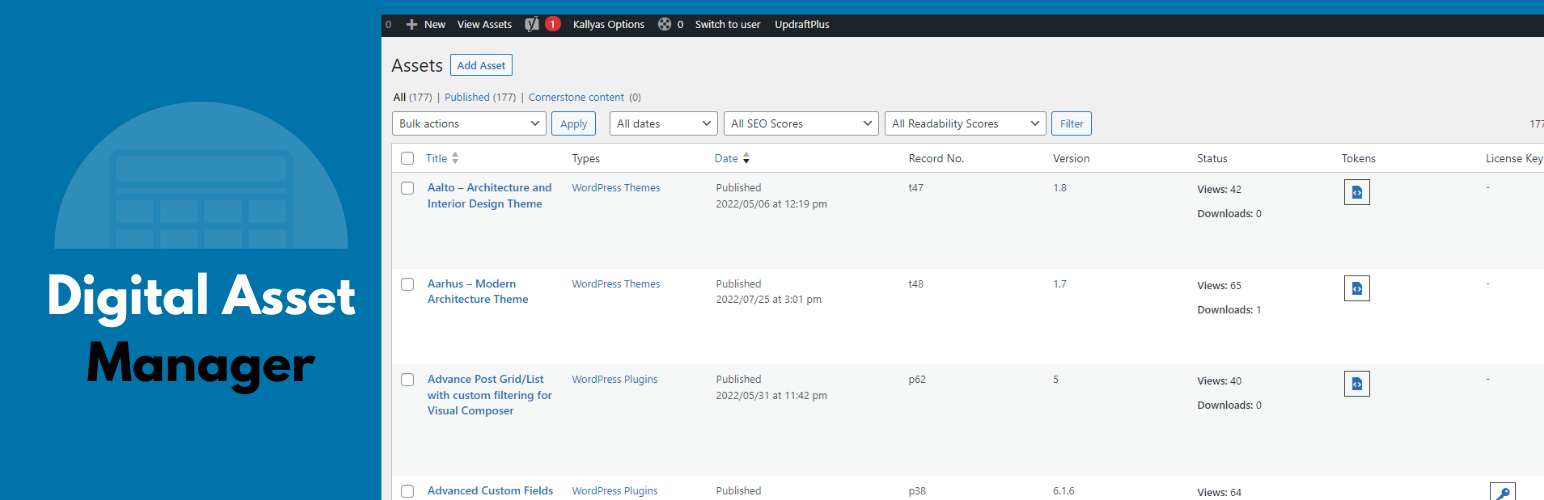
The Digital Asset Manager plugin for WordPress allows you to store, manage, and share all of your digital assets efficiently. This includes themes, plugins, and other files purchased from various marketplaces, with added support for custom taxonomies and templates for enhanced functionality.
Live Demo
Features:
- Store and manage all of your digital assets in one place
- View detailed information about each asset, such as name, version, date purchased, and source
- Easily update your assets to the latest versions
- Share assets on social media or via email
- Archive and restore assets
- Predefined templates for single and archive pages with user override support
- Advanced search functionality, including filters for custom taxonomies
- Pagination and dropdown category filters for better navigation
Benefits:
- Save time and hassle by managing all your digital assets in one place
- Keep your assets organized, up-to-date, and easily accessible
- Share assets effortlessly with clients or team members
- Protect your investment in digital assets by keeping track of them
- Centralize your client and asset information for better productivity
Use Cases
- WordPress agencies can use the plugin to store and manage the themes and plugins purchased for their clients.
- Freelancers can use it to store and organize the digital assets for their projects.
- In-house teams can manage company-wide digital resources.
Usage
Once the plugin is activated, you can access it from the Assets menu in WordPress.
- Add new assets using the
Add Assetmenu, where you can upload files and enter detailed information. - View or edit assets by clicking on their titles.
- Use predefined single and archive templates for custom display of your assets.
- Override templates in your child theme for further customization.
Archive and Single Page Templates
The plugin includes archive and single page templates for the dam-asset post type and associated custom taxonomies (asset-type and asset-tag). These templates can be overridden in your child theme.
Default templates included:
1. single-dam-asset.php
2. archive-dam-asset.php
3. taxonomy-asset-type.php
4. taxonomy-asset-tag.php
Refer to the plugin’s template header comments for override instructions.
Conclusion
The Digital Asset Manager plugin is a versatile tool for WordPress users looking to organize and manage their digital assets. With robust features, user-friendly templates, and seamless integration, it’s ideal for agencies, freelancers, and in-house teams.
Additional Tips
- Customize asset library templates by overriding them in your child theme.
- Use the included search functionality to quickly find and filter assets.
- Enhance navigation with built-in pagination and category filters.
- Share assets via social media with prebuilt sharing links.