EazyDocs – AI 기반 지식 베이스, 위키, 문서화 및 FAQ 빌더
전문 지식 기반, 도움말 센터 및 문서 사이트 구축을 위한 최고의 워드프레스 플러그인
EazyDocs는 가장 포괄적인 지식 기반 및 문서 플러그인입니다. 생성 무제한 지식 기반, 도움 센터, 위키, FAQ를 제한 없이 생성하세요. SaaS 기업, 소프트웨어 개발자, 에이전시, 이러닝 플랫폼 및 전문 문서가 필요한 모든 비즈니스에 적합합니다.
AI로 문서 강화하기 EazyDocs를 Antimanual와 통합하여 지능형 AI 챗봇, 자동 문서 생성 및 고급 AI 검색을 추가하세요. 문의 티켓을 70% 줄이고 사용자에게 즉시 답변을 제공합니다.
왜 EazyDocs를 선택해야 하나요?
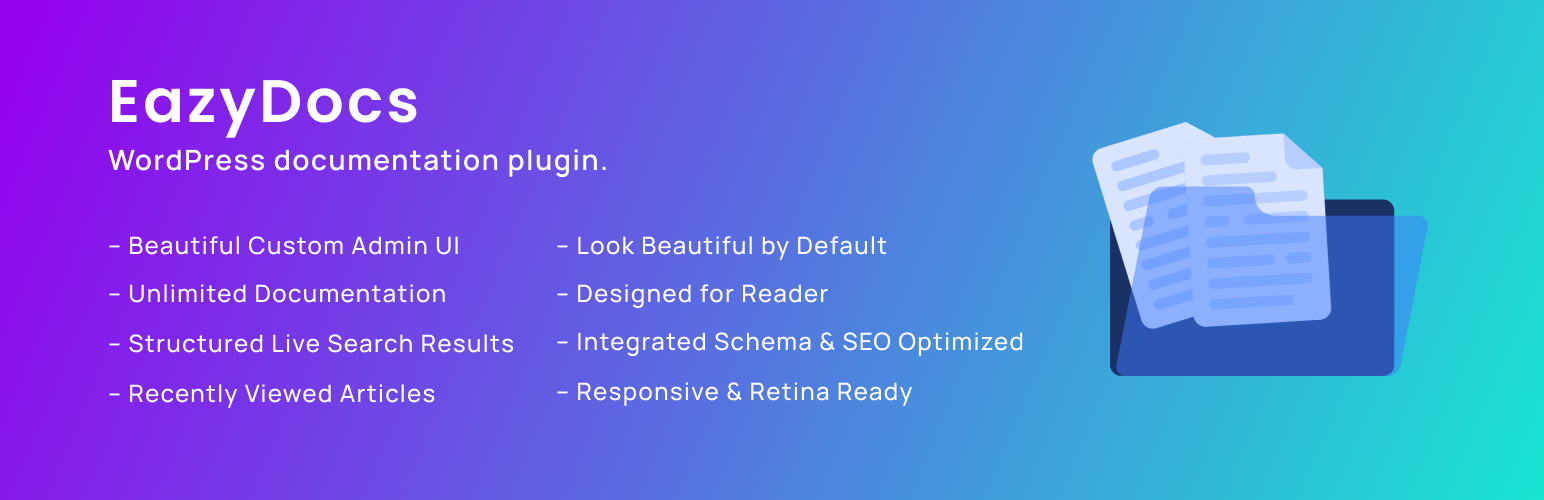
- 모든 것이 무제한 – 지식 베이스, 문서, 카테고리를 제한 없이 무제한 생성.
- 드래그 앤 드롭 편집기 – 문서를 직관적으로 정리하고 중첩하세요. 코딩 불필요.
- AI 기반 문서화 – 차세대 AI 지원을 위해 Antimanual과 원활하게 통합됩니다.
- SEO 최적화 – Schema.org 통합, SEO 친화적 아키텍처 및 구조화된 데이터 내장.
- 실시간 검색 – AJAX 기반의 즉시 결과와 스마트 추천 기능.
- 기본으로 아름다운 디자인 – 별도 설정 없이 바로 사용 가능한 전문적이고 현대적인 디자인.
- 모바일 반응형 – 모든 기기에서 100% 반응형 및 레티나 지원.
- 독자 중심 디자인 – 고정 사이드바와 자동 목차로 가독성 최적화.
동영상 개요 – EazyDocs를 동작에서 보기
2000개 이상의 기업이 신뢰 소규모 팀부터 대기업까지, EazyDocs는 전문 문서의 필수 솔루션입니다.
실제 성공 사례
- Bit Apps – 완전한 SaaS 문서
- Glamsy Designs – 상품 지식 베이스
- Quomodosoft – Product knowledge base
시작하기
- 워드프레스 플러그인 디렉터리에서 EazyDocs를 설치하세요.
- 플러그인 활성화
- 다음으로 이동하세요: EazyDocs > 시작하기.
- 첫 번째 지식 베이스를 만들고 드래그 앤 드롭으로 정리하세요.
Need Help?
핵심 기능👇
AI 기반 기능 (Antimanual을 통해)
- 지능형 AI 챗봇 – 문서를 학습하여 즉시 정확한 답변 제공(GPT-4, GPT-5, Gemini 지원).
- AI 문서 생성기 – 맞춤 톤과 언어로 포괄적인 문서를 자동 생성합니다.
- AI 기반 검색 – 키워드뿐만 아니라 사용자 의도를 이해하는 의미 기반 검색.
- 자동 게시 및 콘텐츠 자동화 – AI가 생성한 문서를 예약하여 게시하세요.
- 포럼 통합 – 포럼 토론을 영구적인 지식 베이스 문서로 전환.
문서 관리
- 무제한 지식 베이스 – 필요한 만큼 제한 없이 생성하세요.
- 계층적 구성 – 문서 깊이 4단계 지원(프로 버전은 5단계).
- 스마트 문서 정렬 – 문서 재구성용 직관적인 드래그 앤 드롭 인터페이스.
- 대량 작업 – 문서 복제, 가시성 관리 및 대량 정리.
- 수정 기록 – 모든 변경 사항을 추적하고 이전 버전으로 언제든지 복원하세요.
사용자 경험 및 탐색
- AJAX 실시간 검색 – 즉시 결과를 보여주는 빠르고 지능적인 검색.
- 고정 내비게이션 사이드바 – 스크롤 중에도 손쉬운 탐색.
- 자동 목차 – 콘텐츠를 쉽게 훑어볼 수 있는 내장 목차.
- 접이식 사이드바 – 방해 요소 없이 콘텐츠에 집중하세요.
- 최근 본 글 – 탐색 기록에 빠르게 접근
독자 경험 도구
- 읽기 시간 추정치 – 각 글을 읽는 데 걸리는 시간을 표시하세요.
- 보기 카운터 – 글 인기 표시.
- 글꼴 크기 조정 – 읽기 편의성 맞춤 설정.
- 인쇄 기능 – 원클릭 최적화 인쇄.
- 독자 피드백 및 투표 – 글의 유용성에 대한 귀중한 인사이트를 수집하세요.
맞춤 설정 및 디자인
- 실시간 사용자 정의 기능 – 코딩 없이 색상, 글꼴 및 설정을 변경하세요.
- 고급 설정 페이지 – 실시간 검색을 통한 광범위한 맞춤 설정.
- 다크 모드 지원 – 가독성을 높여주는 전문적인 다크 모드(Pro 기능).
- 페이지 빌더 호환 – 구텐베르크와 엘리멘토르와 원활하게 작동합니다.
기술 및 SEO 기능
- SEO 최적화 – 검색 엔진 순위를 고려하여 제작되었습니다.
- Schema.org 통합 – 검색 가시성 향상을 위한 리치 스니펫.
- 다국어 지원 – WPML 완전 호환 및 RTL(오른쪽-왼쪽) 언어 지원.
- 요청 시 자산 로딩 — 빠른 성능을 위한 가벼운 풋프린트.
페이지 빌더 통합
- Gutenberg Blocks – Comprehensive pre-built blocks for dynamic doc page creation. No third-party page builder required!
- Elementor Widgets (Optional) – Optional drag-and-drop widgets if you prefer Elementor.
- 쇼트코드 – 고급 커스터마이징을 위한 유연한 쇼트코드 시스템.
Note: EazyDocs works perfectly with WordPress’s native Gutenberg editor. You do NOT need Elementor or any other third-party page builder to create beautiful documentation and helpdesk landing pages.
문서 성능 도구
- 이메일 리포트 – 분석 리포트를 바로 이메일로 받아보세요.
- 참여 분석 – 사용자 행동 및 콘텐츠 성과 추적(프로 기능).
- 문서 요약글/요약 – 목록 및 미리보기에 표시할 요약글을 추가합니다.
- 콘텐츠 인사이트 – 방문자에게 어떤 글이 가장 도움이 되는지 이해하세요.
프리미엄 마이그레이션 및 통합
- BetterDocs 마이그레이션 도구 – 기존 문서를 모두 보존하는 원클릭 마이그레이션.
- Google 로그인 – 독자가 Google 계정으로 로그인할 수 있도록 허용합니다.
- 사용자 역할 관리 – 누가 문서를 생성하고 편집할 수 있는지 제어합니다 (Pro 기능).
- 개인 문서 – 로그인 요구 또는 비밀번호로 접근을 제한합니다 (Pro 기능).
EazyDocs로 지식 기반 사이트 생성하는 방법
AI 통합 – Antimanual로 문서를 강화하세요
Add Enterprise-Grade AI to Your Documentation – Reduce Support Tickets by 70%+
Integrate EazyDocs with Antimanual to transform your knowledge base into an intelligent support hub. Get AI-powered chatbot, auto-generated documentation, semantic search, and more.
AI 통합 작동 모습을 확인하세요
주요 AI 기능
🤖 24/7 AI Chatbot – Automatically trained on your EazyDocs. Provides instant, contextual answers powered by GPT-4, GPT-5, and Gemini. Reduce support tickets by 70%+.
📚 Auto Doc Generator – Create professional documentation in seconds with custom tone and language. SEO-optimized with automatic formatting.
🔍 Semantic AI Search – Understands user intent, not just keywords. Finds relevant content even without exact matches.
✍️ Auto-Posting – Schedule AI-generated content automatically. Keep your documentation fresh and SEO-friendly.
💬 Forum Integration – Convert solved forum discussions into permanent knowledge base articles. Automate responses and capture community insights.
다른 AI 문서 솔루션보다 Antimanual을 선택해야 하는 이유는?
- 고급 AI 모델: GPT-4, GPT-5 및 Gemini 지원(단지 GPT-3.5만이 아님)
- 다중 출처 학습: 문서, PDF, URL 및 사용자 지정 텍스트로 학습
- Conversation History: Full context for smarter, personalized answers
- Content Automation: Bulk rewrite, auto-posting, and scheduling
- Forum Automation: Transform discussions into permanent documentation
- Global Support: Multi-language and RTL language support
- Easy Deployment: Simple shortcodes and cross-domain embedding
여러분이 경험하게 될 입증된 결과
- 70%+ Reduction in Support Tickets – Instant AI answers eliminate most routine questions
- Scale Your Support – Handle unlimited queries without hiring more staff
- Better SEO Rankings – Fresh AI-generated content improves search visibility
- Happier Visitors – Instant answers reduce bounce rates and improve satisfaction
- Save Time & Money – Automate documentation creation, updates, and responses
Antimanual + EazyDocs로 빠르게 시작하기
- Install Antimanual from the WordPress plugin directory
- Add your OpenAI or Gemini API key in Antimanual settings
- Antimanual automatically indexes your entire EazyDocs knowledge base
- Customize chatbot appearance and response style
- Add to your docs with a simple shortcode – Done!
Learn More About Antimanual • View Full Integration Guide
프리미엄 요금제 및 기능
EazyDocs는 모든 규모의 비즈니스를 위해 유연한 가격 정책을 제공합니다:
EazyDocs Pro – 고급 기능
Unlock professional features perfect for growing businesses:
- Doc Root URL customization.
- 책 챕터 Elementor 위젯들
- 투표 및 댓글 알림
- 문의 양식이 있는 문서 도움말 도우미.
- 조건부 콘텐츠 드롭다운
- Ajax Doc Loading for faster performance.
- Dark Mode for professional documentation.
- OnePage Documentation layouts.
- User Role Management (control who can edit).
- Docs 아카이브 메이슨리 레이아웃.
- 로그인 페이지가 있는 비공개 문서.
- Glossary documentation.
- 확장된 문서 레이아웃
- Doc Badges for content organization.
- 추천 검색 키워드.
- 대량 복제 문서
- Bulk Doc Visibility controls.
- User Restrictions & IP limitations.
- External Site Integration support.
- 편집 가능한 단일 문서 사이드바들.
- 완전한 RTL 호환성.
- 사용자 피드백 데이터베이스.
- Attach documents to any page.
EazyDocs ProMax – 완벽한 솔루션
Everything in Pro, plus advanced analytics and management:
- Subscribe to Docs feature.
- 선택한 텍스트에 대한 피드백.
- Complete Analytics Dashboard.
- Frontend Contributor access.
- Add/Edit docs from frontend.
- Footnotes support.
- Elementor 미리 만들어진 템플릿.
- 작성자/기여자 프로필 페이지들.
- Daily/Weekly/Monthly Statistics Email Reporting.
BetterDocs에서 EazyDocs로 마이그레이션하는 방법
개발자 소개
EazyDocs는 Spider Themes에서 개발했으며, 강력하고 사용하기 쉬운 플러그인을 만드는 데 전념하는 경험 많은 워드프레스 개발자 팀입니다. 우리의 사명은 복잡함 없이 기업과 창작자가 전문적인 문서를 작성하도록 돕는 것입니다.
Why You Can Trust EazyDocs:
- Over 2,000+ active installations.
- Trusted by businesses worldwide.
- Continuously updated and improved.
- Active community support.
- Regular security updates and performance improvements.
- Built by dedicated WordPress professionals.
WHAT’S NEXT?
If you like EazyDocs, then consider checking out our other WordPress Plugins:
Antimanual – AI-powered assistant that automates content creation, documentation, and support, transforming static sites into dynamic experiences.
Advanced Accordion Block – Lightweight Gutenberg block for creating visually appealing, organized accordion sections with extensive styling options.
Changeloger – Transform plain text changelogs into visually stunning, organized representations with pagination and version links.
Forumax – Standalone, feature-rich community forum plugin with voting, private replies, and Elementor integration.
Jobus – Comprehensive job board solution transforming your site into a recruitment platform with dashboards and ATS.
Spider Elements – Versatile library of 20+ creative widgets to enhance Elementor and build professional websites.