
Floating Chat Buttons – Click to Call or Chat, Email
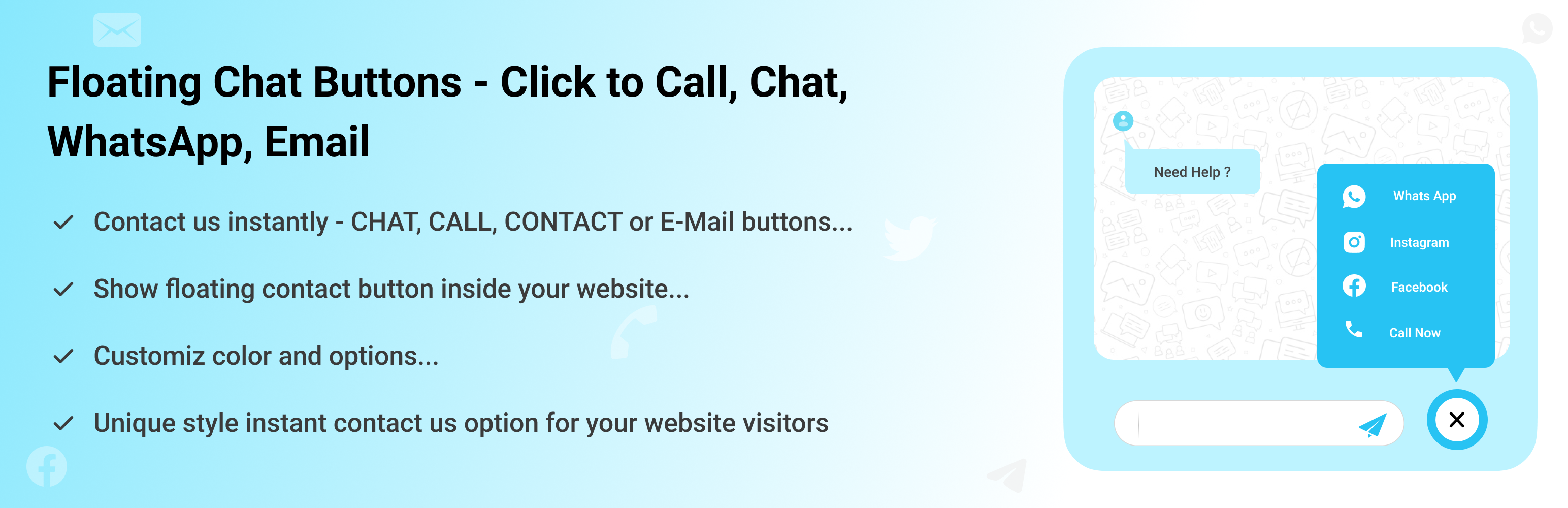
Floating Chat Buttons is a simple WordPress plugin that helps your website visitors connect with you instantly. With just one click, users can reach you through WhatsApp, Facebook Messenger, Instagram, Skype, Slack, Telegram, Viber, Twitter, Email, or a direct phone call.
You can show the buttons on selected pages or across your entire site. It also includes a callback request option, so visitors can ask you to call them back.
Key Features
-
Multiple Contact Options: Add buttons for popular apps and channels like WhatsApp, Facebook Messenger, Instagram, Skype, Slack, Telegram, Viber, Twitter, and Email, ensuring your visitors can contact you on their preferred platform instead of being limited to just one option.
-
Click to Call Button: Add a “Call Now” button so users can instantly dial your phone number with a single click.
-
Callback Request: Not available to take calls immediately? The plugin offers a callback request option where visitors can leave their details and ask you to call them back later. This improves customer trust and ensures you don’t miss potential leads.
-
Customizable Design: Adjust the style and colors of chat buttons according to your website design.
-
Responsive Layout: The buttons are fully mobile-friendly. They automatically adjust size and position based on the device screen, desktop, tablet, or mobile.
-
RTL Language Support: If your website uses a Right-to-Left language (like Arabic, Hebrew, or Urdu), the buttons display accordingly.
-
Custom Links: Apart from the built-in apps, you can also add your own custom links. For example, link to a support portal, a custom chat system, or even another contact form.
-
Easy Setup: You don’t need to know any coding. Simply install the plugin, enable the buttons you want, and add your contact details in the settings. Everything can be managed from a clean and simple settings panel.
Check our other Cool Plugins
-
Cool FormKit For Elementor Forms: Add advanced fields and features to your Elementor form widget, like conditional fields, range sliders, country code, and more.
-
Automatic Translate Addon for Loco Translate: It is a powerful addon that enhances the functionality of the Loco Translate plugin by enabling the automatic translation of WordPress themes and plugins. This addon connects with sources like Google, Yandex, DeepL, or AI-powered sources like ChatGPT, Gemini AI and Chrome AI to provide instant and automated translations.
-
AutoPoly – AI Translation For Polylang: This addon duplicates your page or post titles, content, images, galleries, or meta fields, and automatically translates them into the selected language. Whether you’re using Elementor or Gutenberg, this addon makes the translation process easier.
-
Timeline Widget For Elementor: Showcase your company history, product roadmap, and personal journey in vertical & horizontal layout directly inside Elementor.
Use of 3rd Party Services: This plugin connects to the Cool Plugins feedback server only for optional usage data sharing and voluntary feedback submission (for example, during plugin deactivation). Data is transmitted solely after explicit user consent. No hidden tracking is performed, and no frontend visitor or site user data is collected. For more details, please review our Data Usage Policy, TOS, and Privacy Policy.