
HandL AI Connector Access Control
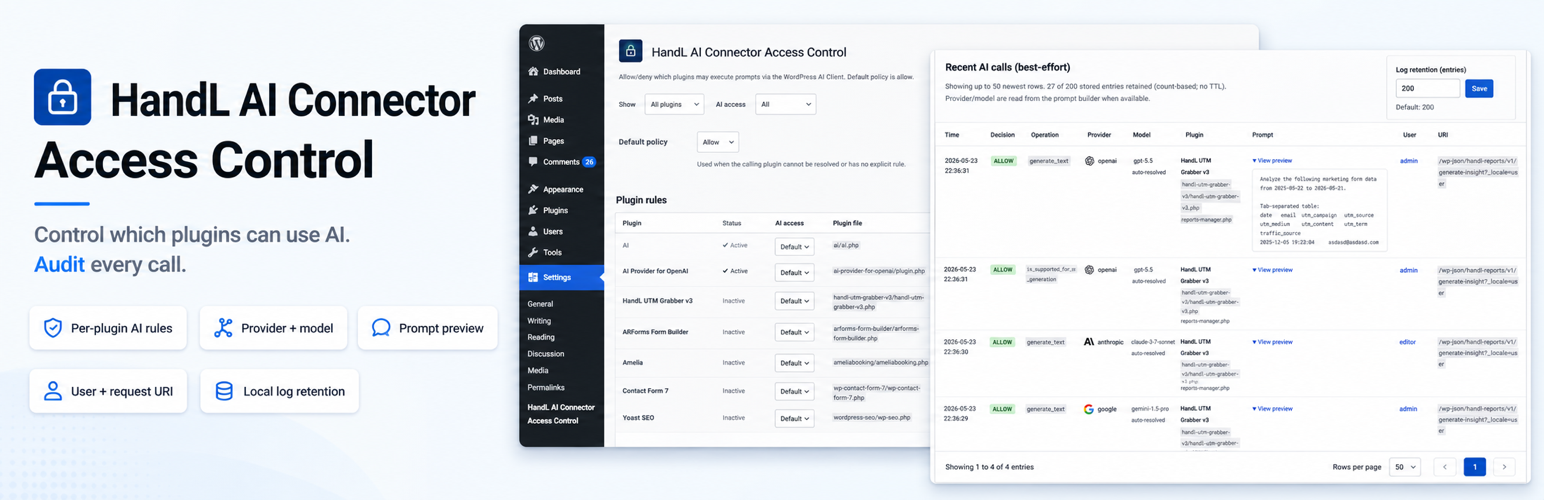
HandL AI Connector Access Control lets administrators allow/deny AI Client prompt execution on a per-plugin basis using the wp_ai_client_prevent_prompt filter introduced with the WordPress AI Client.
Default behavior is allow.
Learn mode (Audit & log tab) logs every AI Client call without blocking, so you can discover callers before enabling deny rules on the Plugin rules tab.
Emergency kill switch blocks all AI Client calls except plugins you list as exceptions.
Caller attribution is best-effort and is determined by inspecting the PHP call stack and mapping file paths to installed plugins.
Privacy / Data
This plugin does not send data to any external service.
If you enable recent-call logging in Settings → HandL AI Connector Access Control, it stores a local log in the WordPress options table containing:
- Timestamp
- Allow/deny decision
- AI Client operation (e.g.
generate_text,is_supported_for_text_generation) - Provider and model when set on the prompt builder (or model preferences)
- Truncated prompt preview and selected generation config (best-effort)
- Input and output token counts when the AI Client completes a generation (best-effort)
- Best-effort calling plugin (plugin basename) and source file
- Current user id and display name
- Request URI
Logs are kept as a count-based ring buffer (default 200 entries, configurable 20–1000). There is no time-based TTL—older rows drop only when the buffer is full.
Logging is disabled by default.